

hipocentaurus
Participant
August 26, 2022
Answered

File does not exist -> no thumbnail

  • August 26, 2022
  • 1 reply
  • 1110 views

Hi! 
Yesterday, I was working on a file (illustrator) I later saved on a (removable) drive. The drive was not disconnected from the computer at any point. In addition, It was not the first time that I saved this file, I have worked on it for a while and used to just overwrite it. 

Today, when I wanted to open the same file again - I could not see it in its location. 

In Adobe Illustrator I don't see it in the "recent" tab, however, if I go to File -> Open Recent Files it is there. But if I click on it, it says that "File does not exist".


I have tried the solutions proposed in similar discussions
1. I restarted my PC and illustrator

2. I performed a global search for the file

3. I checked the autosave folder
4. I checked the bin

5. I have checked different files with yesterday's date just in case I have overwritten them 

None of these solutions seemed to work.


Do you guys have any other ideas on what I could do? I really do not want to start over... 

Thanks a lot!

J
This topic has been closed for replies.
Correct answer Mike_Gondek10189183

Is this a USB flash drive, and I assume you have the drive mounted and checked it is functionling properly when you did the items in your list of 5.


Perform a check disk on the drive.

https://pureinfotech.com/fix-hard-drive-problems-windows-10/


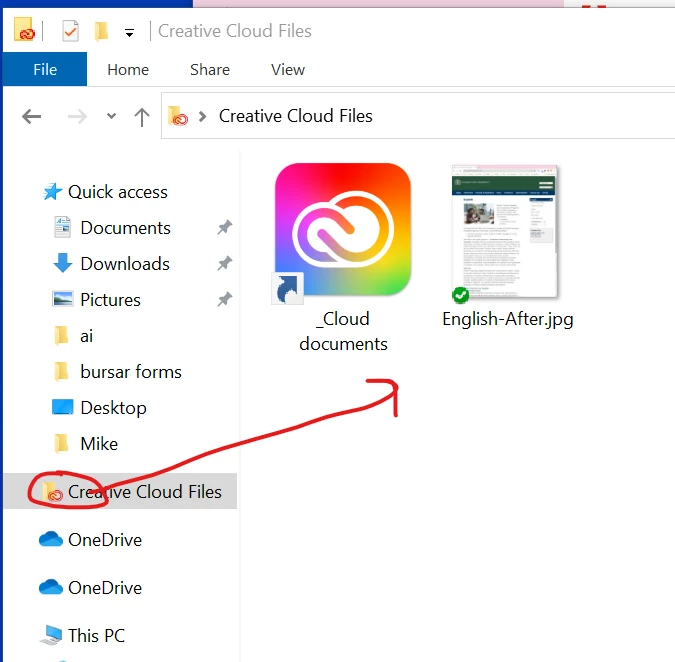
Check if you may have accidentally saved to  the cloud, Even experienced users are struggling with that.


1 reply

Mike_Gondek10189183
Community Expert
Mike_Gondek10189183Community ExpertCorrect answer
Community Expert
August 26, 2022

Is this a USB flash drive, and I assume you have the drive mounted and checked it is functionling properly when you did the items in your list of 5.


Perform a check disk on the drive.

https://pureinfotech.com/fix-hard-drive-problems-windows-10/


Check if you may have accidentally saved to  the cloud, Even experienced users are struggling with that.


hipocentaurus
Participant
August 26, 2022

Hi Mike, I don't know why I did not think of something as obvious as a disk check.


This, in fact, did restore my file.


Thank you so much! You just saved me a lot of time 🙂