
zephmann
Participant
February 8, 2016
Question

File Location of Pasted Image

  • February 8, 2016
  • 1 reply
  • 732 views

Hi!

I'm trying to find the file location of a pasted image.  Even though a file location shows up in the Links properties palette, I can't seem get to it with javascript.

doc.rasterItems[0].file;  //error: There is no file associated with this item.
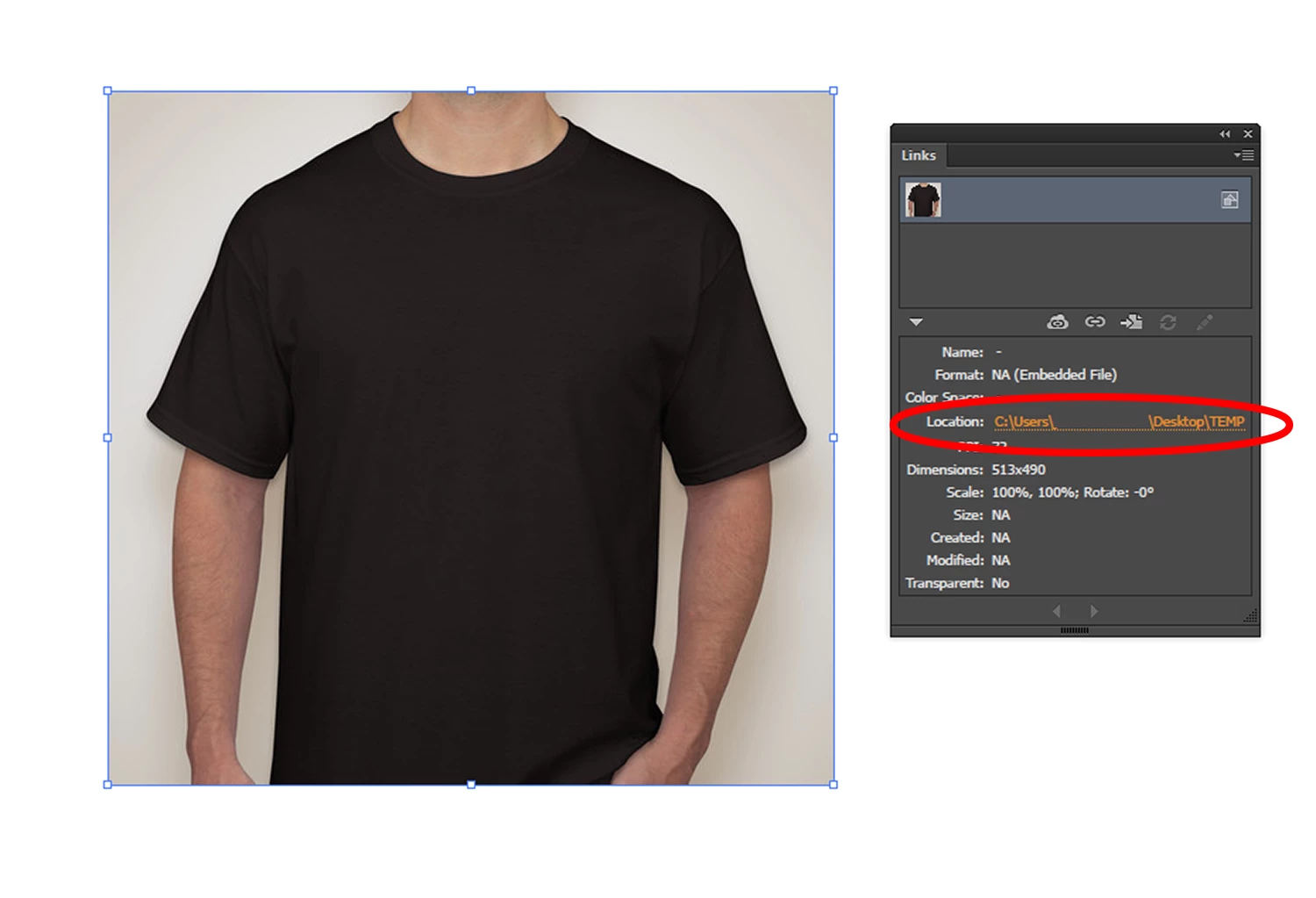
r

This topic has been closed for replies.

1 reply

Silly-V
Legend
February 8, 2016

Yes, because this formerly linked file is embedded, and the scripting DOM doesn't get into the links panel properties, this is a challenge point. However, there is a "hacky" way that I've discovered, which could theoretically be used to extract this information. What you can do is try to attach a variable to those raster items which are embedded (I am not quire sure what is a best way to determine a pasted raster with linked info (embedded property maybe?) from a placed item which is no file association anymore) and then capture a dataset. Then an XML dataset file can be exported, in which you will see all the file paths. This is admittedly a convoluted method of achieving a simple read of the same stuff that's plainly available in the UI in the Links panel, and one day I do intend to create a script for this, or at least test this thoroughly.

zephmann
zephmannAuthor
Participant
February 8, 2016

Silly-V Interesting, I'll do some digging. Thanks for the reply!

If anyone else has any tips on how to do this without adding variables, I'd greatly appreciate it! :-)

Loic.Aigon
Legend
February 10, 2016

Hi all,

It seems that an embedded link can return a File info to the condition the file still exists. The fact that you get an error isn't much related to the DOM but probably because you either deleted the file or its parent folder. Didn't you ?

Loic

http://www.ozalto.com


Hi,

It looks like throwing an eps file exposes some XMP metadata where you can find the link paths:

var main = function() {


    var doc,

    epsFile,

    epsOpts = new EPSSaveOptions,

    xmpStr,

    epsStr,

    uip = app.userInteractionLevel,

    startInDex, endIndex,

    xml, links, n = 0, arr = [];


    epsOpts.saveMultipleArtboards = true;

    epsOpts.embedLinkedFiles = true;

    epsOpts.includeDocumentThumbnails = false;


    if ( !app.documents.length) return;

    doc = app.activeDocument;


    app.userInteractionLevel = UserInteractionLevel.DONTDISPLAYALERTS;


    epsFile = File ( Folder.temp+"/psf.eps") ;

    epsFile.exists && epsFile.remove();

    doc.saveAs( epsFile, epsOpts );


    app.userInteractionLevel = uip;

    epsFile.open('r');

    epsStr = epsFile.read();

    xmpStr = /<x:xmpmeta/.exec(epsStr);

    epsFile.close();

    epsFile.remove();


    if ( xmpStr === null) {

        alert( "unable to read data");

        return;

    }


    startInDex = xmpStr.index;

    endIndex = /<\/x:xmpmeta/.exec(epsStr).index+12;


    xml= XML (epsStr.substring (startInDex, endIndex));


    if (!xml.descendants().length()){

        alert("Unable to retrieve links data");

        return;

    }

    links = xml.descendants("stRef:filePath");

    n  = links.length();


    while ( n-- ) {

        arr[arr.length] = decodeURI(String(links));

    }

    return arr;

}

main();

HTH

Loic Aigon

http://www.ozalto.com