
Participant
January 3, 2023
Answered

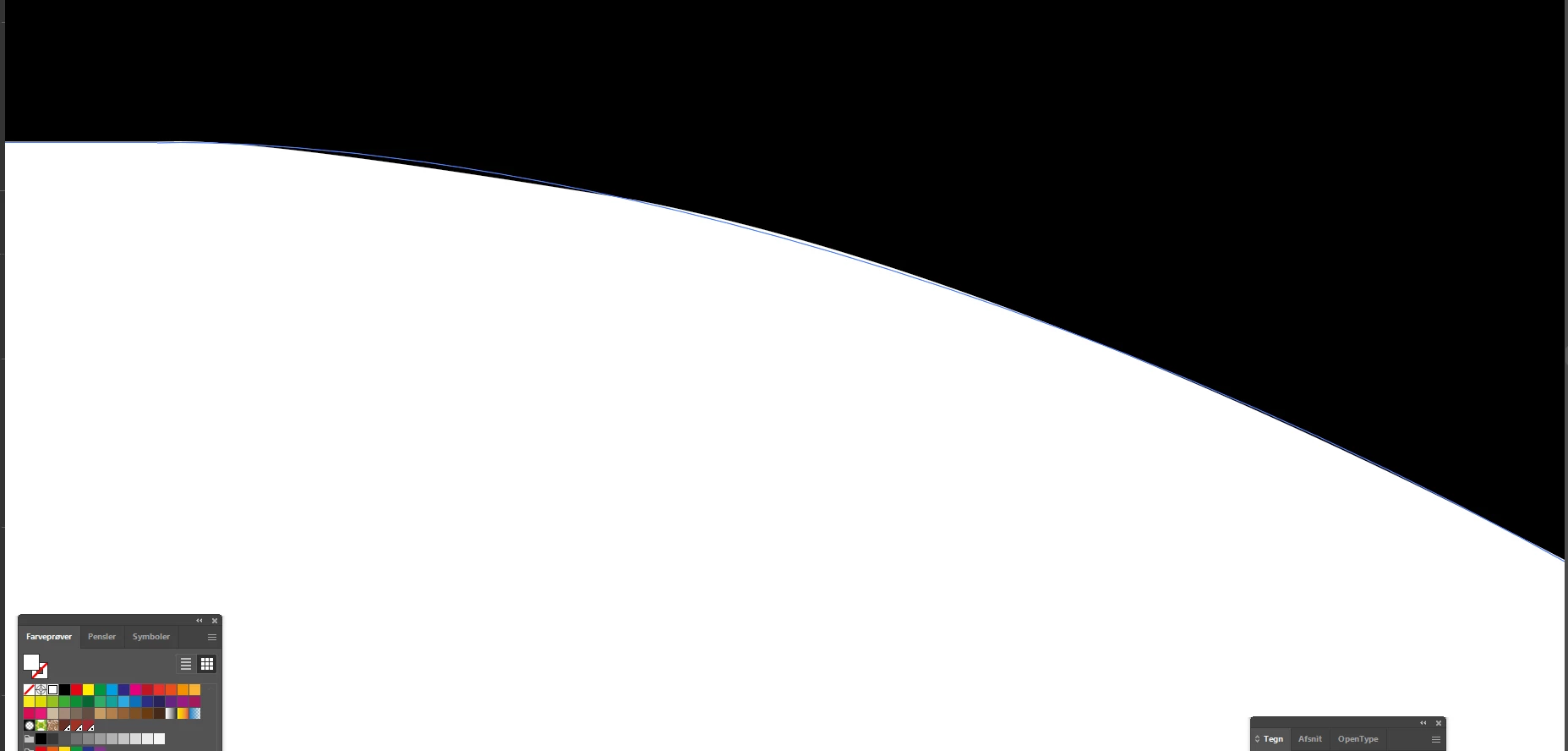
Fill does not stay within the vector and prints as shown, what am I doing wrong?

  • January 3, 2023
  • 3 replies
  • 250 views

The white fill does not stay within the vector and prints as shown.

I created a logo and discovered on review of a packaging file that the curve was flattened out at the start of the curve. Upon inspection, I discovered that the color goes beyond the vector line both inside and outside as shown on attached image. I have never had this happen before, please let me know how to avoid and how to fix.  

Best regards, Soren
This topic has been closed for replies.
Correct answer Monika Gause

Hardware accelerated Previews = GPU rendering

You can either turn it off by View > Preview on CPU from time to time just to check

Or turn off the GPU completely in the preferences. Which might slow down your work.

3 replies

Participant
January 3, 2023

New to windows, never had this issue on Mac, thanks for clarifying. Computer now super slow but accurate;)

Best, S

Monika Gause
Community Expert
Monika GauseCommunity ExpertCorrect answer
Community Expert
January 3, 2023

Hardware accelerated Previews = GPU rendering

You can either turn it off by View > Preview on CPU from time to time just to check

Or turn off the GPU completely in the preferences. Which might slow down your work.

Mylenium
Legend
January 3, 2023

This is simply a display precision issue. Start by turning off hardware accelerated previews. The software based version is more exact. Otherwise consider subdividing the path to "stabilize" it and improve curve approximation.


Mylenium