
Participant
October 11, 2022
Question

Filter error when using variable on multiple objects?

  • October 11, 2022
  • 2 replies
  • 532 views

Can any help me shed some light on why I cant seem to us a single variable from a CSV file and link it to multiple text string objects?


I've made a video showing you exactly what I'm doing... https://www.youtube.com/watch?v=1TX4TrC8glI


So I make text objects and select them both...
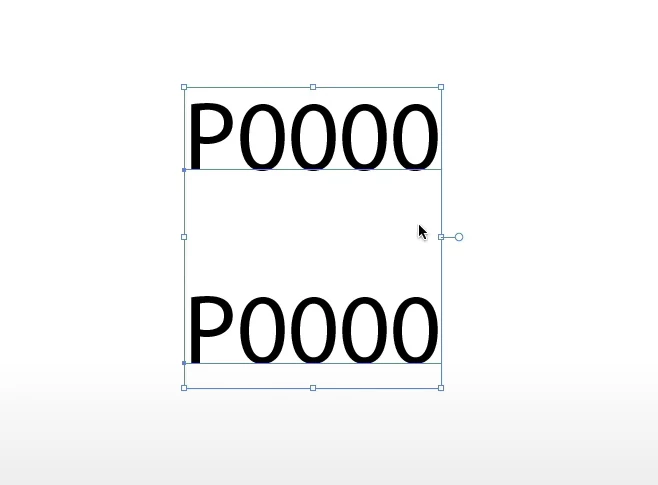


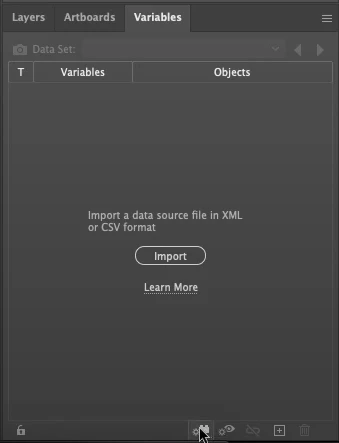
I then go to the variables panel and click the Make Text Dynamic button...


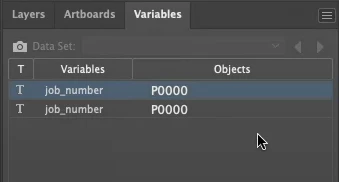
I then rename both variables to job_number


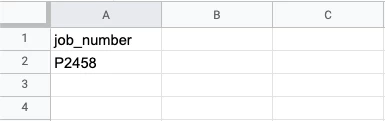
I then create my CSV file...


I then load the CSV file by selecting Load Variable Library from the Menu...
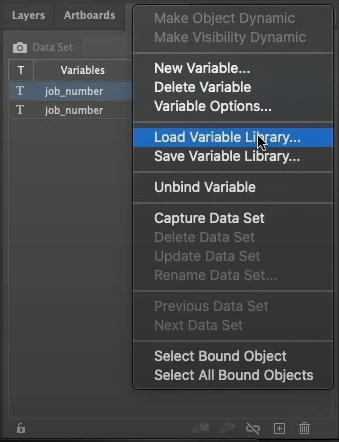


I then get this dialog to which I click Yes...



Which then shows this ERROR dialog!



What am I doing so wrong here? Makes no sense.


Surely this has to be software issue? It's completely rendered my application for this if I cannot use a single variable to populate two ojects with the same data.

This topic has been closed for replies.

2 replies

m1b
Community Expert
Community Expert
October 11, 2022

Hi @joshcranwell, could you have a look at my answer here? Does this have any bearing on your situation? My apologies if not. - Mark

Participant
October 11, 2022

HI @m1b , thanks but I don't want to import first? That means i'll manally have to link up aftwards right? I need all variables set before import as this is master template many people to use.  Unless you can elaboate a bit more with the Load Variable Library import being last.

Eric Dumas
Community Expert
Community Expert
October 11, 2022

Hi,

is this a new issue? was it working before an update/upgrade?

Can you confirm the exact version of your software and operating system?

Can you also confirm how you save your CSV. Did you try to open it in a basic text editor to check the structure and resave that. just to 'purge' any extra added by Excel/Numbers

Participant
October 11, 2022

Currently using version 26.5.


This is a new issue. But surely this should work right? The same result on my collegues machines too?


The CSV is generated from a Google Sheet download and I've checked it text editor...


`job_number`
`P2458`


That is the contents, nothing else.