
Participant
February 10, 2023
Question

Find what fonts??????

  • February 10, 2023
  • 3 replies
  • 322 views

They should call it "find less and don't expect a thing". This has been a problem for years now. You think they'd fix this. I can't be the only person dealing with it. I find a font that is close and click on similar. Not only does it not load up the other fonts visually, when I click the back button it goes back to the top of the list and forgets where you were. What a bunch of garbage for what is charged monthly and what you actually get. 
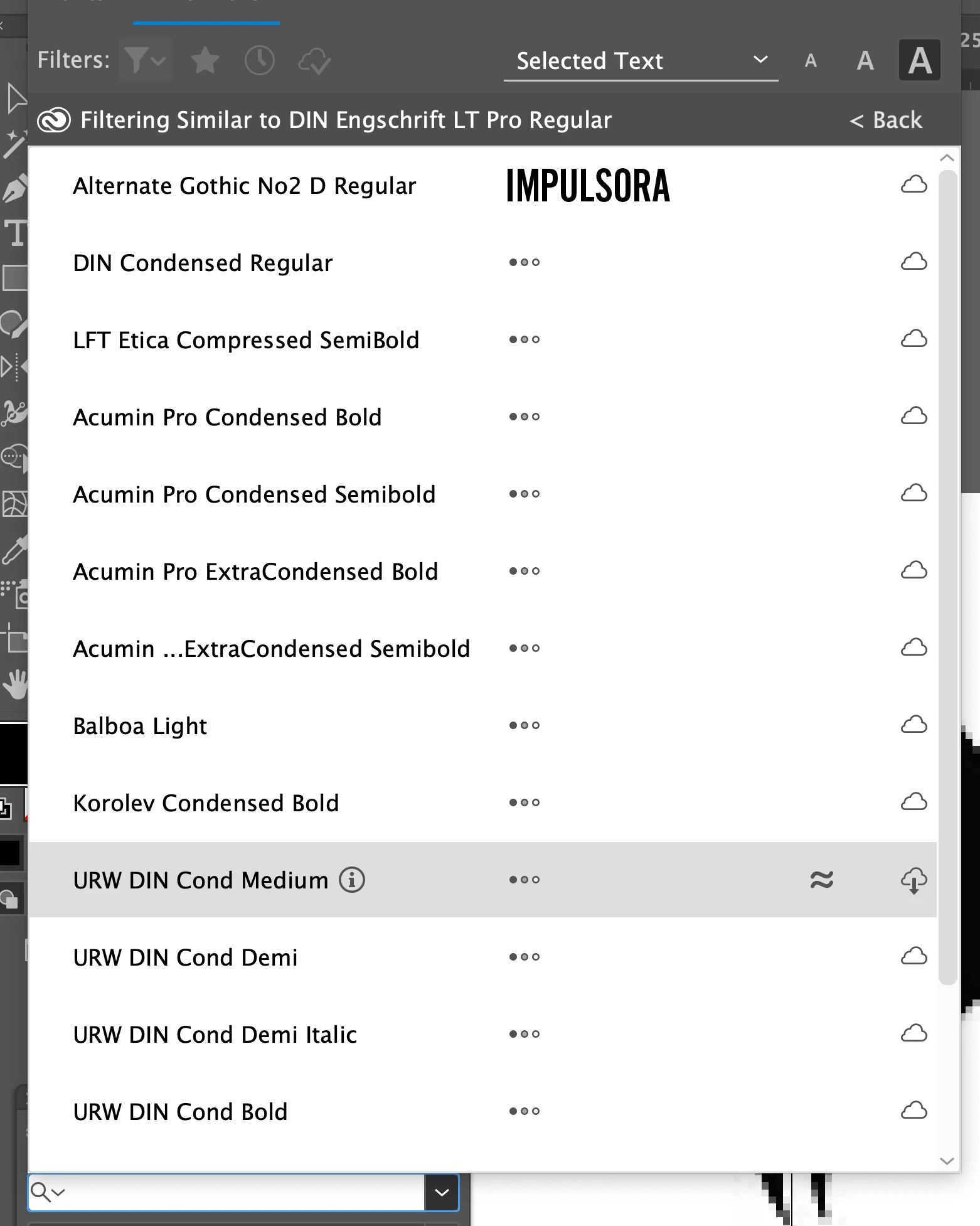
This is the font below that I'm trying to load up, yet it just sits there doing nothing. Do tell me to upgrade either, that does even less.



This topic has been closed for replies.

3 replies

Anshul_Saini
Community Manager
Community Manager
February 10, 2023

Hi @dave-turton,


I'm sorry to hear that you're having trouble with font preview loading. It can be frustrating when things don't work as expected.

In addition to signing in and out, as suggested by met1, you can also try resetting Illustrator preferences and clearing the font cache.


If that doesn't help, you can try activating or finding a specific font from the fonts website https://fonts.adobe.com/fonts.
Ensure that you are using the latest version of the Creative Cloud desktop app & Illustrator, as the search for the font is happening in real time. Also, try using a different internet if the issue persists.


Let us know how it goes.


We'll be looking forward to your response.


Thanks,

Anshul Saini

Met1
Legend
February 10, 2023

>What a bunch of garbage

Only problem since ‎Jul 26, 2010?

Did you try logging out of Creative Cloud, count to ten, then logging back in?

Monika Gause
Community Expert
Community Expert
February 10, 2023

I don't quite get the workflow you want, but this looks like a bugreport/feature request, so please post it on https://illustrator.uservoice.com