Participant
January 31, 2017
Answered

First time: image trace

  • January 31, 2017
  • 2 replies
  • 986 views

Hi, it'm my first time using Illustrator. I need the outline of an image for an exam, so a friend suggested me to use the Trace function, but I don't know how to export only the outlines of the image. Every time I try, I only get or a completely white file or the complete picture with all the variation of colors. I need the outlines so i could superimpose them on my tiff in photoshop, and it would look like I retraced the principals colors. Once expanded the trace what should I do?  Thank you for any advice!
This topic has been closed for replies.
Correct answer John Mensinger

alessiob46298411 wrote:

Once expanded the trace what should I do?

Select all.

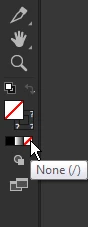
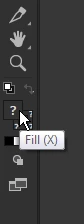
Set the Fill to None.

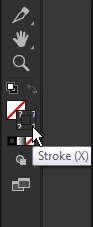
Assign a Stroke color.

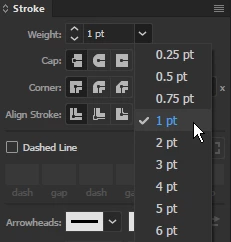
Assign a Stroke weight.

Then overlay in Photoshop. Personally, I'd just copy/paste.

2 replies

John Mensinger
Community Expert
John MensingerCommunity ExpertCorrect answer
Community Expert
January 31, 2017

alessiob46298411 wrote:

Once expanded the trace what should I do?

Select all.

Set the Fill to None.

Assign a Stroke color.

Assign a Stroke weight.

Then overlay in Photoshop. Personally, I'd just copy/paste.

Participant
January 31, 2017

thank you so much!!!

Monika Gause
Community Expert
Community Expert
January 31, 2017

Please show your result and an example of the desired result.

Participant
January 31, 2017

This is the outline i want to export, only the lines, without any color in the background, including white.

This is the result when File --> Export..

How can I do?

Doug A Roberts
Community Expert
Community Expert
January 31, 2017

you're viewing it in outline mode in illustrator there. hit ctrl + Y to see the fills and strokes.

select the trace result, expand it if you haven't already (button in the control bar). then remove any fill colour.