
Answered
Fix layer color
Is there any way to fix the layer color, for example every time I create a new one it will always be the same color, I have OCD (Obsessive Compulsive Disorder) and having to change the color to default is a pain.

Is there any way to fix the layer color, for example every time I create a new one it will always be the same color, I have OCD (Obsessive Compulsive Disorder) and having to change the color to default is a pain.
Usually the illustrator when creating a new layer it will generate a different color for each color, see the print below
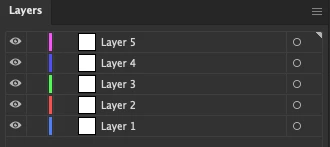
And what I want is that every time I create a new layer it always generates the same color, without having to duplicate the layer or create a model, if I had an option to always keep the same color it would be successful.
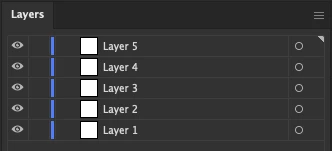
And as I said I have OCD (Obsessive Compulsive Disorder) and having to change it every time I create a new layer is a pain.
There is no way to do this within the UI or preferences files that I've ever come across.
You could try the script detailed here to effect a change more quickly:
Already have an account? Login
Enter your E-mail address. We'll send you an e-mail with instructions to reset your password.
 AdChoices