
Fixing Paths in map where 'land in map touches boarder'
I am working on a map file that I will laser cut the land masses out later. I want all the blocks of land to be there own shape so that when I pass the file off to the laser it processes it correctly. The issue I am having is that when I run image trace it does find the 'islands' that are fully in the the black water but it creates a path that runs along the edge of the frame for any landmass that touches the edge of my imported image. See example. For this landmass the path goes around most of the top island but instead of enclosing the area where the land touches top of the frame the path goes across the top of frame to left and right picking up the edges of all the other land masses that touch the edge of black. I started out thinking I want to cut the path and rejoin it to fix this? Was that the right way to start? What I did was use cut/c tool and try to cut the path at the two anchors near the top where my high-lighter arrows start. The path cut seems to work fine but when try to rejoin those two anchors directly it doesnt let me do this. Can anyone tell me what proper way to fix this is?
I have my full file here if my explaintion is not clear - https://shared-assets.adobe.com/link/37e67c45-c76b-4ac1-5ce9-d0562686a388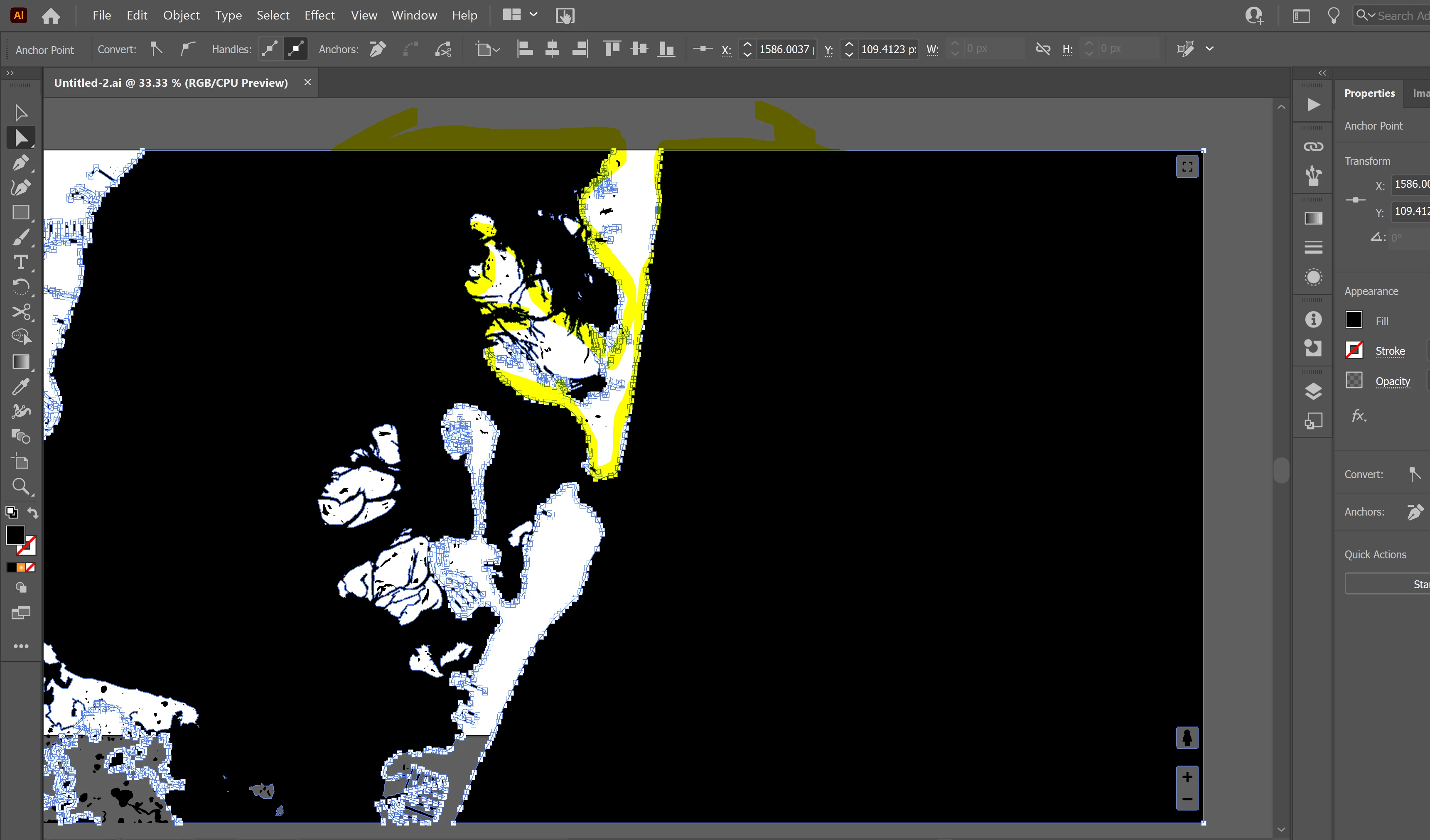
 AdChoices