Participating Frequently
June 14, 2024
Answered

Font display wrong with arabic font

  • June 14, 2024
  • 1 reply
  • 4717 views

I've download the font Rubik in arabic language from Google Fonts and copy-paste a sentence in arabic from gmail. Illustrator displays the font wrong while checking this same font in text edits and displays it correctly. The same happend with Baloo_Bhaijaan_2 and Lalezar, both from Google Fonts... Any help?

This topic has been closed for replies.
Correct answer Zaid Al Hilali

I'm sorry but I can't find that option.

I'm sending you a screenshot of my paragraph hamburger menu, following your instructions 😕😕


Have you thought of installing the Middle Eastern (ME) version of Illustrator to finish this Arabic project? You know you can keep the existing copy of Illustrator, while using the ME version for any Arabic projects. 

It maybe a hassle to have two Illustrator copies, one for let's say English projects, and the new copy for Arabic projects which can be removed (uninstlled) when you finish with it.


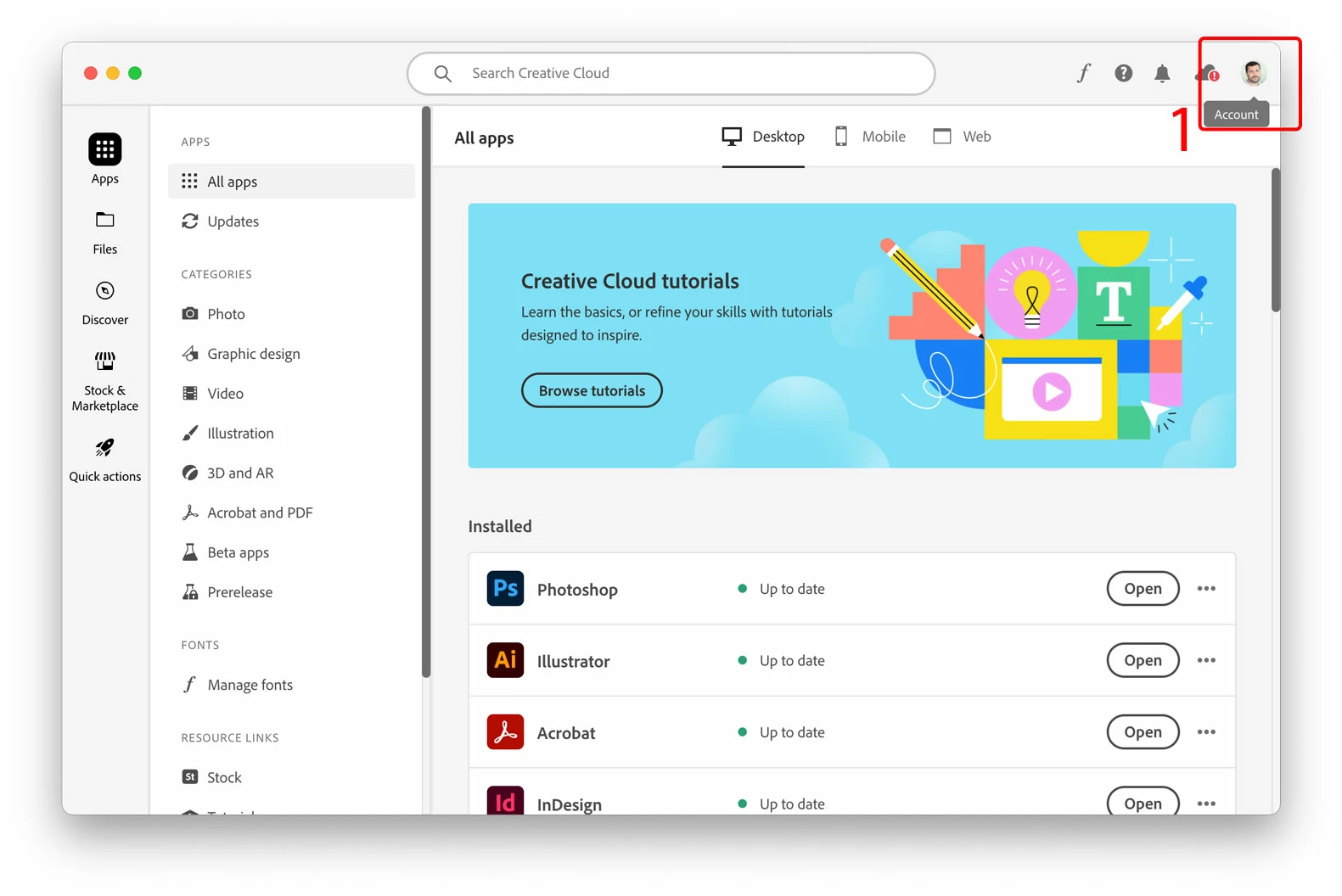
1. In your Adobe Creative Cloud application, access your account found on the top-right corner.
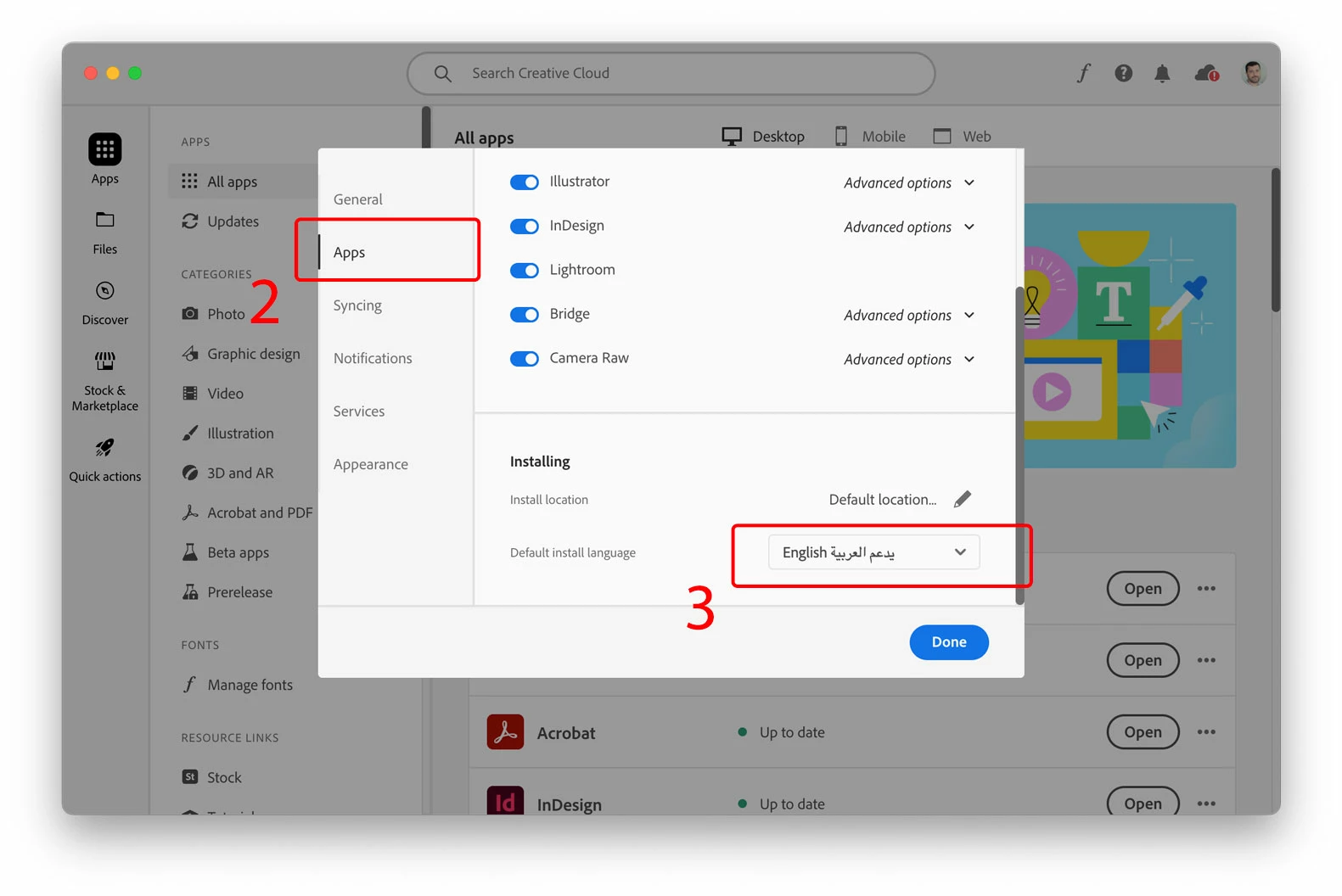
 2. In the pop-up window (your account) click the "Apps" option on the left pane

3. Choose "English يدعم العربية" in order to download a copy of Illustrator with more Arabic support options. Click "Done" button.
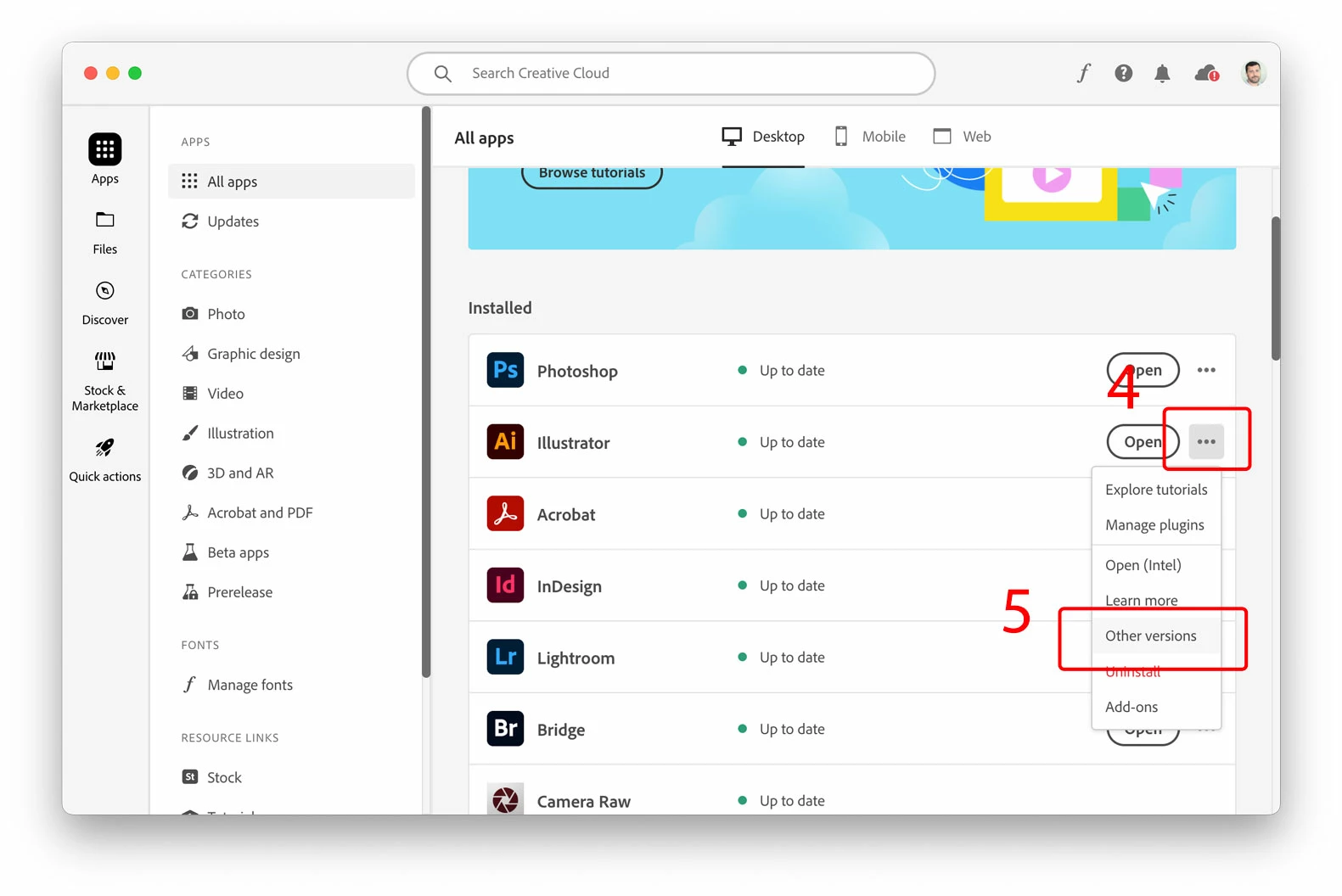
4. Click on the three elipses, from the drop-list

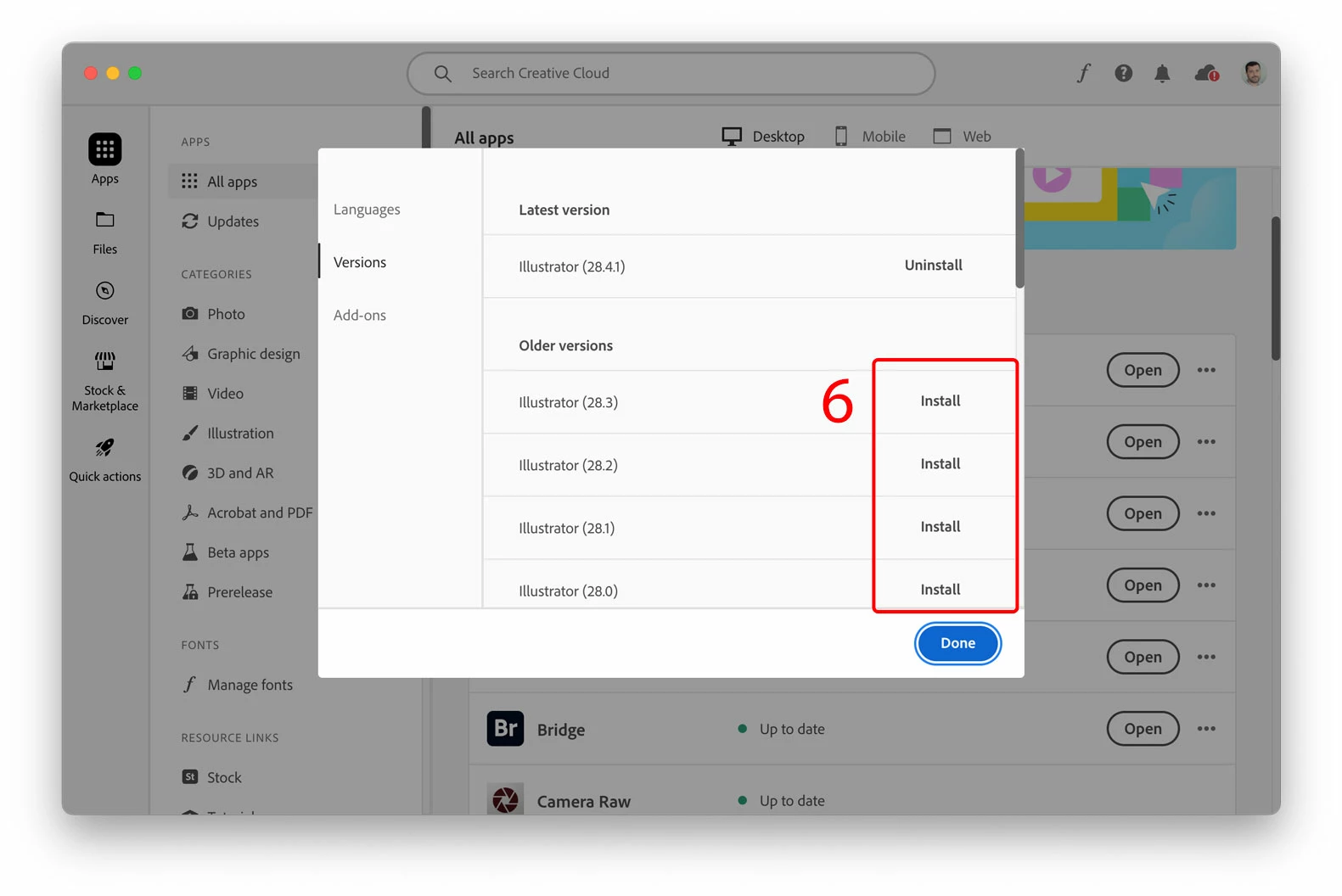
5. Choose any of the older versions available. Note, you cannot install the same version which exists already on your machine, that's why you need to choose even a little older copy from the list.
6. Click "Install" for the version you've selected

1 reply

thatsmauri
Community Expert
Community Expert
June 14, 2024

Have you enabled "Show Indic Options" under Edit > Preferences > Type and chosen "Middle Eastern & South Asian Single-Line Composer" under Windows > Paragraph > panel menu?


https://helpx.adobe.com/illustrator/using/arabic-hebrew.html

Participating Frequently
June 14, 2024

Hi! Thanks for your answer.

My Edit menu doesn't display the "preferences" option that you mentioned (I attached screenshot).

And I don't have the option that it's mentioned in your link (Screenshot attached).

Any other clue, please? Many thanks! 

Participating Frequently
June 22, 2024

Have you thought of installing the Middle Eastern (ME) version of Illustrator to finish this Arabic project? You know you can keep the existing copy of Illustrator, while using the ME version for any Arabic projects. 

It maybe a hassle to have two Illustrator copies, one for let's say English projects, and the new copy for Arabic projects which can be removed (uninstlled) when you finish with it.


1. In your Adobe Creative Cloud application, access your account found on the top-right corner.

 2. In the pop-up window (your account) click the "Apps" option on the left pane

3. Choose "English يدعم العربية" in order to download a copy of Illustrator with more Arabic support options. Click "Done" button.

4. Click on the three elipses, from the drop-list

5. Choose any of the older versions available. Note, you cannot install the same version which exists already on your machine, that's why you need to choose even a little older copy from the list.

6. Click "Install" for the version you've selected


Zaid, thanks for your advice. I tried to follow your instractions. On the last step showed me this pop up. Should I continue? It doesn't seem like I will be able to have 2 versions of illustrator