


Participant
Nov 30, 2024 7:34 AM UTC
Answered

Font doesn't remain consistent when adding text to an existing Type Toolbox

I created a Type Tool text box, changed the font to the one I wanted, and typed in my text. However, I’m facing two problems:

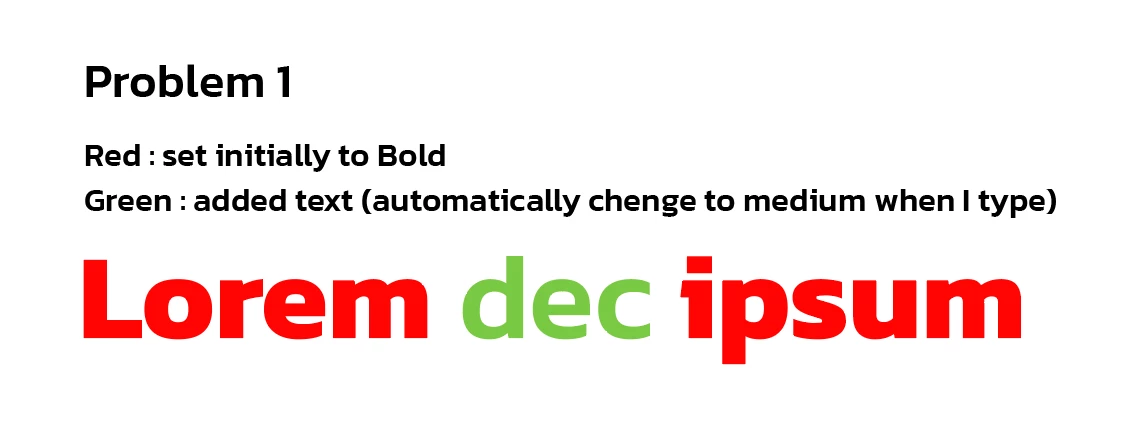
  1. When I try to add more text inside the same text box, the font weight doesn’t stay the same. For example, if the font was set initially to Bold, but when I add new text, the new text I added changes to Medium automatically.
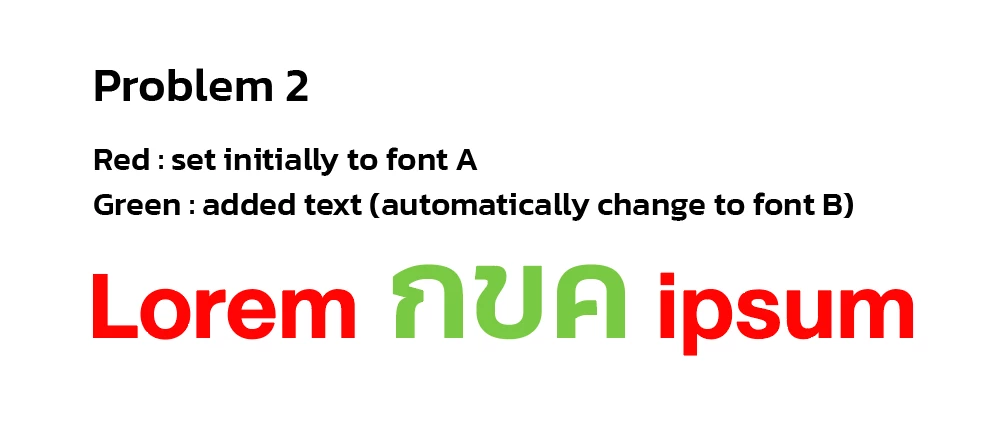
  2. The font style changes when I switch to another language and start typing. The font settings I applied disappeared, and the text switched to a different style, even though the font I’m using supports both languages.
 

Please let me know how I can fix these issues.

Ton Frederiks
Ton FrederiksCorrect answer
Community Expert
Nov 30, 2024 8:05 AM UTC

It is a known problem, for some it helped to turn off: Preferences > Type > Enable Missing Glyph Protection

See: https://illustrator.uservoice.com/forums/601447-illustrator-desktop-bugs/suggestions/49111304-font-changes-from-the-current-one-to-the-previousl

3 replies

Ton Frederiks
Community Expert
Ton FrederiksCommunity ExpertCorrect answer
Community Expert
Nov 30, 2024 8:05 AM UTC

It is a known problem, for some it helped to turn off: Preferences > Type > Enable Missing Glyph Protection

See: https://illustrator.uservoice.com/forums/601447-illustrator-desktop-bugs/suggestions/49111304-font-changes-from-the-current-one-to-the-previousl

Translate
toon.tspAuthor
Participant
Nov 30, 2024 9:07 AM UTC

It is working perfectly!!
Thank you, Ton Frederiks.

Translate
Ton Frederiks
Community Expert
Community Expert
Nov 30, 2024 9:17 AM UTC

Good to hear that helped.

Translate