
Participant
January 29, 2018
Answered

Font type and font size not available on Control Bar
  • January 29, 2018
  • 4 replies
  • 2298 views

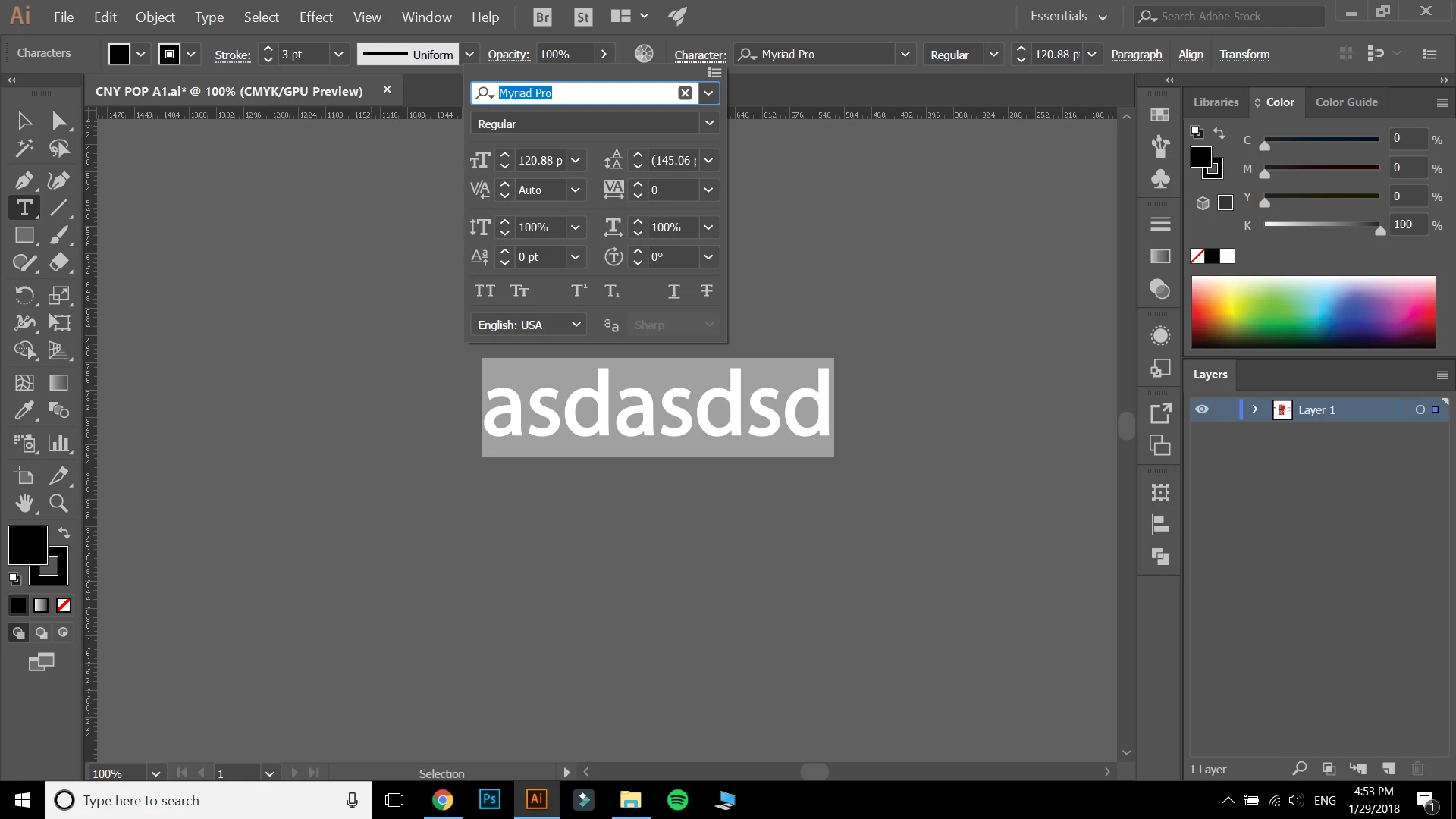
Help please! As you can see, the font type and font size option is not readily available on the Control Bar. When I highlight the text I want to edit, I need to click on Character then change the font type and font size from there, this proves a real hassle. Anyone got any solutions on how to move the FONT TYPE and FONT SIZE back to the control bar???

    This topic has been closed for replies.
    Correct answer Bill Silbert

    In looking at your screen shot I see the font type and size option right where they are supposed to be (see highlighting of your screen shot below). I'm not sure I see a problem here:

    4 replies

    Participant
    September 15, 2023

    Good day I have tried turning the control panel items off and then back on but it doesn't bring up the font size. Please help.


    Monika Gause
    Community Expert
    Community Expert
    September 15, 2023

    Please show a screenshot that contains your selected objects and the control panel.


    The contents of the control panel depend upon the available space. In the menu on the right side you can disable what you do not need.

    Participant
    September 15, 2023

    Know matter I try I can not get the font size to come up.


    Bill Silbert
    Community Expert
    Bill SilbertCommunity ExpertCorrect answer
    Community Expert
    January 29, 2018

    In looking at your screen shot I see the font type and size option right where they are supposed to be (see highlighting of your screen shot below). I'm not sure I see a problem here:

    macpawel
    Participating Frequently
    January 29, 2018

    Yes = too small screen

    You can customise your screen and add any option you need. But much better choice is using wider screen or Character and Paragraph panels as well

    pawel

    Monika Gause
    Community Expert
    Community Expert
    January 29, 2018

    It's a pretty small screen.

    You might try the control panel menu and turn off any option you don't need in there and then maybe you get it back.