Hello @Nani Bear,
Sorry to hear about this experience. I would request you to try the following steps to reset the Display Settings under Windows:
- Close Illustrator and then use the Windows key + I keyboard shortcut to open the Settings app.

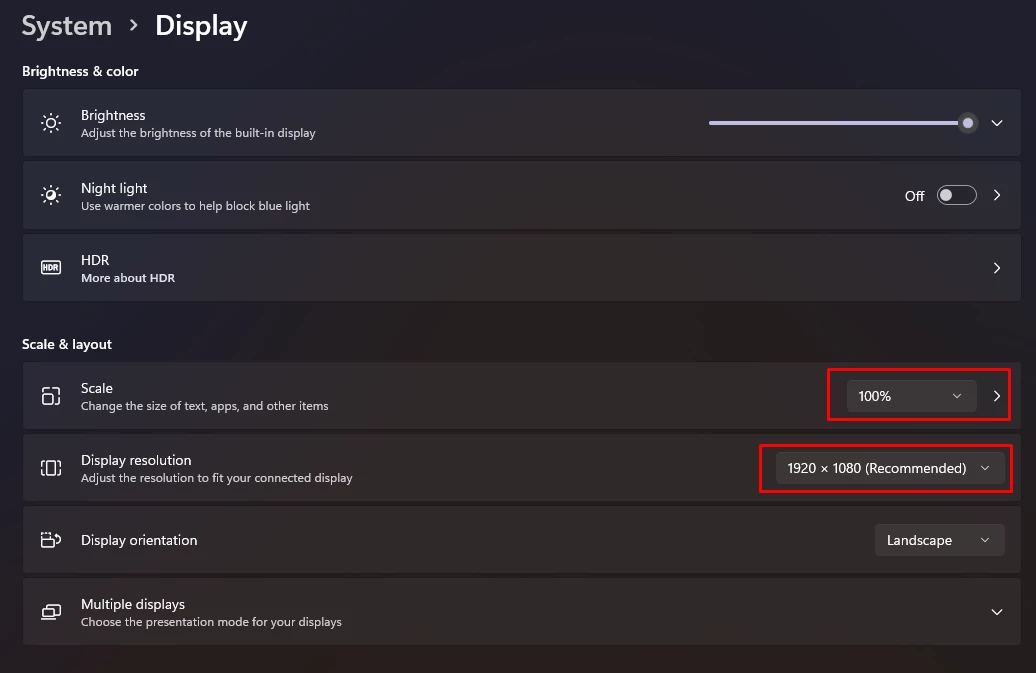
- Click Display. Make sure you use the recommended screen resolution and scale for your display.
- Re-launch Illustrator.
Please update this thread if the issue persists or if you need further assistance. We'd be happy to help.
Thanks,
Anubhav
Thanks. but the overall display settings on my computer are good. The hyper zoomed in appearance is only affecting the "effects" tab and the display for the fonts in Illustrator. None of the other areas of Illustrator (or any other Adobe program are affected)
Wait--- I just realized the issue with the missing preview of fonts and the hyper zoomed in portions of illustrator is only happening on my second (larger computer screen - which is set to 100%) when I move the program to my laptop monitor, the issues go away. So clearly, it's an issue with my secondary screen.
Thank you for the prod to figure this one out, it was driving me nuts!!


 AdChoices