
Exit
  • Global community
    • Language:
      • Deutsch
      • English
      • Español
      • Français
      • Português
  • 日本語コミュニティ
  • 한국 커뮤니티
0

FONTWEIGHT DROPDOWN MENU

New Here ,
Aug 11, 2022 Aug 11, 2022

Hi everyone, I'm having an issue with my fonts I find very annoying and can't seem to find a solution. 


Sometimes when I choose a font, not all the variables are on the fontweight dropdown menu, for example I'm working with Akzidenz Grotesk BQ ATM and these are the  variables I get from the pannel:
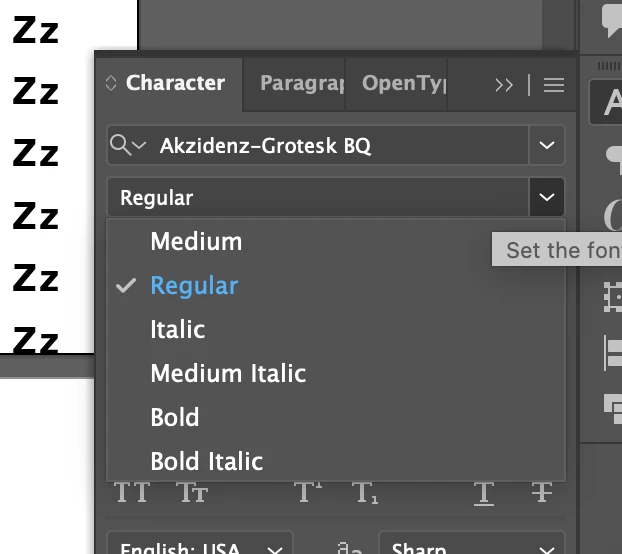
 

Screenshot 2022-08-11 at 12.26.22.png


Even though the font has a lot more variables, these are the ones I have installed:
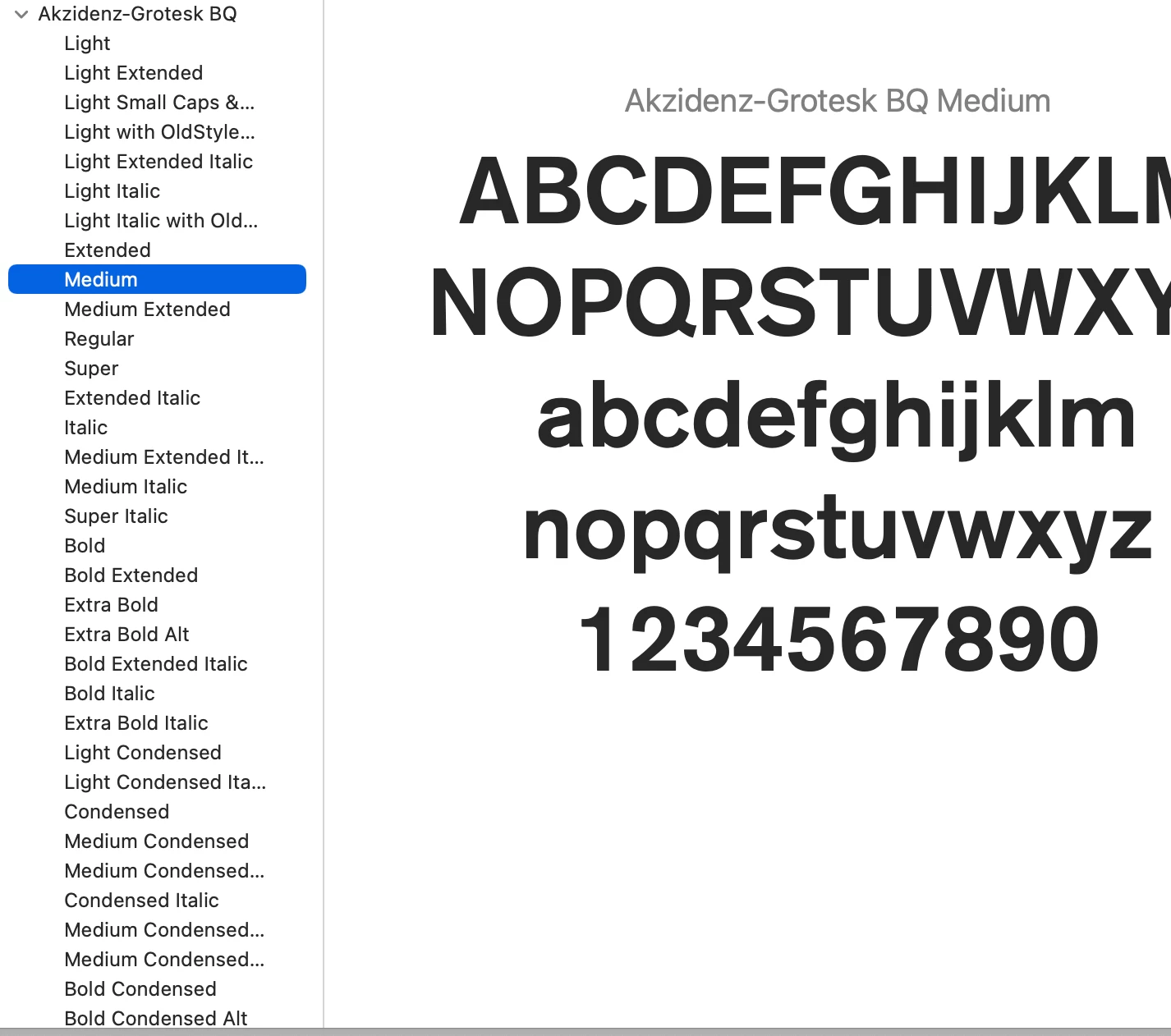
 

Screenshot 2022-08-11 at 12.27.21.png


I can find the other variables under the font dropdown menu, but I need to find each of them manually:
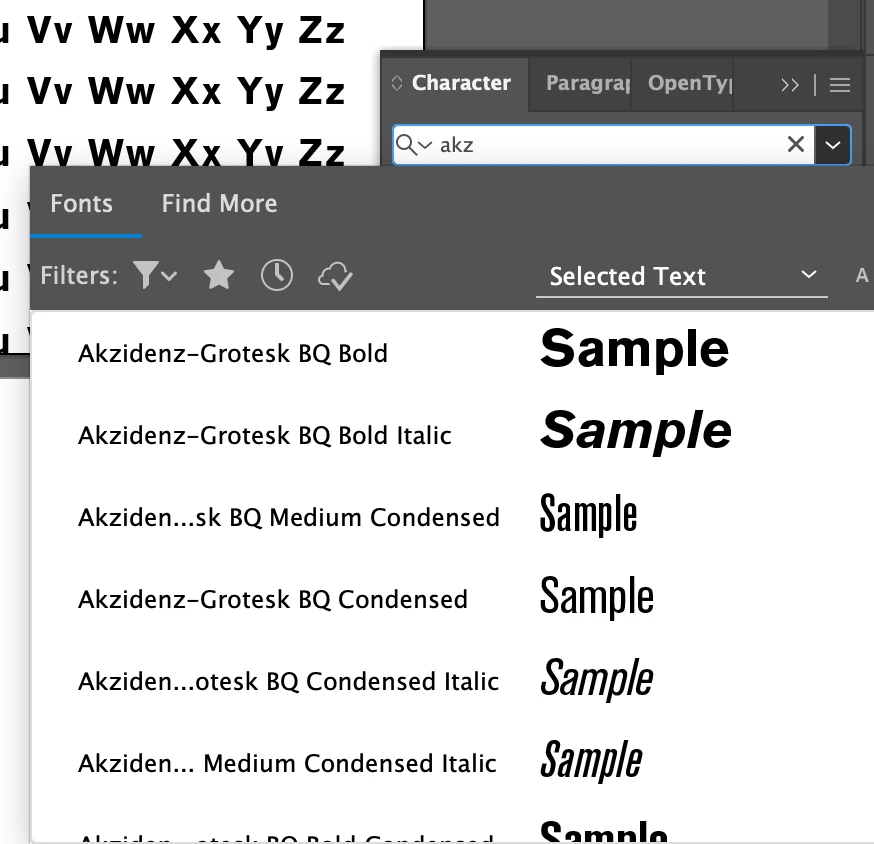
 

Screenshot 2022-08-11 at 12.28.15.png


Can someone please help? does anyone have any idea on how to fix this??


thanks oy so much!!

TOPICS
Tools , Type
168
Translate
Report
Community guidelines
Be kind and respectful, give credit to the original source of content, and search for duplicates before posting. Learn more
community guidelines

correct answers 1 Correct answer

Community Expert , Aug 11, 2022 Aug 11, 2022

The first thing I would try is searching the system for AdobeFnt*.lst


Delete all found files, then re-launch Illustrator to rebuild its font cache.

Translate
Adobe
Community Expert ,
Aug 11, 2022 Aug 11, 2022
LATEST

The first thing I would try is searching the system for AdobeFnt*.lst


Delete all found files, then re-launch Illustrator to rebuild its font cache.

Translate
Report
Community guidelines
Be kind and respectful, give credit to the original source of content, and search for duplicates before posting. Learn more
community guidelines