Copy link to clipboard
Copied
Hey,
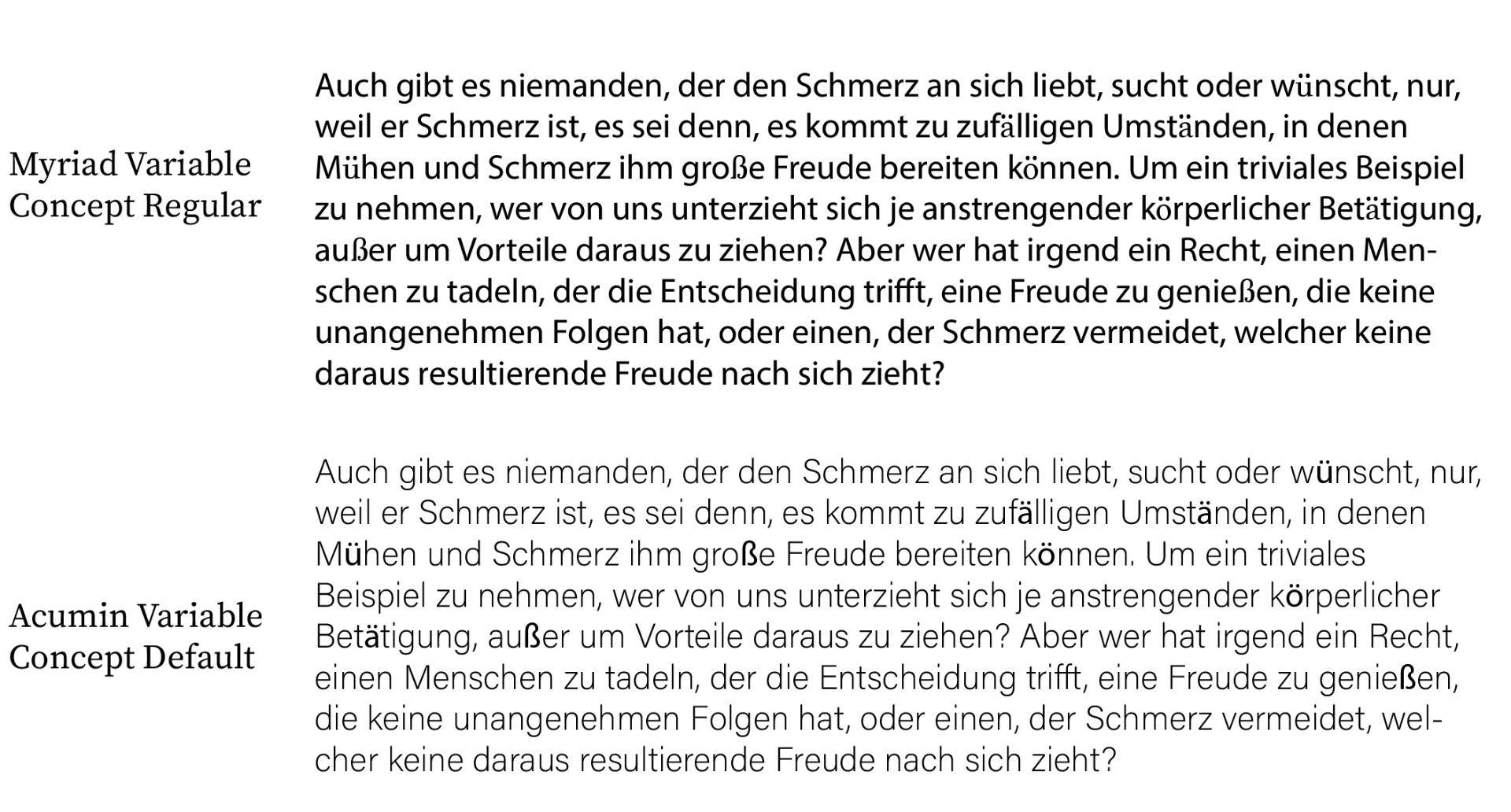
I am missing some characters in the new variable fonts in Illustrator CC 22.1 (see image) ä, ö, ü, ß don't seem to display properly. At the same time the different fonts and weights of classic Myriad etc. have been removed, leaving me with no usable Font at all. Is this a bug or are foreign charecters not implemented properly?

These are proof-of-concept fonts. It's a new feature, just starting off. The fonts only serve for the new variables feature. If you want to do typesetting where you don't need variable fonts, use the regular typefaces.
You might want to file this as a bug/feature request http://illustrator.uservoice.com
and/or post to the Type forum Type & Typography
Copy link to clipboard
Copied
Did you just upgrade to Illustrator from a much older version? Myriad is no longer installed by default but you can active more of the Myriad faces by using TypeKit. Choose Add Fonts from TypeKit from the Type menu. This will take you to the TypeKit web page where you can search for Myriad and activate additional faces.
Are the characters that are missing highlighted in pink? That would indicate that the font is missing. You can choose Type > Find Font to see which fonts are missing.
Copy link to clipboard
Copied
Hey Chad,
thanks for your reply, I didn't recently upgrade but I had Illustrator installed on my system from CS4 originally.
Idk where the variable fonts come from, I did not install them from Typekit, they just happened to be there.
The characters are not highlighted in any way, they are just displayed in a different font it seems.
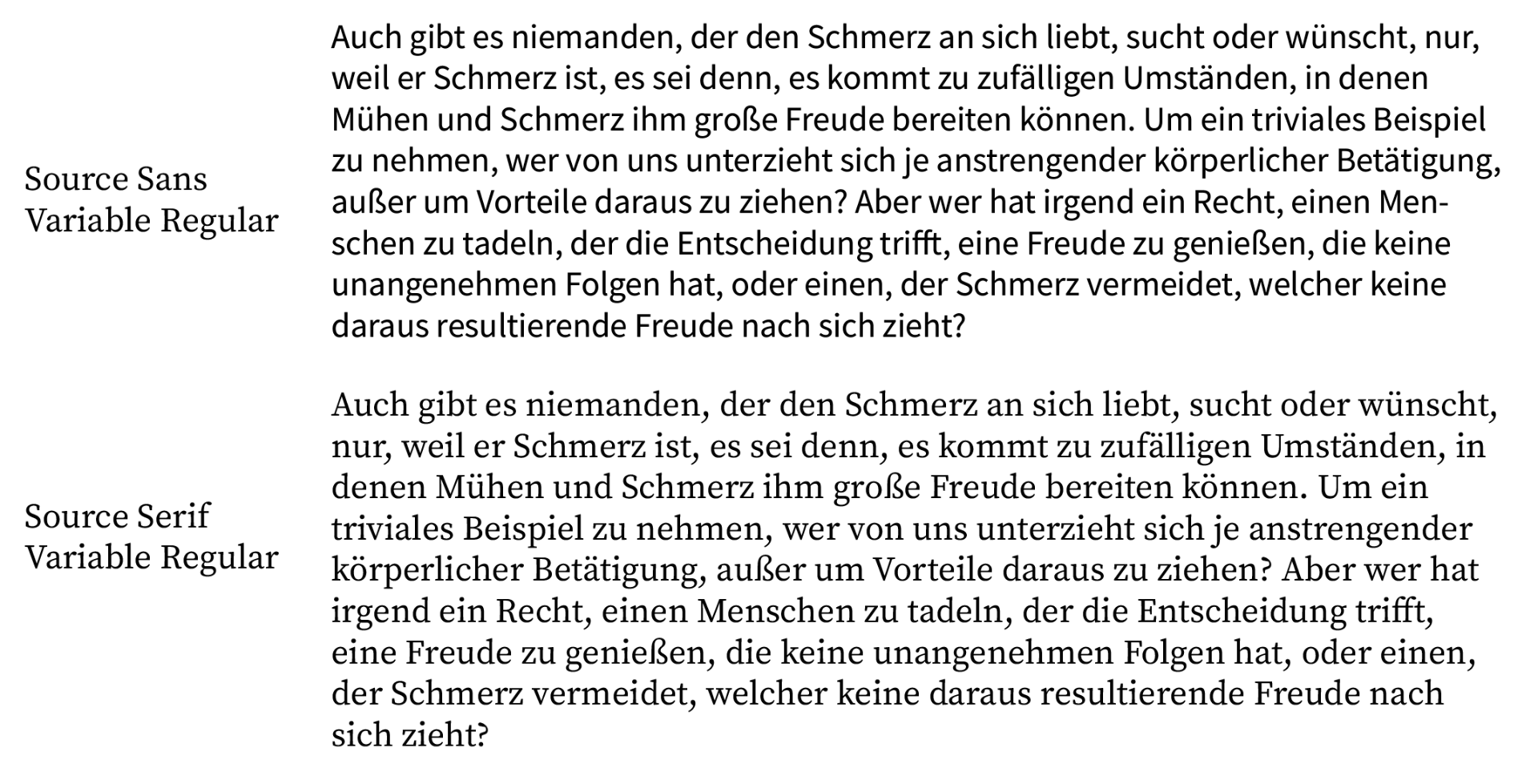
I tried again and it seems to happen only with Myriad Variable Concept and Acumin Variable Concept families, but not with Source Sans Variable nor Source Serif Variable families.

Copy link to clipboard
Copied
I guess I'm a little confused as to how your original fonts got replaced with these fonts. Illustrator doesn't just swap out fonts if they aren't available. Are you saying they automatically got swapped. If that's the case then Monka's correct in that you should file a bug request. I've never seen Illustrator do that before but to resolve I would just change to a regular font. Don't use the variable fonts.
Copy link to clipboard
Copied
Thanks Chad and Monika. I am also confused, I might file this as a bug then. Since the fonts were just there I thought they were a current feature and were supposed to be used like regular fonts. Thanks again!
Copy link to clipboard
Copied
Regular versions of the fonts are available on Typekit as part of your CC subscription.
Source font is even available for free for anyone. I would just go for those instead of the "Concept" fonts.
Copy link to clipboard
Copied
These are proof-of-concept fonts. It's a new feature, just starting off. The fonts only serve for the new variables feature. If you want to do typesetting where you don't need variable fonts, use the regular typefaces.
You might want to file this as a bug/feature request http://illustrator.uservoice.com
and/or post to the Type forum Type & Typography
Get ready! An upgraded Adobe Community experience is coming in January.
Learn more

