
elizabeths88990811
Inspiring
March 26, 2021
Answered

Freeform Gradient tool - need help

  • March 26, 2021
  • 1 reply
  • 565 views

Hi there - I'm not sure why, but I'm unable to add any other stop points on my freeform gradient.


It is a complex object, which I've made into a compound path. When I select 'Freeform gradient,' only 1 stop is show (see screenshot), and I'm unable to to add any others! Or perhaps I just don't know how (I've tried clicking, option + clicking, right clicking, etc.... with no luck).
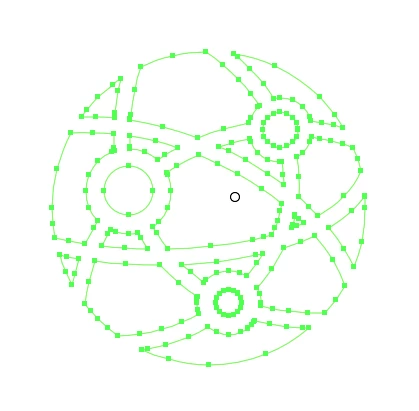

Any advice? Thank you!

This topic has been closed for replies.
Correct answer elizabeths88990811

Thanks for feedback -- that was giving me the same issue with only 1 stop point available. I somehow managed to convert the shape into a compound clipping path, placed a simple ellipse behind it - and then could add the gradient to the ellipse. It does the job well enough!


My thought is that the object is too complex to apply freeform gradient, but not entirely sure. Thanks for your help!

1 reply

CarlosCanto
Community Expert
Community Expert
March 26, 2021

try clicking on the "Edit Gradient" button first if it's not letting you add more points.

elizabeths88990811
elizabeths88990811AuthorCorrect answer
Inspiring
March 26, 2021

Thanks for feedback -- that was giving me the same issue with only 1 stop point available. I somehow managed to convert the shape into a compound clipping path, placed a simple ellipse behind it - and then could add the gradient to the ellipse. It does the job well enough!


My thought is that the object is too complex to apply freeform gradient, but not entirely sure. Thanks for your help!