Known Participant
February 12, 2020
Answered

Gaps in pattern brush

  • February 12, 2020
  • 2 replies
  • 8122 views

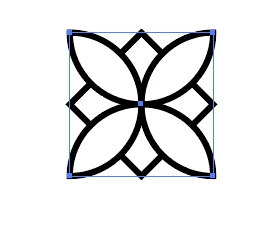
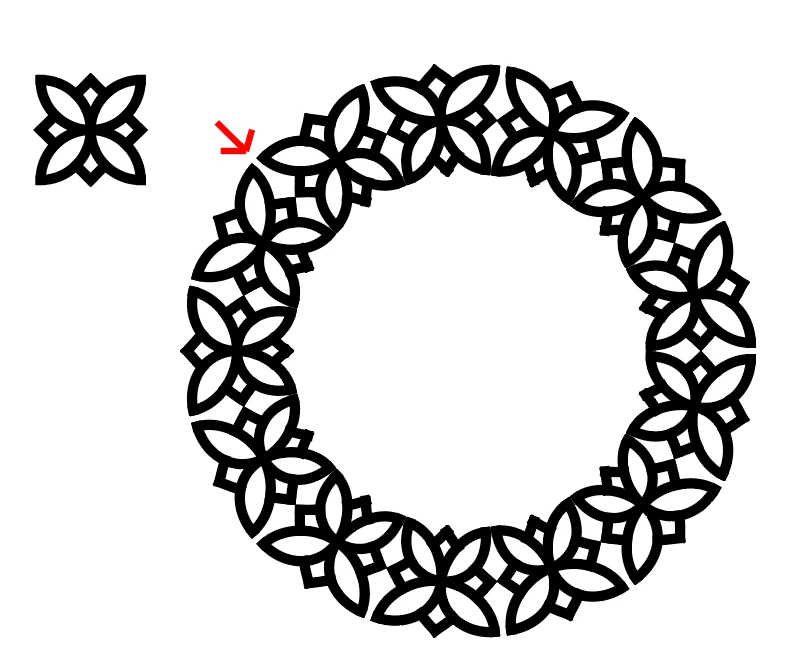
I´m trying to create a pattern brush consisting of following. But as you can see, there is significant gaps in the corners of the pattern. I searched for solution and someone suggested to place a no fill/no stroke square to border the image...but this doesn´t do it either. Can someone help me out?
 

Correct answer Monika Gause

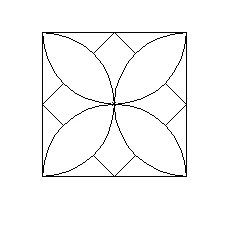
You could draw a rectangle behind the artwork. (Outline view & preview)


Set it to no fill, no stroke

Then make pattern brush.

https://www.dropbox.com/s/zi0v36t3zemc2x4/pattern%20brush-mg.ai?dl=0

2 replies

Monika Gause
Community Expert
Community Expert
February 12, 2020

Please upload the AI file.

Known Participant
February 12, 2020

Sure, thanks

pattern brush 

Monika Gause
Community Expert
Monika GauseCommunity ExpertCorrect answer
Community Expert
February 12, 2020

You could draw a rectangle behind the artwork. (Outline view & preview)


Set it to no fill, no stroke

Then make pattern brush.

https://www.dropbox.com/s/zi0v36t3zemc2x4/pattern%20brush-mg.ai?dl=0

Doug A Roberts
Community Expert
Community Expert
February 12, 2020

Try expanding the strokes before creating the pattern tile.

Known Participant
February 12, 2020

That doesn´t do anything, unfortunately

Doug A Roberts
Community Expert
Community Expert
February 12, 2020

Here's a file that shows the difference I'm seeing:


https://drive.google.com/file/d/1tfofK479j2wVxCv0skvmjpJpIroseois/view?usp=sharing