
Known Participant
November 1, 2017
Resuelto

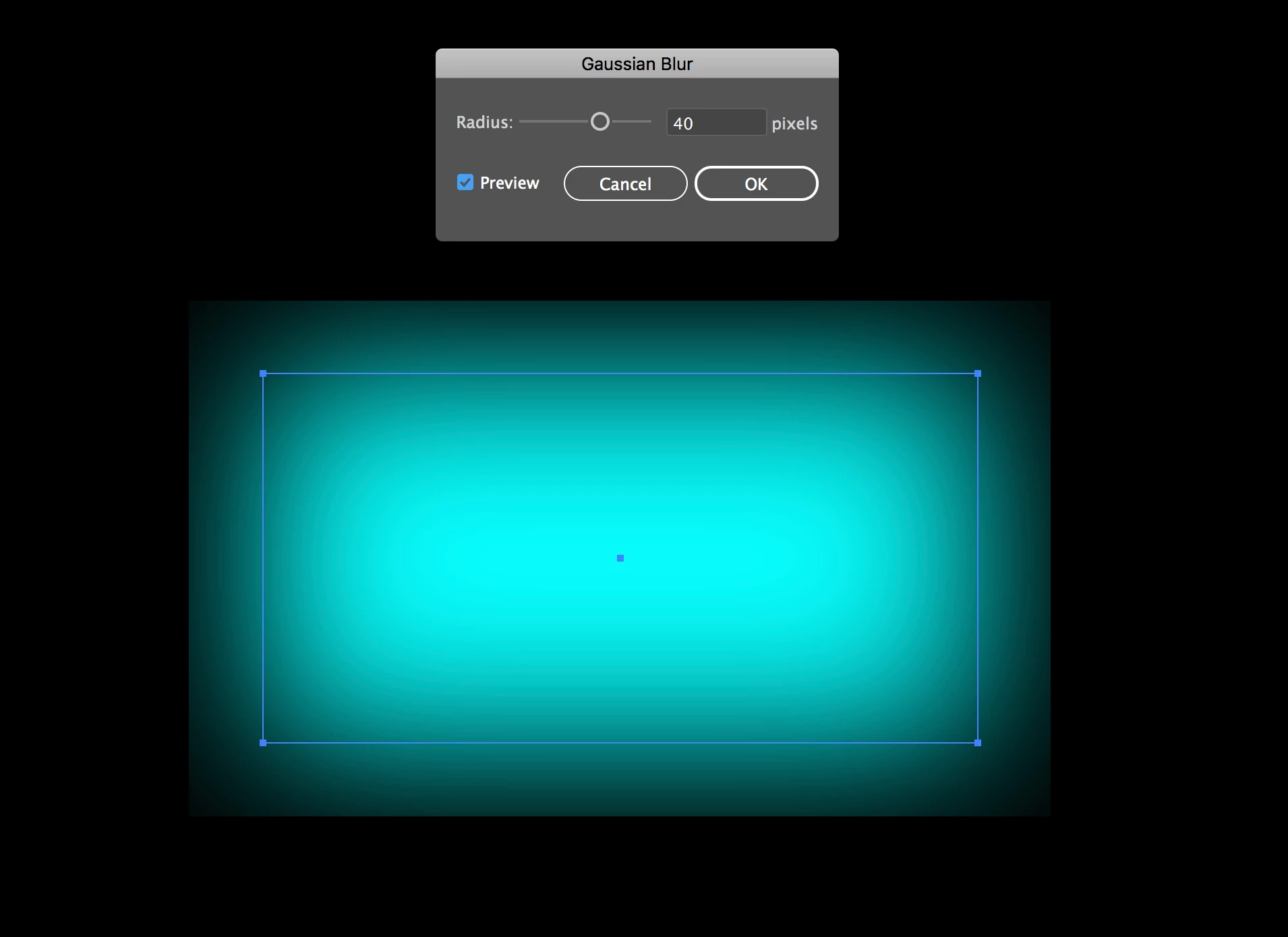
Gaussian blur has a box around it

  • November 1, 2017
  • 6 respuestas
  • 56923 visualizaciones

I've encountered a problem with a gaussian blur that I've never seen before in the new update of Illustrator. When I put a blur on an object there's a border that cuts off the effect. You can see in my screenshot here.
Mejor respuesta de Monika Gause

In the Document Raster effects options there is a setting "Add"

Try to increase it.

6 respuestas

Participant
July 27, 2025

Additional information:

In the 'Document Raster effects settings', make sure to select the Transparent option under Background - do not choose 'White'.

Participant
July 27, 2025

Additional Information:

In the 'Document Raster Effects Settings', make sure to select the Transparent option under Background — do not choose White.

Participant
April 13, 2023

I was having the same issue in Illustrator CC. I already had 'Transparent' selected and tried selecting 'Anti-Alias' but I was still running into the issue. Then I changed the 'Add _[36 px]__ Around Object'. I increased mine from 36 > ~200 px and it seemed to work for me.

Go to Effect > Document Raster Settings > Add ____ Around Object: increase the pixels until the edges don't show.


jane-e
Community Expert
Community Expert
March 16, 2023

For After effects users:

To remove the 'box limitation' when trying to add a gaussian blur to an object, unselect 'Repeat Edge Pixels'

By @Oli27331267afm6


This is the Illustrator forum. The question is not about how to do it in After Effects.


Jane


Participant
February 16, 2023

Solved : Go to Effects/ Document raster effect settings  - and select the 'anti-alias' box. 

Monika Gause
Community Expert
Monika GauseCommunity ExpertRespuesta
Community Expert
November 3, 2017

In the Document Raster effects options there is a setting "Add"

Try to increase it.

Known Participant
November 6, 2017

That doesn't seem to help. I don't want to rasterize my blurs because I always need to edit them. But even trying it, it's still cut off on the edges. This is a blue with adding 80px around the object

Known Participant
November 6, 2017

*box, not blue