Exit
  • Global community
    • Language:
      • Deutsch
      • English
      • Español
      • Français
      • Português
  • 日本語コミュニティ
  • 한국 커뮤니티
1

Ghost lines - Stroke/brush patterns from PNGs

Community Beginner ,
Nov 04, 2023 Nov 04, 2023

Hi there.

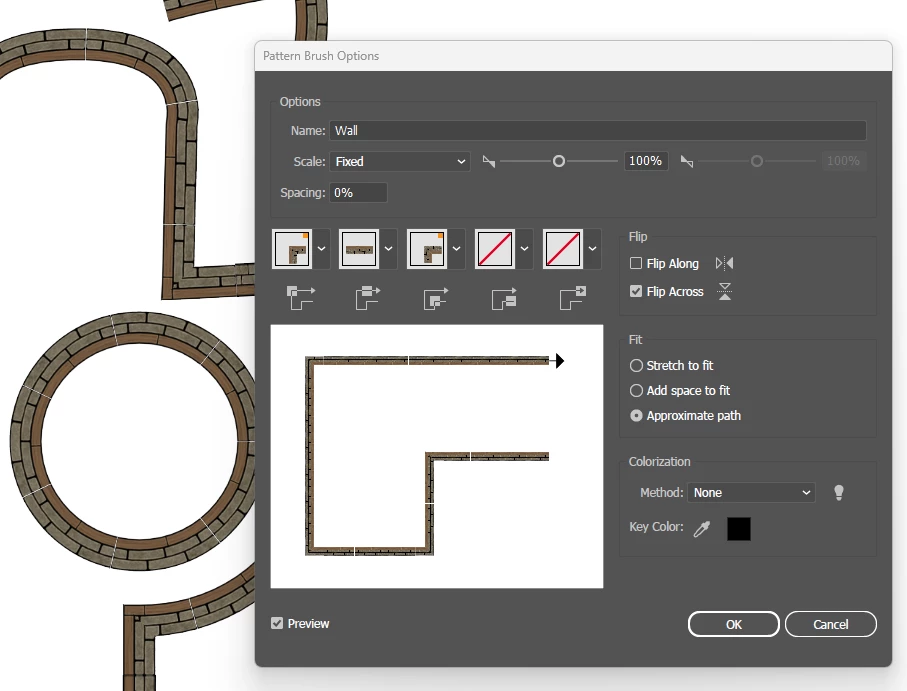
I have created PNGs for battlemaps assets. Walls and such. I have made strokes/brushes in Illustrator with these PNGs.

BUT... there ALWAYS comes a white line (Ghost line) between the PNGs on the stroke.

How can I make it so, the white lines disappear? 

Can I kern the PNGs in the pattern/brush?


Best regards Snorri
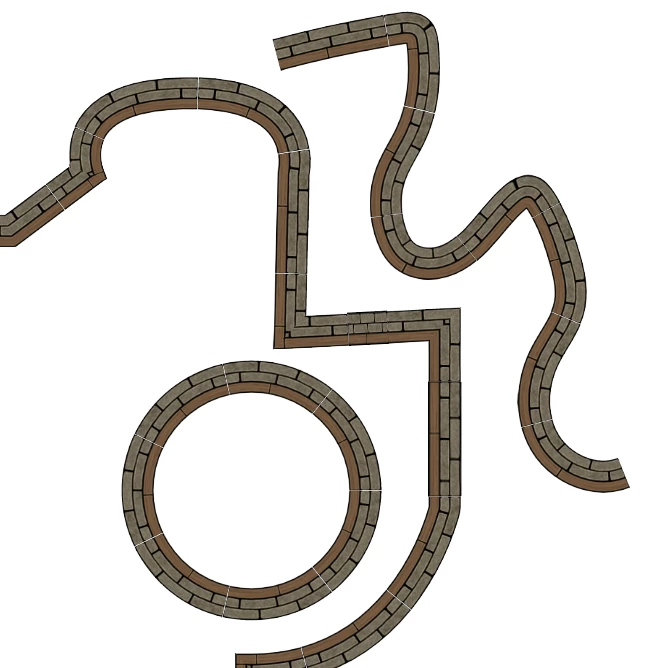
  

Ghost lines stroke brush.pngGhost lines stroke brush 2.png

TOPICS
Bug , Draw and design , How-to
336
Translate
Report
Community guidelines
Be kind and respectful, give credit to the original source of content, and search for duplicates before posting. Learn more
community guidelines
Adobe
Community Expert ,
Nov 04, 2023 Nov 04, 2023

That can't be avoided in pixel based brushes. THose are simple shapes. Is drawing them as vector art an option?

Translate
Report
Community guidelines
Be kind and respectful, give credit to the original source of content, and search for duplicates before posting. Learn more
community guidelines
Community Beginner ,
Nov 12, 2023 Nov 12, 2023

How to? 🙂

Translate
Report
Community guidelines
Be kind and respectful, give credit to the original source of content, and search for duplicates before posting. Learn more
community guidelines
Community Expert ,
Nov 12, 2023 Nov 12, 2023
LATEST

Using mostly the rectangle tool and the align feature and transform again. https://youtu.be/pyMaiDf4Cig 

Translate
Report
Community guidelines
Be kind and respectful, give credit to the original source of content, and search for duplicates before posting. Learn more
community guidelines