
Participant
June 16, 2023
Answered

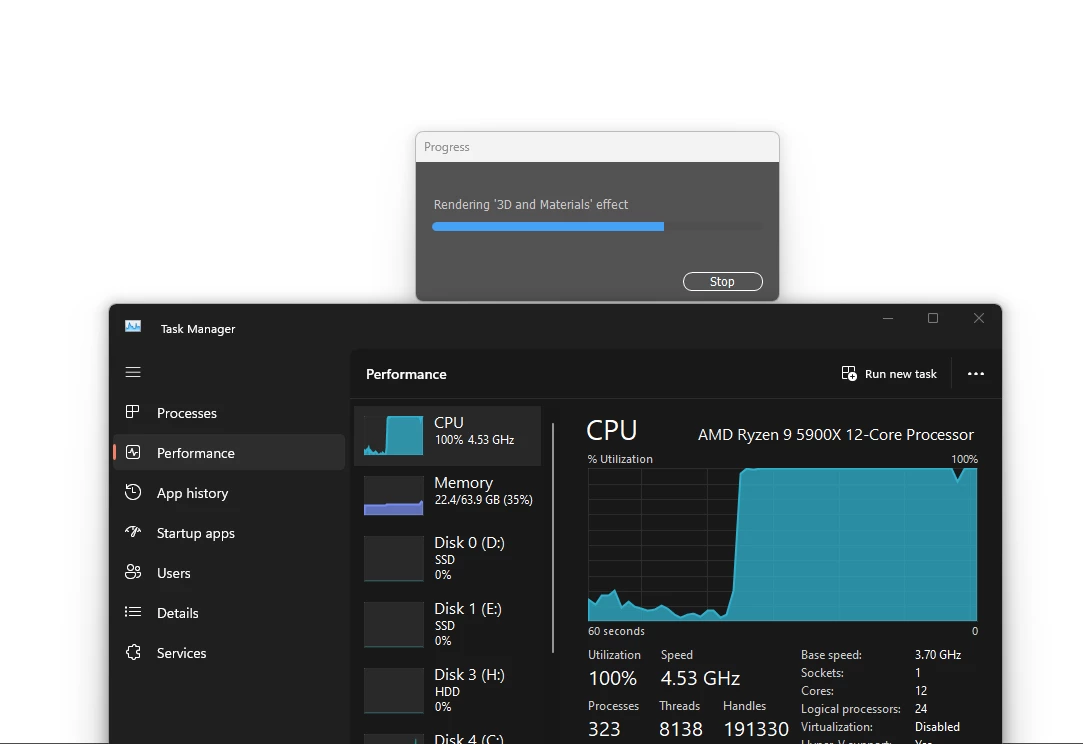
GPU performance enabled, but Illustrator is still using CPU at 100%?

  • June 16, 2023
  • 1 reply
  • 745 views

Greetings, I have a 4070 ti and an AMD Ryzen 9 5900x (12 core) with 64 gb of RAM config, windows 11 machine. I have resetted the config files (deleted all the folders there), whenever I open a project that has 3d materiales and objects in it, illustrator refuses to use my GPU, despite having all the relevant boxes ticked in preferences. Here is a screenshot of whats happening. I am a CC subscriber and using the latest version (27.6.1 64bit)
 

This topic has been closed for replies.
Correct answer FJ_GC

I'm using version 28.0 64 bit, and the issue seems to be resolved, now it's using my GPU when I do 3d stuff.

1 reply

Anubhav M
Community Manager
Community Manager
September 5, 2023

Hello @FJ_GC,


I'm sorry to hear about this experience and for the delayed response. I hope the problem is resolved by now. If not, kindly try performing a clean reinstallation of the GPU drivers (Intel / NVIDIA / AMD) and setting the Graphics Preference to High-Performance for Illustrator (https://www.amd.com/en/support/kb/faq/gpu-110) to check if it helps.


Also, try updating Illustrator to the latest version and trying to run Illustrator under a different administrator account (Windows) and share your observations.


Looking forward to hearing from you.


Thanks,

Anubhav

FJ_GCAuthorCorrect answer
Participant
November 22, 2023

I'm using version 28.0 64 bit, and the issue seems to be resolved, now it's using my GPU when I do 3d stuff.