fikrof66669417
Participant
June 4, 2018
Answered

Gradient along a irregular shape in Illustrator

  • June 4, 2018
  • 2 replies
  • 2998 views

Hi,

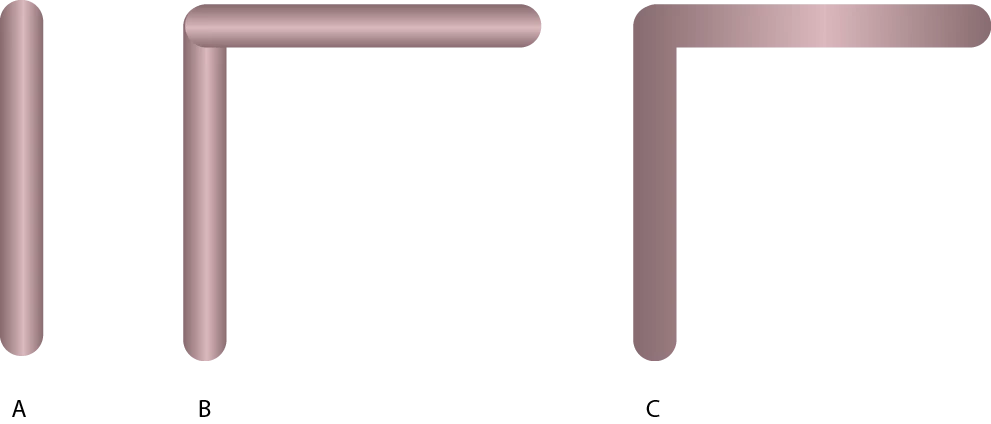
I am trying to apply a gradient  which I use in object A (please see figure) to an irregular shape (object C) which I made by making a copy of object A and by changing its orientation (object B, for example 90°) and combining the two objects. Can anyone please explain me how to do it correctly? I would like the gradient to be as in the two objects B...

Thank you very much!
This topic has been closed for replies.
Correct answer OldBob1957

If I understand what you want;

1) Make your shape as a path, not a filled object

2) Apply a thick stroke to that path.

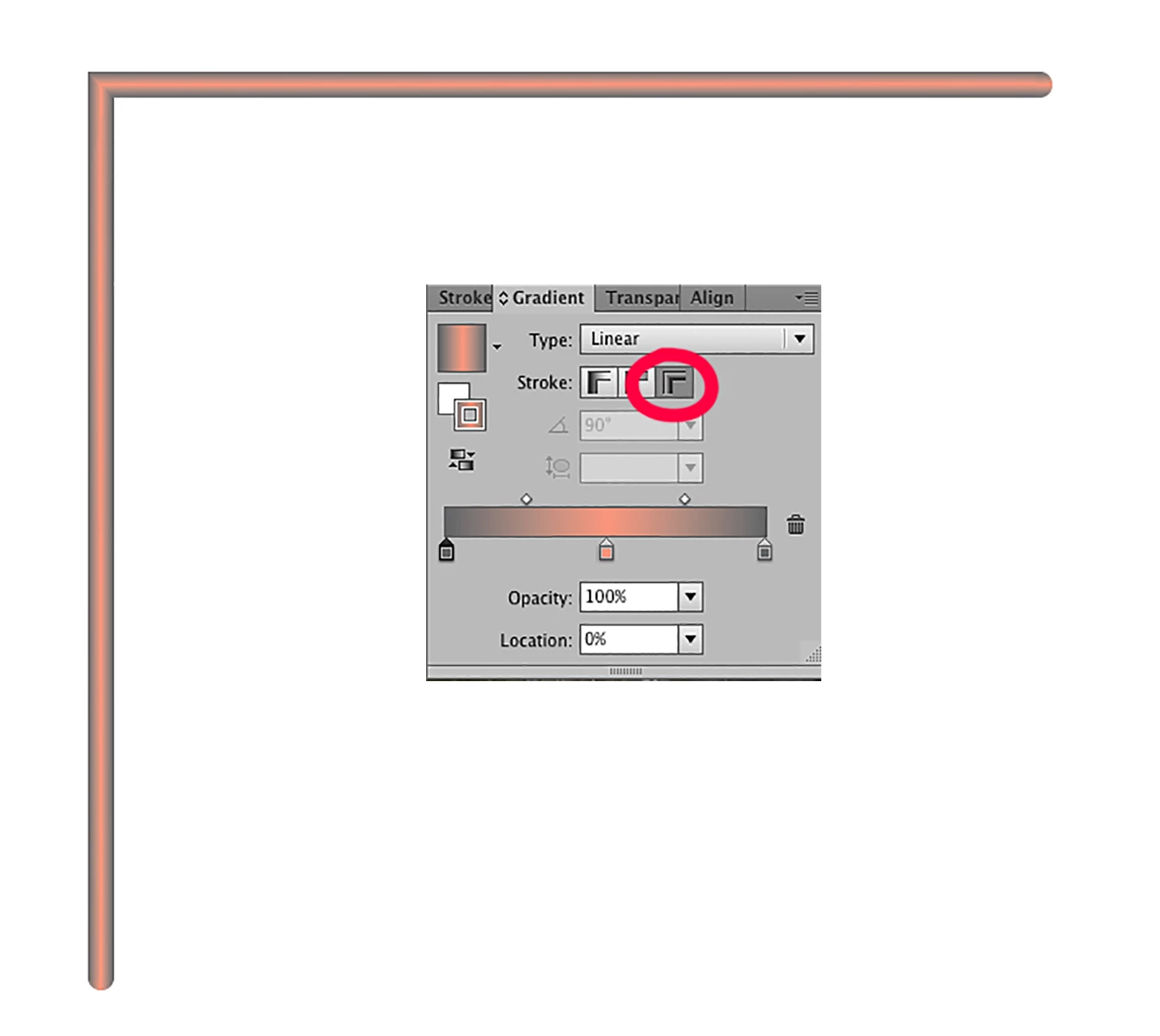
3) apply the gradient to the stroke using the selections shown below.

--OB

2 replies

fikrof66669417
Participant
June 5, 2018

Hi OB,

thx - that worked for me!

Monika Gause
Community Expert
Community Expert
June 4, 2018

Are these open paths or shapes?

In the first case: use Object > Path > Join

In the second case use the pathfinder panel: Add

fikrof66669417
Participant
June 4, 2018

Hi Monika,

thank you for the quick respond. I used the Rounded Rectangle Tool to generate the objects. Unfortunately non of the two suggestions worked for me (actually I do not have the "Add" option in the Pathfinder panel...).

All best,

FiRi

OldBob1957
OldBob1957Correct answer
Inspiring
June 4, 2018

If I understand what you want;

1) Make your shape as a path, not a filled object

2) Apply a thick stroke to that path.

3) apply the gradient to the stroke using the selections shown below.

--OB