
Copy link to clipboard
Copied
I'm looking to apply a gradiant over drawing I have done,
The issue I have is when I make a compund path it alters my drawing.
From this
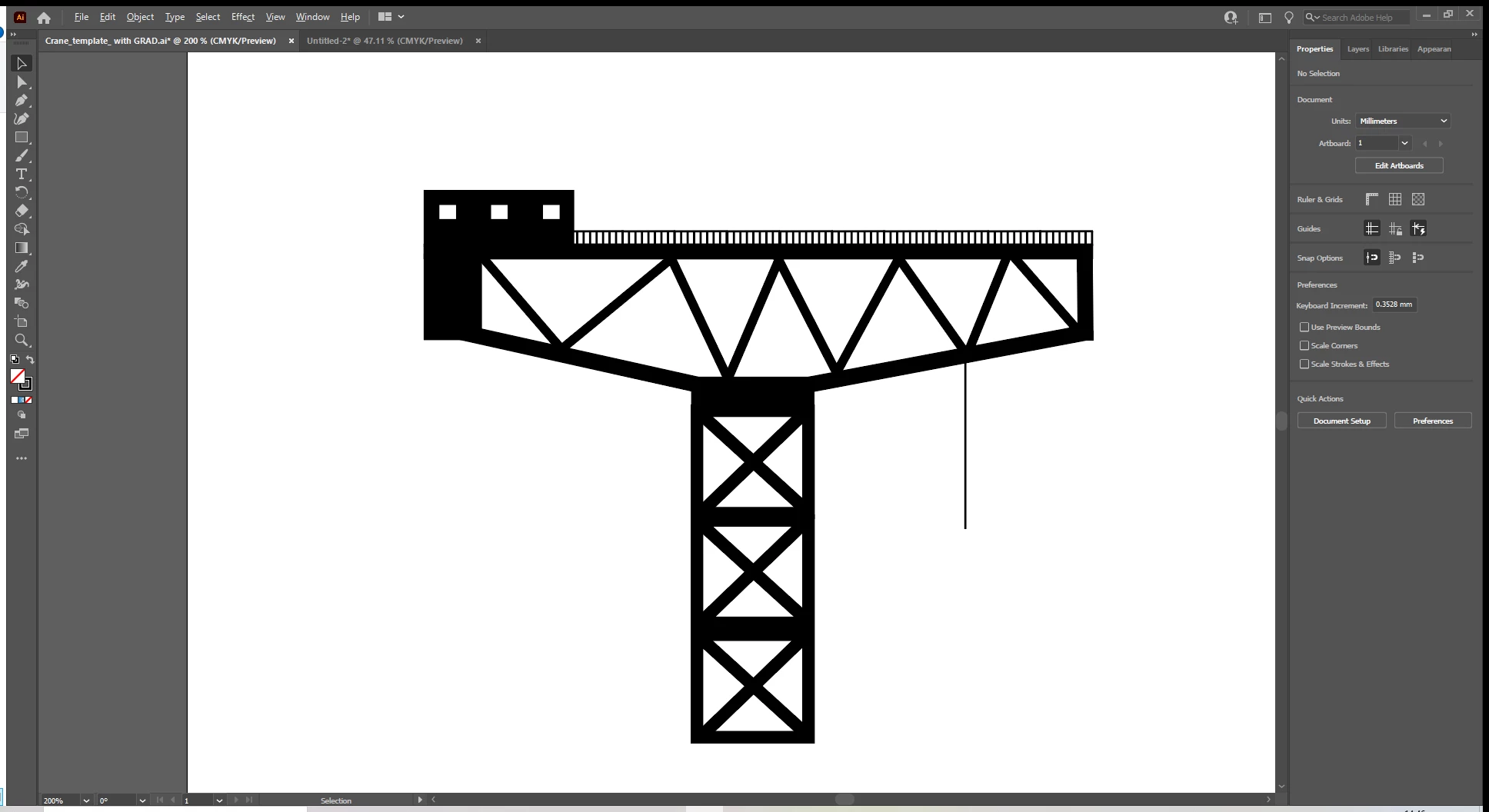
To this
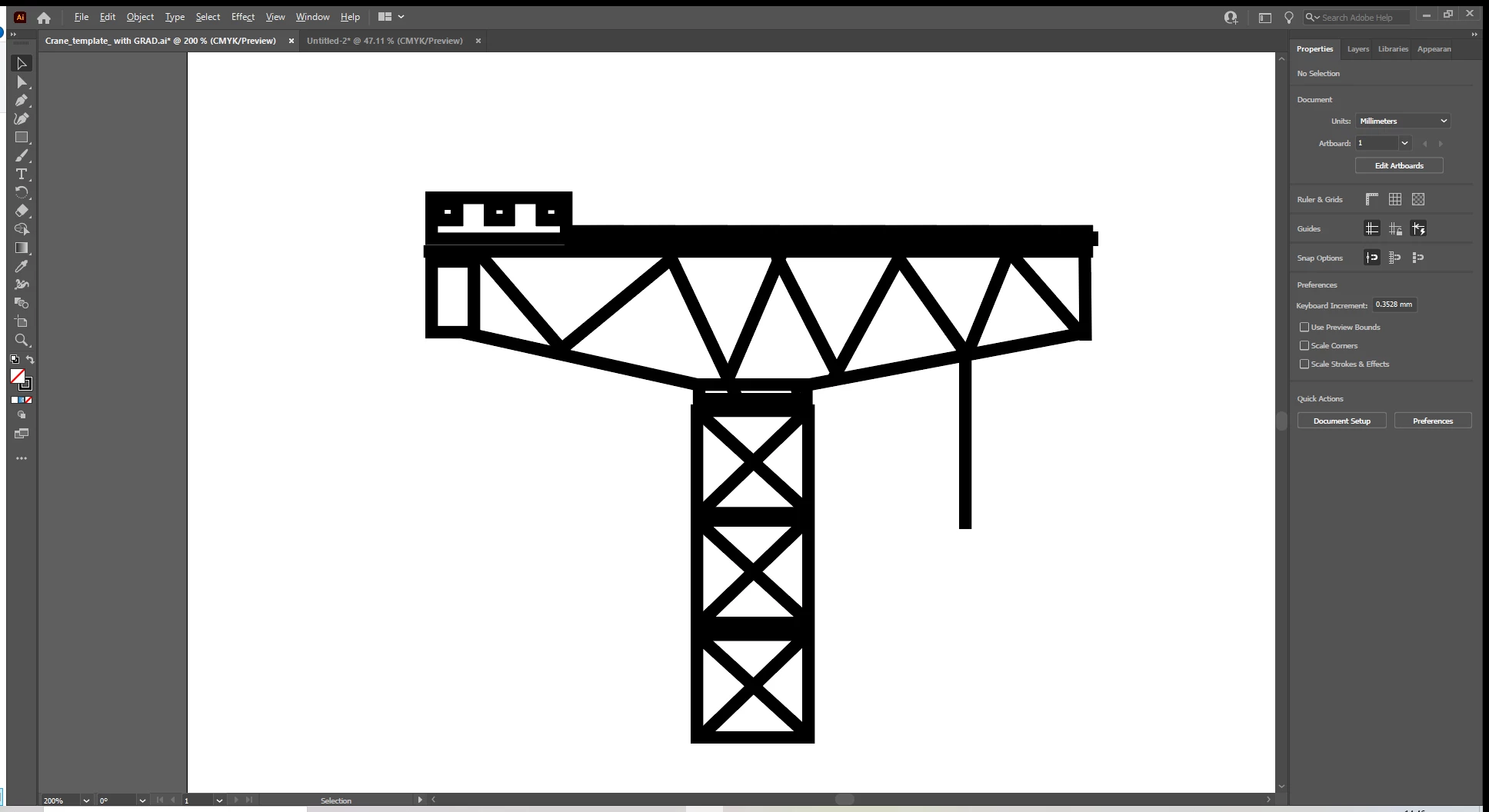
the drawing is a collections of Lines and Rectanlges with differing stroke values and this seems to be changed to one value when I make the compund shape.
is there a way to get a gradiant across this without the compund shape or is there a setting to stop the compuond shape process from chaning my drawing ?
thanks in advance.
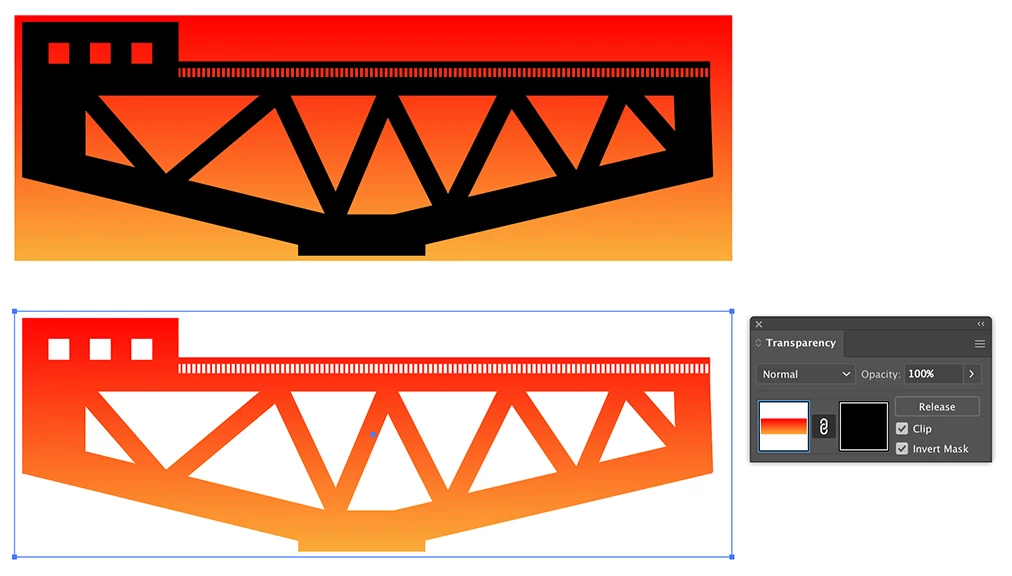
If you group your elements and create a gradient rectangle in the back, you can select both and make an Opacity mask in the Transparency panel (you may need to check the Clip and Invert Mask boxes).
Copy link to clipboard
Copied
sorry about the typo in the subject i cannot seem to edit my original post to fix this !!
Copy link to clipboard
Copied
Done
Copy link to clipboard
Copied
I think you can use Live Paint Tool? Did you try?
Copy link to clipboard
Copied
If you group your elements and create a gradient rectangle in the back, you can select both and make an Opacity mask in the Transparency panel (you may need to check the Clip and Invert Mask boxes).
Get ready! An upgraded Adobe Community experience is coming in January.
Learn more