
Participating Frequently
January 18, 2024
Question

Gradient Colors Disappear After Copy and Paste

  • January 18, 2024
  • 1 reply
  • 1188 views

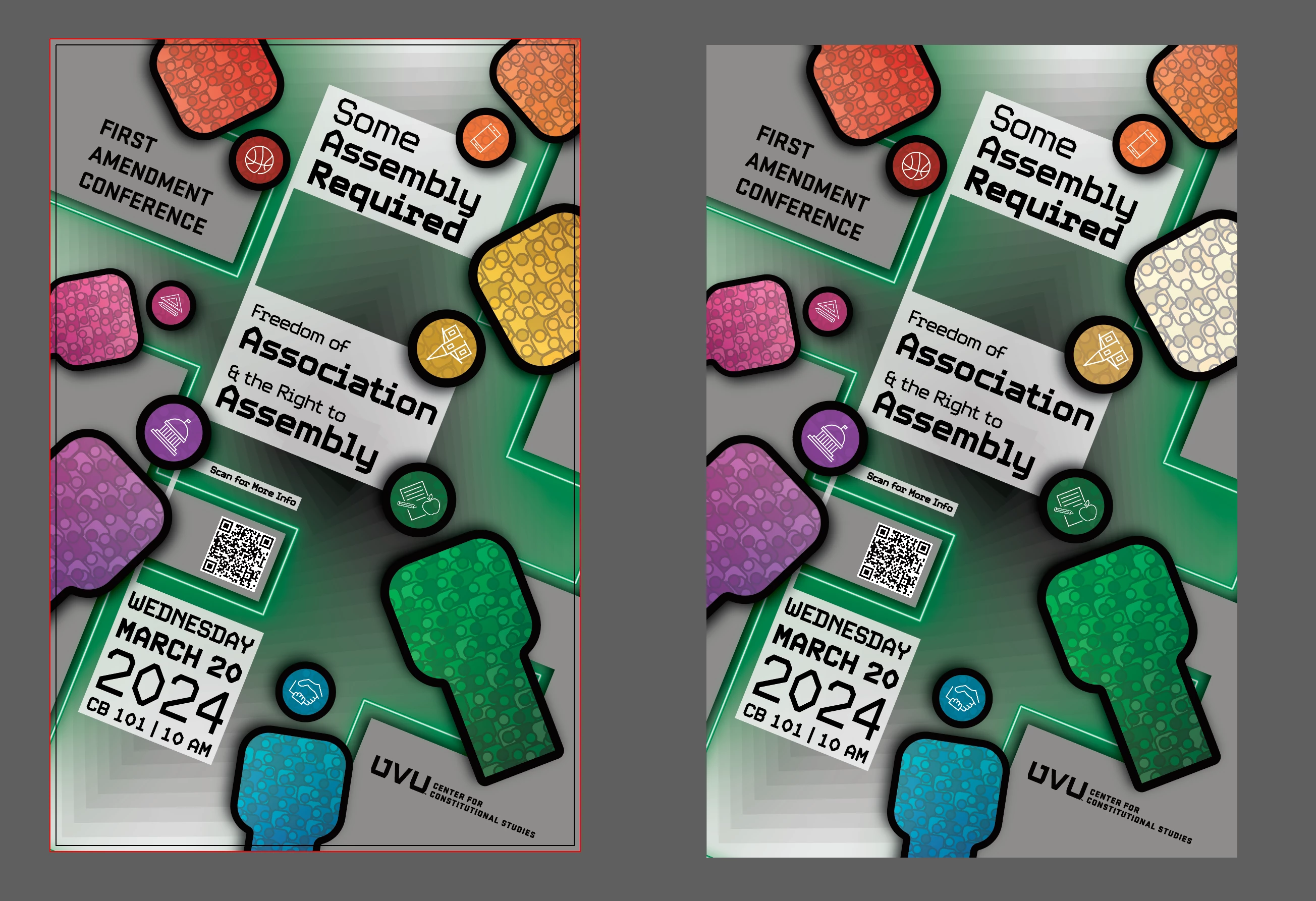
Any thoughts on while this yellow gradient just destorys itself after being copied? Have had it happen a few times. If I try to recopy the graphic and then paste it again it will still result in this same error. I've had to rebuild the gradient any time I want to copy the graphic or the figure itself. 

Adobe Illustrator 2024 28.0 


iMac M1 2021 16 GB Sonoma 14.0


This topic has been closed for replies.

1 reply

Monika Gause
Community Expert
Community Expert
January 18, 2024

Can you upload a sample file?

Anubhav M
Community Manager
Community Manager
January 18, 2024

Hello @W. W.,

Sorry to hear about your experience. Would you mind sharing some more details about your workflow, a sample file (https://adobe.ly/3u8oTS9), and a screen recording of the problem (https://adobe.ly/48FsR3F), so we can investigate this further?


Looking forward to hearing from you.


Thanks,

Anubhav

Anshul_Saini
Community Manager
Community Manager
January 19, 2024

Both color modes are CMYK and US Web Coated v2.

Thank you for help by the way. Very appreciated. 


Hello @W. W.,


Thank you for providing the file. I've examined the file and see the yellow gradient in the shape. However, I'm unable to replicate the issue with the gradient destroying itself after copying and pasting in Illustrator v28.1.


Since you mentioned that both color modes are CMYK and US Web Coated v2, and considering the potential complexities of the graphic and its effects, it could be a specific issue with that particular element.


Here are a few suggestions to troubleshoot the issue:

  • Recreate the Gradient: Try recreating the gradient in the same document or a new document and see if the issue persists.

  • Ensure you are not using any third-party clipboard tool

  • Create a new document, draw a simple shape with a gradient similar to the problematic one, and check if copying and pasting work as expected in this new environment.

  • Ensure you are using the latest version of Illustrator. If you haven't updated, consider updating to the latest version.


I hope this helps, and let me know if you have any further questions or if there's anything else I can assist you with.


Best,

Anshul Saini