Known Participant
January 22, 2018
Answered

Gradient Floor and Back Wall Product Background

  • January 22, 2018
  • 2 replies
  • 1508 views

Hi,

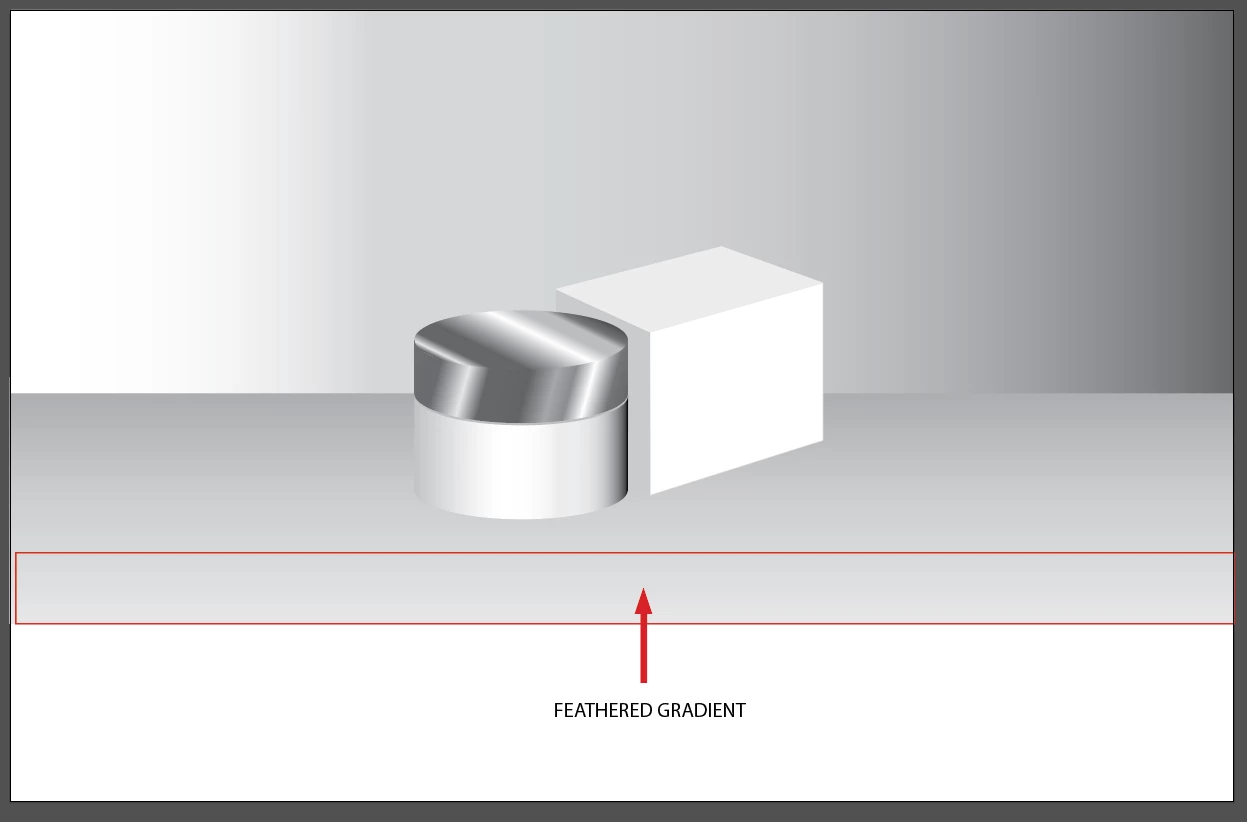
I am creating a rendering of packaging, and would like the jar and box to have a soft, but still tangible floor and back wall to give it some depth.

I have a couple of questions:

1.) I 'd like the bottom of the gradient that makes up the floor to have a feathered "clouds-esque" look that you get with feathered gradients in Photoshop. How do I accomplish that?

2.) Any suggestions on how to make this better?

Thanks!
    This topic has been closed for replies.
    Correct answer Omar.Fathy

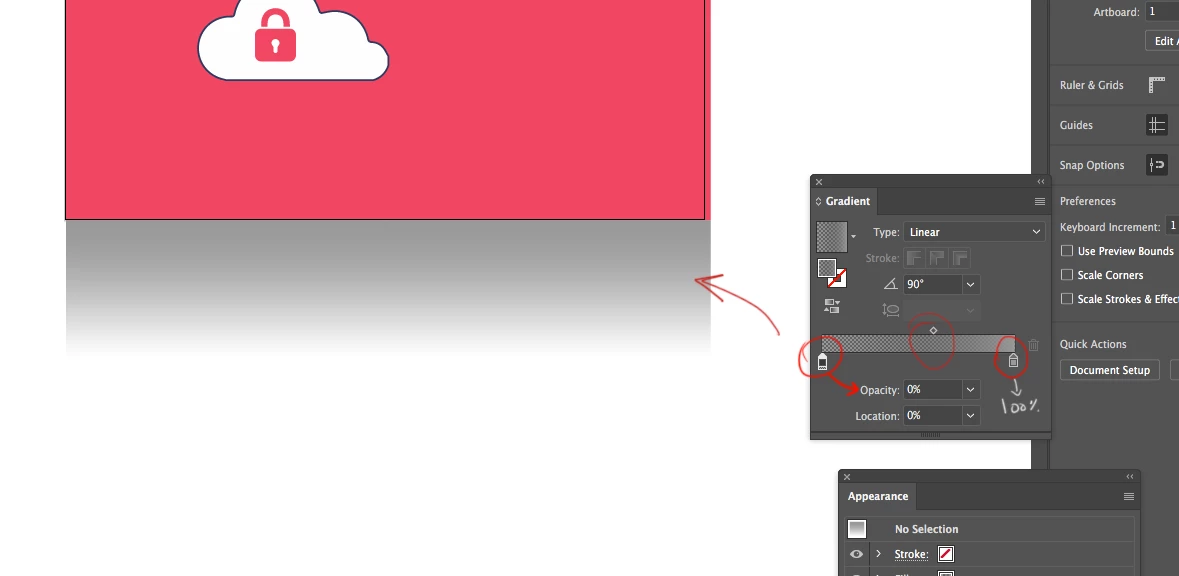
    to do that you can make a gradient with a color with 100% opacity and the other color with 0& opacity and all of them are gray.

    2 replies

    barbara_a7746676
    Community Expert
    Community Expert
    January 22, 2018

    I like to start the gradient a little outside and inside the object, especially at the bottom where it is zero % opacity. If it is right at the bottom edge it sometimes has a  light edge at the bottom, even though it's 0% opacity.

    It can also be interesting sometimes to add an inner glow. Gives the feeling that the back wall is reflecting into the surface. If you do this, you'd need to make the rectangle wide enough to go off the pasteboard to hide the glow on the left and right.

    Inspiring
    January 22, 2018

    You could do a typical linear gradient and set its transparency to multiply. 

    Known Participant
    January 22, 2018

    Thanks. Would you mind showing me what that would look like?

    Omar.Fathy
    Community Expert
    Omar.FathyCommunity ExpertCorrect answer
    Community Expert
    January 22, 2018

    to do that you can make a gradient with a color with 100% opacity and the other color with 0& opacity and all of them are gray.