
Participant
May 19, 2020
Question

Gradient Problems

  • May 19, 2020
  • 2 replies
  • 922 views

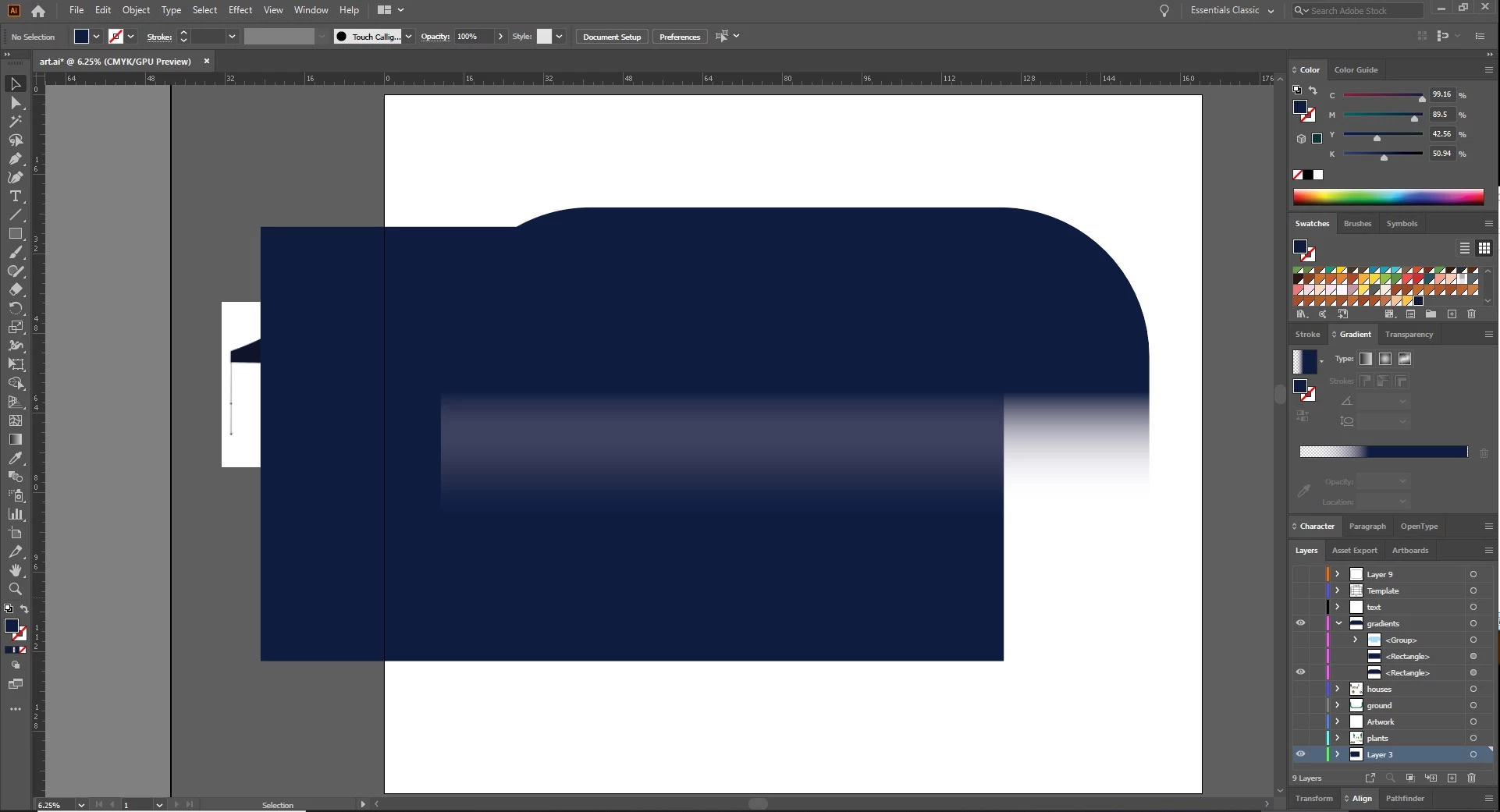
Hey there all. Having a bit of trouble with my gradients. So I have the rounded rectangle set to a dark blue to clear gradient on top with the solid box underneath it. Why, if it's set to a clear gradient, is it showing white and is there a way around this?
This topic has been closed for replies.

2 replies

Jeff Witchel, ACI
Community Expert
Community Expert
May 19, 2020

You should try an Opacity Mask, which is a Gradient in an object above your houses, being used as a Transparency Mask.


To make an Opacity Mask in the Transparency panel:

  1. Select the Black > White Gradient-filled object and your Grouped houses.
  2. And in the Transparency panel, check Make Mask.

Hope this helps!


See screenshots of before and after the mask is applied.


Ton Frederiks
Community Expert
Community Expert
May 19, 2020

If you want to see transparency: View > Show Transparency Grid

Participant
May 19, 2020

I got that but shouldn't the gradient over the solid box just blend together if the gradient is going to clear? What I'm trying to do here is to fade the houses and such but have the background remain solid. My problem is the gradient shape is showing white over the solid color when it should just be fading to clear.

Mario Arizmendi
Legend
May 19, 2020

You are doign this the wrong way

jus set a rectangle with a black to white gradient on top of the houses, select both and in the transparency panel make an opacity mask