Participant
March 7, 2021
Answered

Gradient that follows the angling of a triangle?

  • March 7, 2021
  • 1 reply
  • 2894 views

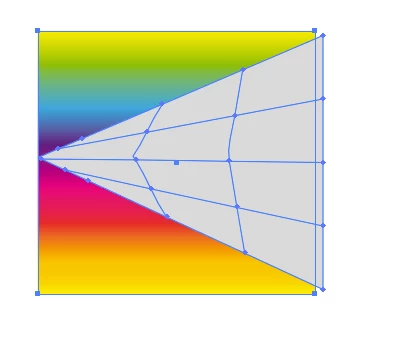
I'm creating a triangle shape and want the gradient that fills it to follow the angles so that you can see an equal amount of each of the gradient's colors all the way from the point to the base. (If you google images of a prism, the equal spread of colors you see in the rainbow as it expands is what I'm going for.)


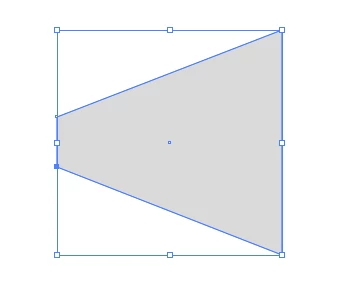
Right now you can only see the middle color in the gradient at the point but all the colors by the time you reach the base.


I'm VERY new to Illustrator, so I suspect my inability to find tutorials or tips for what I'm looking for are because I just don't know the right terms yet. Any help you can offer would be greatly appreciated.

This topic has been closed for replies.
Correct answer Monika Gause

OK, thank you.


You can do this by either blending some colored lines

Or youtake that gradient on a square.

Then youneed a secong square that youturn into a triangle by moving the points:


Move them closer together


Then Object >Make gradient mesh


Move on top of the gradient and Object >Envelope > Make with top object


In the envelope options turn on the linear gradients

1 reply

Monika Gause
Community Expert
Community Expert
March 7, 2021

Can you perhaps post an example? A sketch?

Participant
March 7, 2021

The first image is what I want: the colors follow the angle of the shape. The second image is what I'm getting: the rows of color just go straight across and "cut off" when the angle of the shape dips "below" that color's point in the gradient.

Ton Frederiks
Community Expert
Community Expert
March 7, 2021

Try a gradient across a stroke with a width profile.