Known Participant
December 16, 2018
Answered

Gradient tool not working with Livepaint (?)

  • December 16, 2018
  • 5 replies
  • 4705 views

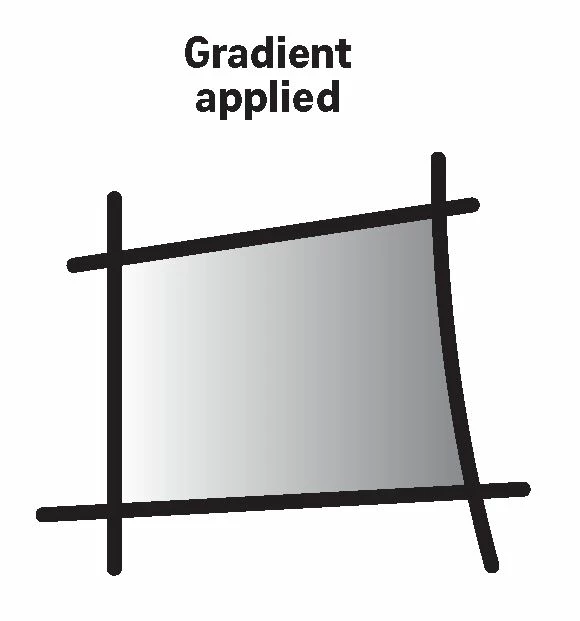
I'm not sure if it is a bug or if I did something wrong.

I used to be able to change the direction of a gradient in a Livepaint object with ease in the 2018 version...

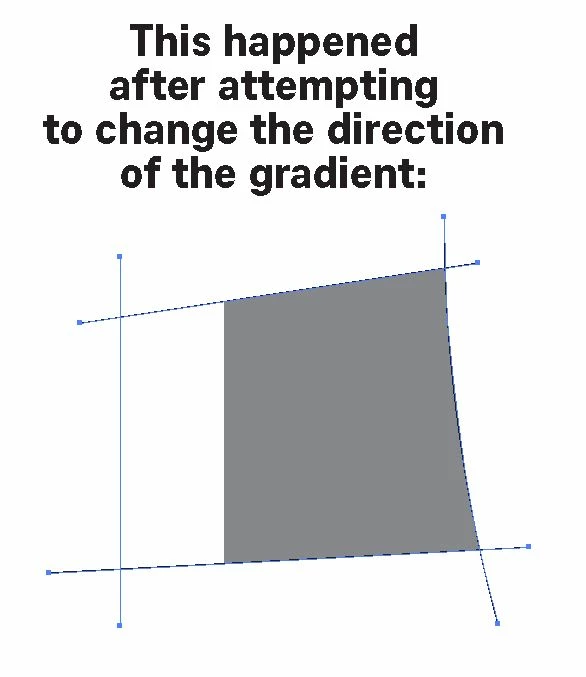
but somehow, the 2019 version just doesn't work:

I always end up getting a colour block.
This topic has been closed for replies.
Correct answer Ton Frederiks

"You can avoid that by selecting only the area with the Gradient with the Live Paint Selection Tool (Shift L)"

Thanks for the tip.

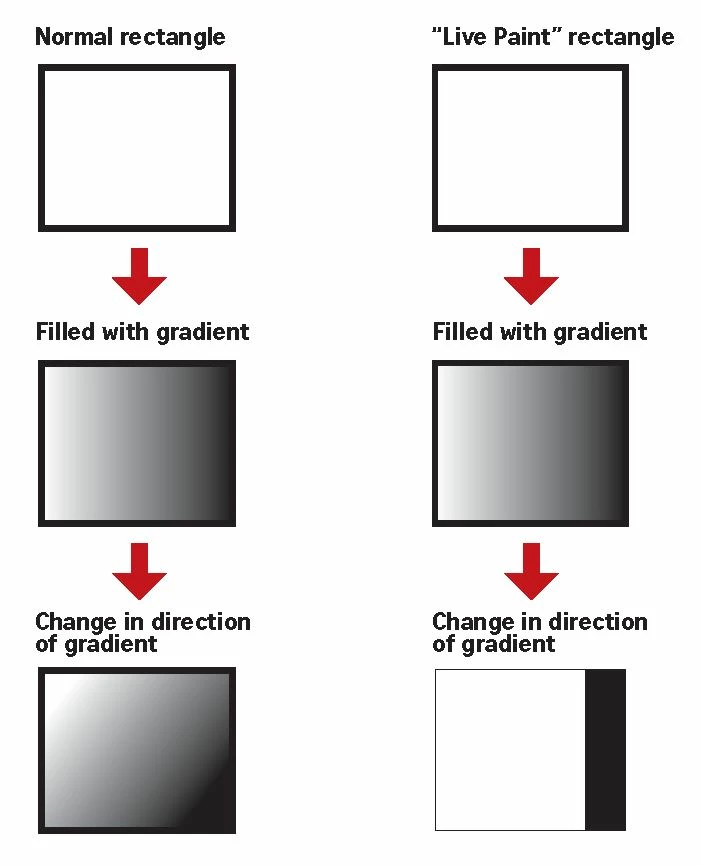
Yes, the Live Paint-Gradient issue definitely has a bug 'cos I have no problem

performing the same action on a non-Live Paint object in the 2019 version of Illustrator:

As mentioned, the above does not happen with the 2018 version of Illustrator.


Did you vote here:

Adjustment of a gradient in Live Painting Bucket (K) – Adobe Illustrator Feedback

or here?:

Cannot modify gradient in live paint group – Adobe Illustrator Feedback 

5 replies

KShinabery212
Community Expert
Community Expert
January 7, 2019

One thing I do and it seems to work with me.  Is I always expand my lines before converting the image to Live Paint. 

I never have any issues after doing this.  I know other people might think it is strange that I do this.  But I got into the habit of doing this as I like to illustrate characters in Adobe Illustrator.  And sometimes other hiccups would arise.  So I finally found out that if I expand all my lines then I have no issues with Live Paint.

Give it a try and let me know.

Let's connect on LinkedIn. https://www.linkedin.com/in/kshinabery/
Ton Frederiks
Community Expert
Community Expert
January 7, 2019

KShinabery212  wrote

One thing I do and it seems to work with me.  Is I always expand my lines before converting the image to Live Paint. 

I never have any issues after doing this.  I

You will probably have a hard time adjusting the strokes shape and size.

Participant
January 8, 2019

Hi.  Thanks for your replies.  It actually did help to expand the lines.  I tested on an illustration created before the Illustrator update 23.0.1, and expanded the illustration after Live Paint was created. Then I was able to use the gradient tool - in a more effective way than before.

Participant
January 7, 2019

I have the same issue.  Is there a solution yet?

Doug A Roberts
Community Expert
Community Expert
January 7, 2019

There has been no further information from Adobe. If you vote on the two issues that Ton posted, you will be appraised of any updates to their status via email.

They have gathered very low vote tallies though, so it might be a very long wait.

Ton Frederiks
Community Expert
Community Expert
December 16, 2018

See also this post with links to Illustrator User Voice where it has been mentioned as a bug:

Gradient angle / live paint selection tool

Ton Frederiks
Community Expert
Community Expert
December 16, 2018

You are right, I get very strange results when trying to change the direction of a gradient in a Live Paint Group.

Known Participant
December 16, 2018

Oh yes, another thing: When changing a gradient in a Livepaint object, the stroke weight always goes back to 0.5pt.

This happens in all versions of Illustrator.

Ton Frederiks
Community Expert
Community Expert
December 16, 2018

mcmxcii_cc  wrote

Oh yes, another thing: When changing a gradient in a Livepaint object, the stroke weight always goes back to 0.5pt.

This happens in all versions of Illustrator.

You can avoid that by selecting only the area with the Gradient with the Live Paint Selection Tool (Shift L)

michelew83603738
Community Expert
Community Expert
December 16, 2018

Yes, frustrating, and hopefully it will be fixed soon. In the meantime, if you select the gradient with the Live Paint Selection Tool, you can then edit the gradient direction with the gradient editor - either the direction using the degrees or the colors, using the stoppers. Not a great solution, but a work around in the meantime.