ÉCLAIRAGE PUBLIC
Inspiring
February 6, 2017
Answered

Grain effect...

  • February 6, 2017
  • 3 replies
  • 2881 views

Hello all

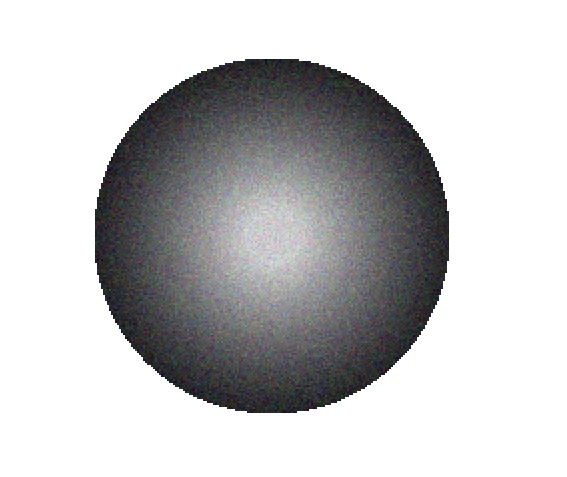
I try to put a grain effect texture on my shapes.

I've followed the instructions found on the web.

Step 1 : make a circle (for example)

Step 2 : copy the circle / paste in the same place / full it with no colors / make a gradient

Step 3 : apply grain from the effect menu > textures > grain

It seems to be simple but when I apply the grain texture, the edges are pixellized as you can see on my picture. The edges are not smooth... It's horrible !!!

Do you know why ? What did I do wrong ?

Many thanks for your answer !!!

Nicolas

This topic has been closed for replies.
Correct answer Kurt Gold

Go to Effect > Document Raster Effects Settings and turn on the Anti-alias option.

3 replies

Ton Frederiks
Community Expert
Community Expert
February 6, 2017

In addition to what Kurt said, turn on the Anti-alias option, also turn on the Create Clipping Mask option.

Changing the resolution, like Ray suggested also changes the coarseness of the grain.

Ray Yorkshire
Participating Frequently
February 6, 2017

Also try:

Effect > Document Raster Effects Settings

experiment with, eg

Resolution > High 300 ppi

or Other

Kurt Gold
Community Expert
Kurt GoldCommunity ExpertCorrect answer
Community Expert
February 6, 2017

Go to Effect > Document Raster Effects Settings and turn on the Anti-alias option.

ÉCLAIRAGE PUBLIC
Inspiring
February 6, 2017

Thanks God it works !

You're God and Ton & Ray your Saints

Many thanks guys you saved my journey !