Exit
  • Global community
    • Language:
      • Deutsch
      • English
      • Español
      • Français
      • Português
  • 日本語コミュニティ
  • 한국 커뮤니티
0

GRID in Ilustrator

Community Beginner ,
Oct 26, 2018 Oct 26, 2018

hello,

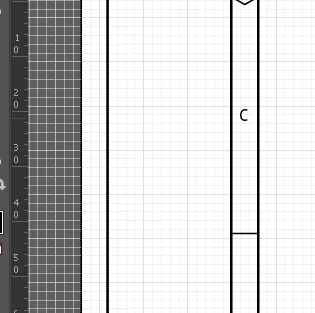
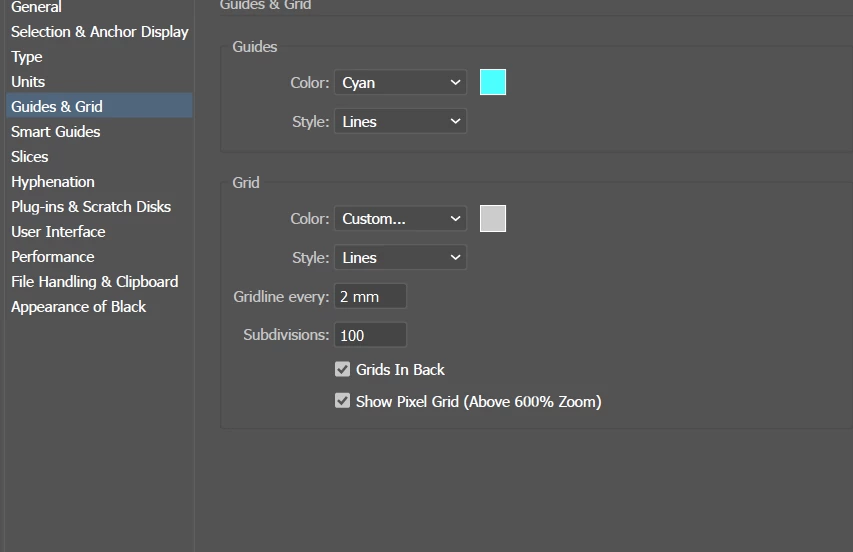
I make the grid active . In my case I have 2 mm between in Settings. What is the link between the grid and  the rullers ? We can positioned the grid with the rullers?ex between 10 and 20 how many grid lines we have ?

I see the greed is infinit, I can't control it.
Thanks,

Valentina
446
Translate
Report
Community guidelines
Be kind and respectful, give credit to the original source of content, and search for duplicates before posting. Learn more
community guidelines

correct answers 1 Correct answer

Community Expert , Oct 27, 2018 Oct 27, 2018

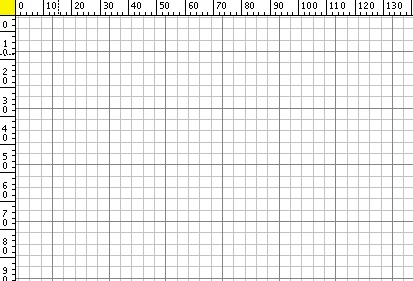
You may have (accidentally) moved the ruler's point of origin.

You can double click the yellow marked rectangle (where the horizontal and vertical rulers originate) to reset this change.

ai_rulers_point_of_origin_001.png

Translate
Adobe
Community Expert ,
Oct 27, 2018 Oct 27, 2018
LATEST

You may have (accidentally) moved the ruler's point of origin.

You can double click the yellow marked rectangle (where the horizontal and vertical rulers originate) to reset this change.

ai_rulers_point_of_origin_001.png

Translate
Report
Community guidelines
Be kind and respectful, give credit to the original source of content, and search for duplicates before posting. Learn more
community guidelines