

Answered
HDR screen colors incorrect (too vivid) inside Adobe ecosystem
Hi,
I just got a new laptop, a Macbook Air M3 chip (before, I had a Macbook Pro intel i7).
And I have a HDR screen, a BENQ PD2700U.
Now, with my new laptop, I get much more vivid colors (too vivid) when using the HDR mode of my screen.
What's even more strange, this only happens within Adobe programs. Most of all my other HDR interface in other programs and MacOS Finder looks like. Even in Adobe, some colors look correct (e.g., within the CC Library window).
Here's what I mean:
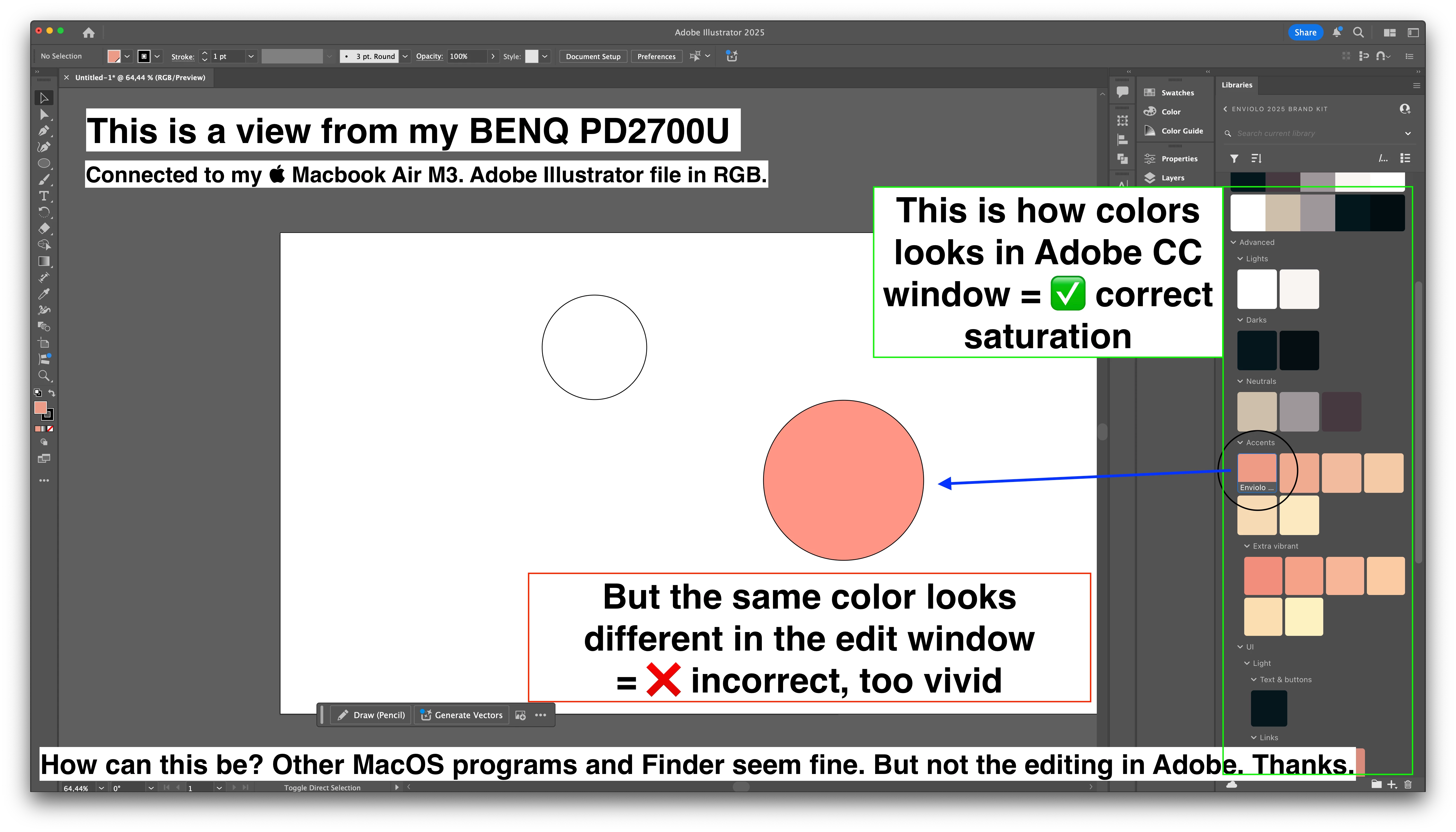
This is a problem with the new laptop. My screen with my old laptop plugged in, out of the box, no issues.
I appreciate the help in finding out how to fine-tune color inside Adobe products.
I'm happy to provide more input
Ricardo
 AdChoices