Participant
July 20, 2017
Answered

Height width vs X Y

  • July 20, 2017
  • 3 replies
  • 3049 views

Why oh why did my Height and Width dissappear?  I used to be able to see the size right away, but not anymore?

    This topic has been closed for replies.
    Correct answer Mike_Gondek10189183
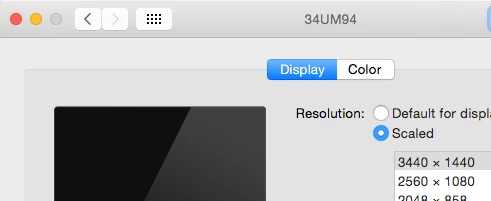
    1. Check the largest amount of pixels in your system preference >> displays fi you are not set to that already.
    2. Check for  software conflicts, did you install anything recently? Avast antivirus was causing some troubles with adding extra digits after ether decimal points.
    3. Maximize your window size by removing the check under window >> application frame.

    3 replies

    Ton Frederiks
    Community Expert
    Community Expert
    July 20, 2017

    Unchecking Snap to Pixel in the Control panel fixed it for me (but if you need Snap to pixel displayed, then you need to turn off something else)

    Mike_Gondek10189183
    Community Expert
    Mike_Gondek10189183Community ExpertCorrect answer
    Community Expert
    July 20, 2017
    1. Check the largest amount of pixels in your system preference >> displays fi you are not set to that already.
    2. Check for  software conflicts, did you install anything recently? Avast antivirus was causing some troubles with adding extra digits after ether decimal points.
    3. Maximize your window size by removing the check under window >> application frame.
    Participant
    July 20, 2017

    Thanks - this fixed it! 

    Mike_Gondek10189183
    Community Expert
    Community Expert
    July 21, 2017

    For my part you are welcome.

    Monika Gause
    Community Expert
    Community Expert
    July 20, 2017

    You need to adjust what is displayed in the control panel. Check the panel menu (the button is to the far right)