Answered
Hello, everyone. I often use to replace names and numbers. Is there any script like this in Illustra
Alt text script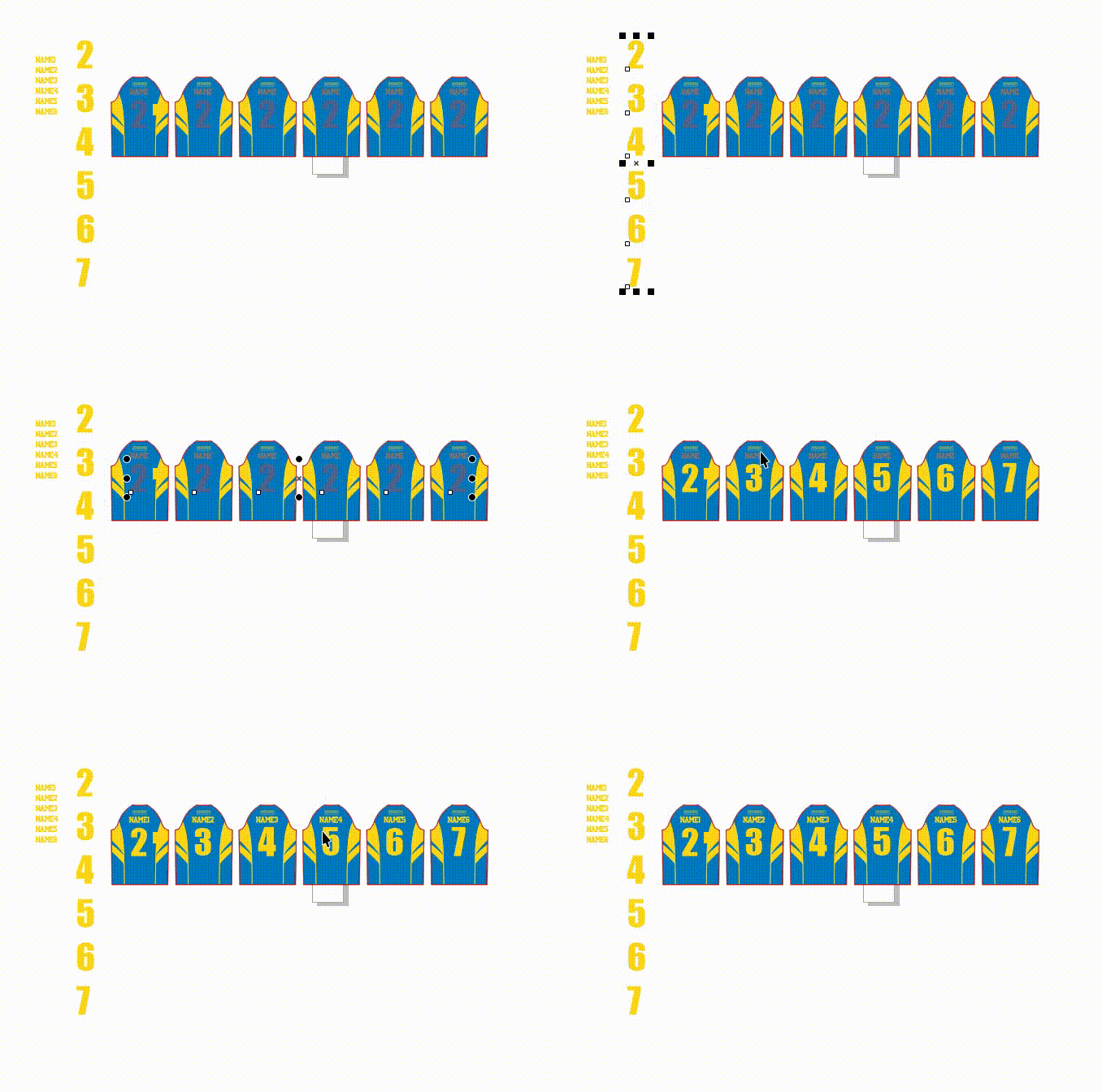

Alt text script
Thank you for your help. Manual operation is too time-consuming. I hope you can help me solve this problem. Thank you
Salut Lengxiaomo!
Comme promis, j'ai simplifié au maximum.
Il suffit de sélectionner une de tes listes et de renseigner le texte à remplacer.
Dans mon test, j'ai utilisé 88 et AA.
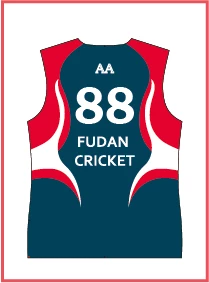
Bonne réception
René
// JavaScript Document for Illustrator
// text-in-cercle-reduit_liste.jsx
// Author Landry René
// Tue, 9 March 2021 18:04:45 GMT
#target Illustrator
// INIT ------------
var debut = 0;     // Start num
var textRep = "88"; // contenu du texte à rechercher
var ecart = 4; // écart en pt toléré dans une ligne en dessous de la valeur Maxi
//---------------------------
if ( app.documents.length > 0 ) {
  var result, textRef;
      result = false;
    if (selection.length != 0){
      textRef = selection[0];
        if (textRef.typename == "TextFrame") {
          var kk = textRef.contents.split(/[\r\n]/);
          if (kk.length) dlg();
        }
    }
  if (result) main();
}
//-------------------------------
function dlg() {
    var res = "dialog { \ properties:{ closeButton: false \
          } \
        msgPnl: Panel { orientation: 'column' , \
          margins: [0,20,10,10] , \
          text: 'Text to be replaced :', \
          paramGrp: Group { orientation: 'row', \
            s: StaticText { text:' ' }, \
            e: EditText { text: nom, characters: 20 } \
            } \
        } \
        buttons: Group { orientation: 'row', alignment: ['center', 'top'] , \
          okBtn: Button { text:'OK', properties:{name:'ok'} }, \
          cancelBtn: Button { text:'Cancel', properties:{name:'cancel'} } \
        } \
      }"; // end res

    win = new Window (res);
    win.text = 'Script de elleere';
    win.spacing = 8;
    win.frameLocation = [200,200];
      //------------------
      win.buttons.okBtn.onClick = function() {
          textRep = win.msgPnl.paramGrp.e.text;
          result = true; win.close();
      }
      //------------------
      win.buttons.cancelBtn.onClick = function() {
        result = false; win.close();
      }
      // Init value dialog
      win.msgPnl.paramGrp.e.text = textRep;
      win.msgPnl.paramGrp.e.active = true;
    win.show();
}
//--------------------
function main() {
  var nb, maxiV, k, texts, i, n, tp;
  var t88 = [];
      maxiV = -Infinity;
      k = debut;
      texts = app.activeDocument.textFrames;
      nb = texts.length;

      for (i = 0; i < nb; i++) {
        if (texts[i].contents == textRep) {
          t88.push(texts[i]);
        }
      }

    while(t88.length > 0) {
      // recherche top maxV
      for (i = 0; i < t88.length; i++) {
        tp = t88[i].top;
        maxiV = Math.max(maxiV,tp);
      }
      // liste ligne la plus haute tV
      var tV = [];
          nb = t88.length;
      for (i = nb-1; i >= 0; i--) {
        if(t88[i].top >= maxiV-ecart && t88[i].top <= maxiV) {
          tV.push(t88[i]);
          t88.splice(i,1);
        }
      }
      // position left dans tV
      var tlf = [];
      for (n = 0; n < tV.length; n++) {
        tlf.push(tV[n].left);
      }
      tlf.sort
      // traite ligne tV
        while (tV.length > 0 && k < kk.length) {
          for (n = 0; n < tV.length; n++) {
              if (tV[n].left == tlf[0]) {
                tV[n].contents = kk[k];  k++;
                tV.splice(n,1);
                tlf.splice(0,1);
              }
              else continue;
          }
        }
      maxiV = -Infinity; // ligne suivante
   }
}
//--------------------
Already have an account? Login
Enter your E-mail address. We'll send you an e-mail with instructions to reset your password.
 AdChoices