
Exit
  • Global community
    • Language:
      • Deutsch
      • English
      • Español
      • Français
      • Português
  • 日本語コミュニティ
  • 한국 커뮤니티
0

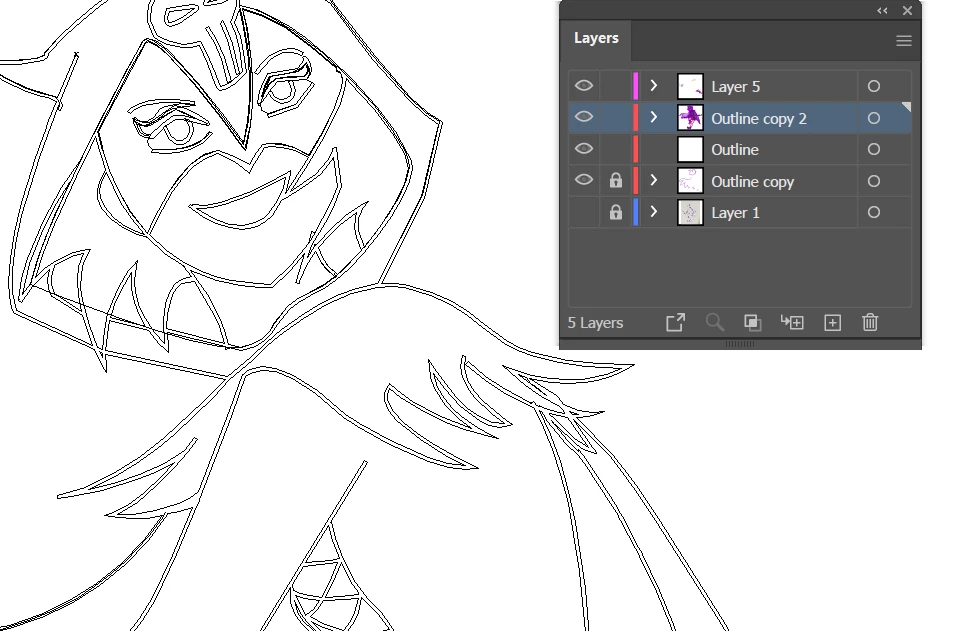
Help!!! Accidentally deleted the colors of my entire work and can't undo
Explorer ,
Apr 17, 2022 Apr 17, 2022

Switch0901_2-1650180046898.png

I accidentally used the wrong keyboard shortcut and suddenly the colours of my fills and strokes are all gone. Tried to undo the action but cannot. (it just skips to undoing the action that was taken before colour was removed.) How do I recover my colours??

TOPICS
Draw and design
1.7K
Translate
Report
Community guidelines
Be kind and respectful, give credit to the original source of content, and search for duplicates before posting. Learn more
community guidelines
Adobe
Community Expert ,
Apr 17, 2022 Apr 17, 2022

Maybe you hit Cmd or Ctrl Y and are viewing Outline mode?

View menu > Preview

Translate
Report
Community guidelines
Be kind and respectful, give credit to the original source of content, and search for duplicates before posting. Learn more
community guidelines
Explorer ,
Apr 17, 2022 Apr 17, 2022

Where do I get the menu?

Translate
Report
Community guidelines
Be kind and respectful, give credit to the original source of content, and search for duplicates before posting. Learn more
community guidelines
Community Expert ,
Apr 17, 2022 Apr 17, 2022
LATEST

Switch,


It is the View dropdown list.


Ctrl/Cmd+Y toggles between Outline and Preview.


Translate
Report
Community guidelines
Be kind and respectful, give credit to the original source of content, and search for duplicates before posting. Learn more
community guidelines