
Help! “Artboard name” text overlapping my design in screenshots after Illustrator update 😩
Hey everyone,
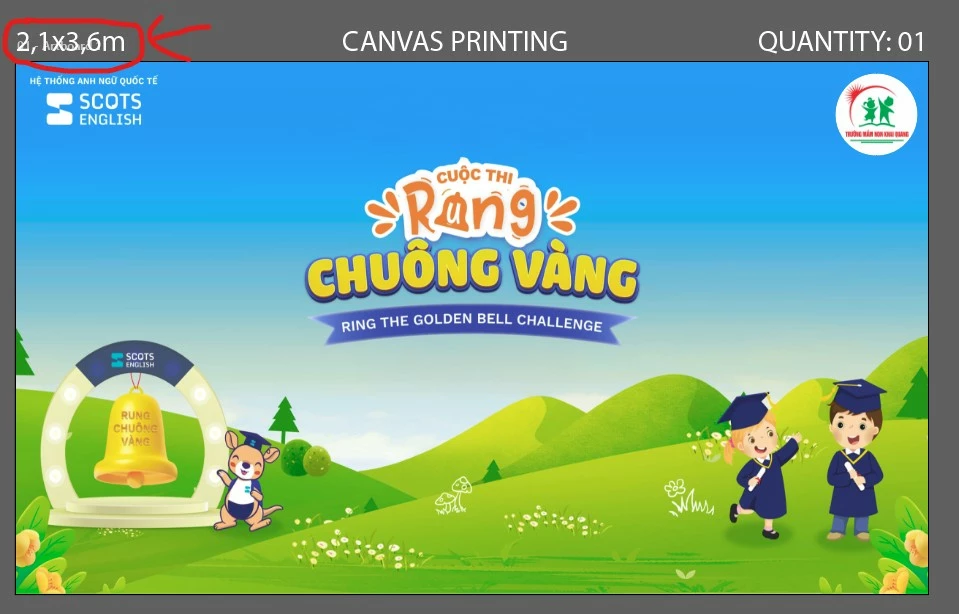
After the latest Illustrator update, I started noticing that when I take screenshots to send previews to clients, there’s now this gray text showing the artboard name (like “01 - Artboard 1”) appearing at the top of my workspace.
The problem is — this label now overlaps important information on my canvas, such as the printed size (for example “2.1x3.6m” in my design). It wasn’t there before, and now it makes my screenshots look messy when I just want to capture the artboard preview for client confirmation.
I already checked under View menu but there’s no option like “Show/Hide Artboard Names”.
Does anyone know how to completely hide that artboard name label?
I really hope Adobe adds a toggle back for this. It’s such a small thing but super annoying when sending previews to clients! 😅
Thanks in advance for any tips or hidden settings that might fix this!
 AdChoices