
Participant
March 26, 2024
Answered

Help Bevel effect 3d

  • March 26, 2024
  • 4 replies
  • 458 views

Hello friends

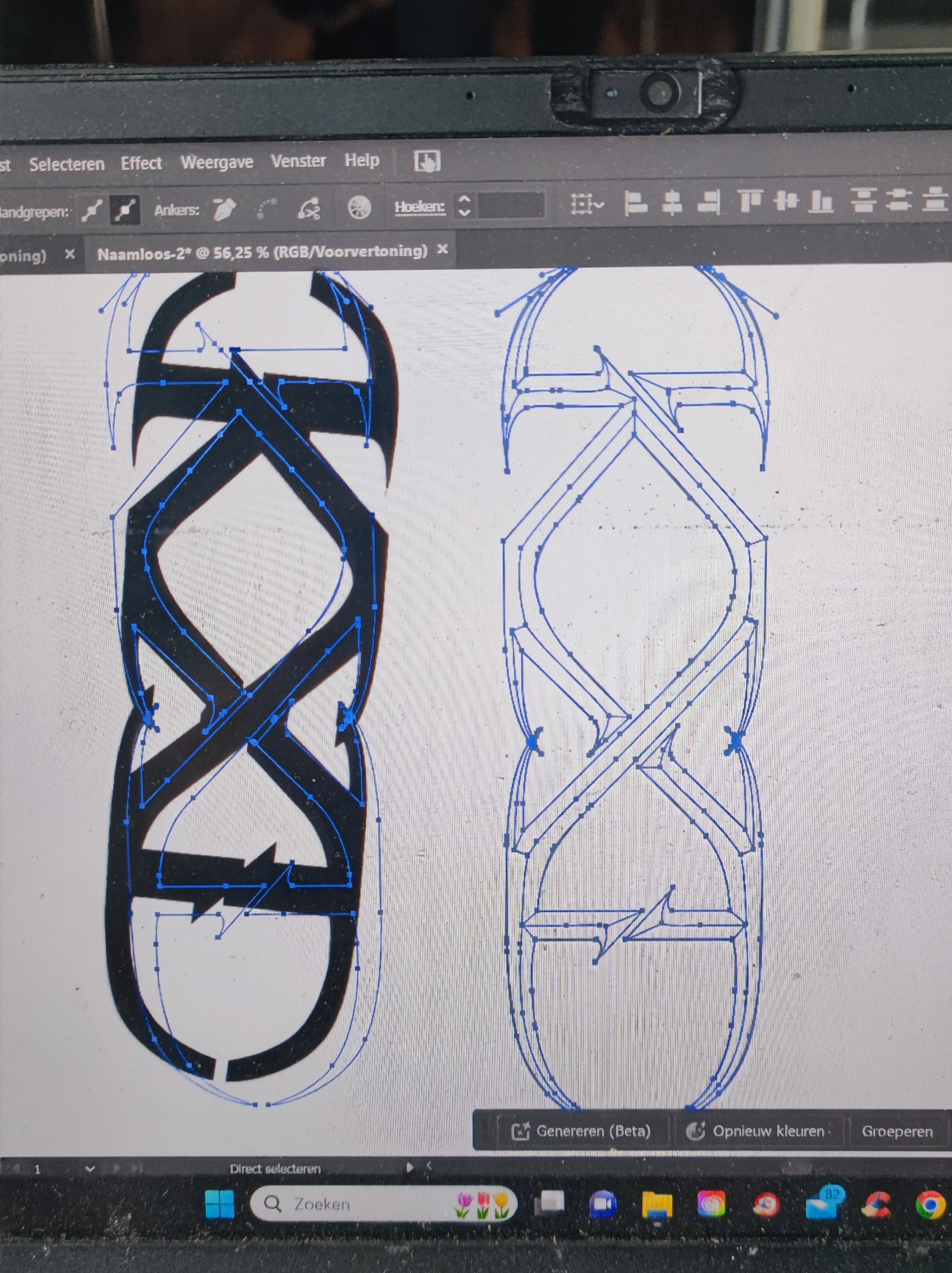
So when applying a bevel effect in the 3d panel the edges of the bevel do not align on my 3d object. So I would like to edit them manually. Now when you put it into wire frame you can see how the bevel would look like and you can edit the edges of the bevel. Only then you can't export it anymore as an OBJ for further processing in blender. You can only export is as a SVG, PNG, etc.. But you need a OBJ to keep the 3d shape. Is there a way to edit the edges of the bevel and still keep the obj? 
 

    This topic has been closed for replies.
    Correct answer Monika Gause

    You can't do that.

    Once you expand the effect, it's no longer 3D. Can't you make a bevel in Blender?

    4 replies

    Monika Gause
    Community Expert
    Monika GauseCommunity ExpertCorrect answer
    Community Expert
    March 28, 2024

    You can't do that.

    Once you expand the effect, it's no longer 3D. Can't you make a bevel in Blender?

    kglad
    Community Expert
    Community Expert
    March 28, 2024

    in the future, to find the best place to post your message, use the list here, https://community.adobe.com/

    p.s. i don't think the adobe website, and forums in particular, are easy to navigate, so don't spend a lot of time searching that forum list. do your best and we'll move the post (like this one has already been moved) if it helps you get responses.


    <"moved from using the community">
    Peru Bob
    Community Expert
    Community Expert
    March 26, 2024

    This is the Using the Community forum (which is the forum for issues using the forums).

    As jane-e  asked, please tell us what Adobe application you are using so that this can be moved to the proper forum for help.

    Scroll down here to see a list of the forums:
    https://community.adobe.com/

    Participant
    March 28, 2024

    I am using Illustrator as application


    jane-e
    Community Expert
    Community Expert
    March 26, 2024

    @Arthur36323625iyjt 


    Which Adobe application are you using so we can move your post?


    • If it's a Substance app, tell us which one.


    Jane

    Participant
    March 28, 2024

    Hello Jane I am using Illustrator as application 🙂