
ashishd35008660
Participant
August 9, 2017
Question

HELP! Curves in Illustrator break and rasterize in a weird way..

  • August 9, 2017
  • 2 replies
  • 571 views

Hey guys!

I ran into this issue and don't really know how to explain it.. But here's a couple of visuals that will probably help you understand my problem?
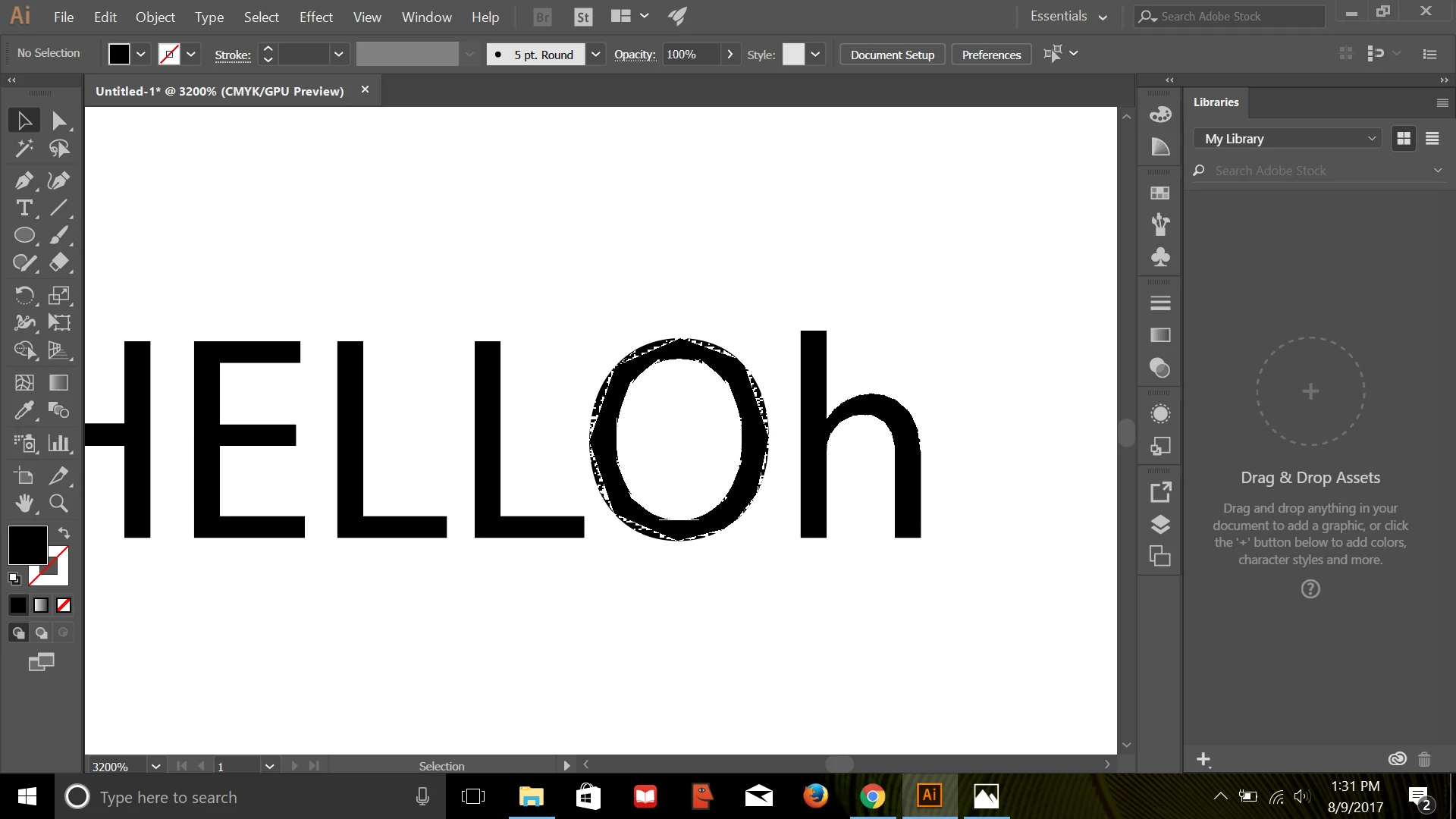
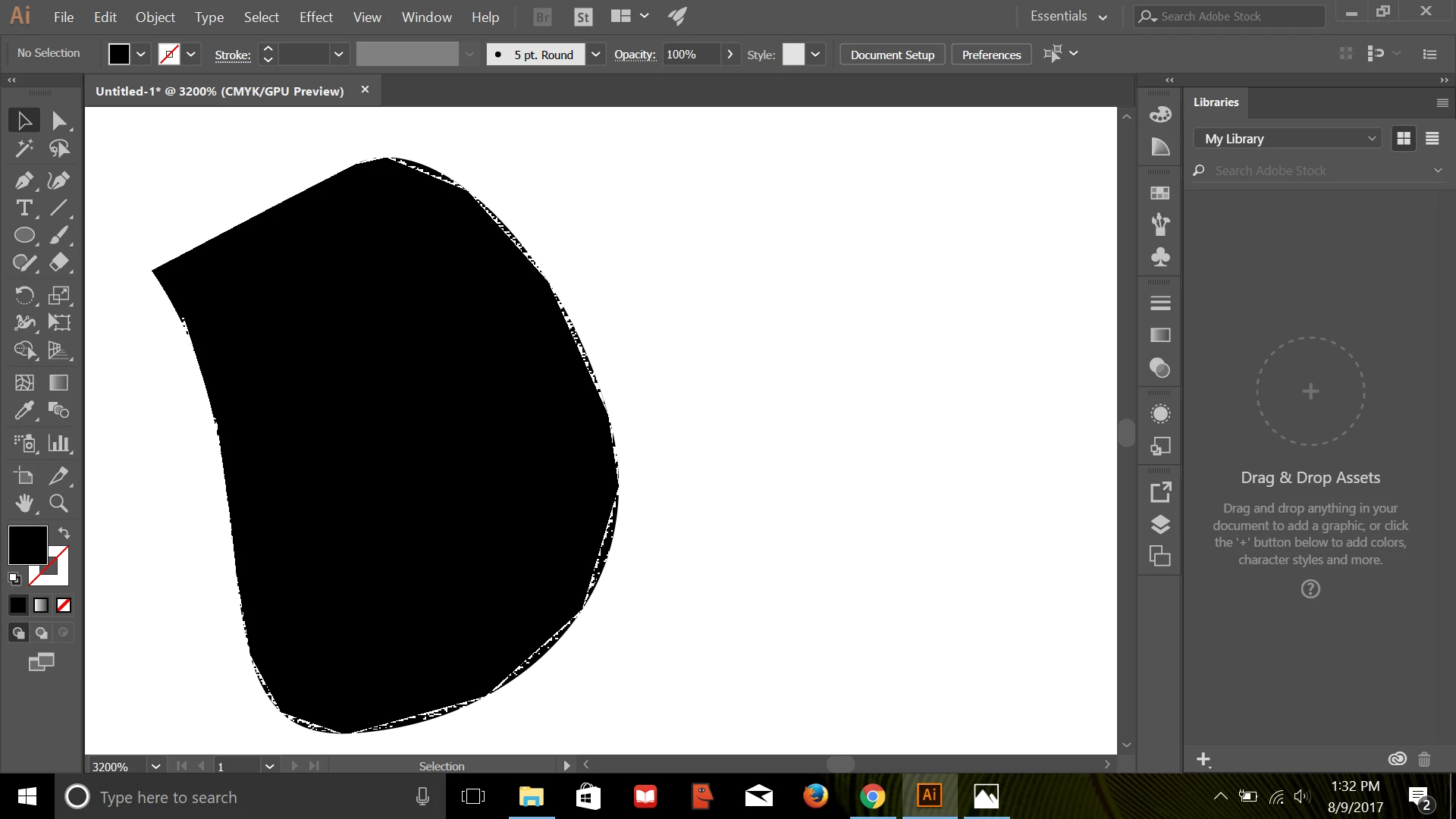
For the most part, i run into issues when trying to draw curves in illustrator.. These weird cracked curves appear, and I have no clue how to fix it.

Any help would be much appreciated!

This topic has been closed for replies.

2 replies

rama_ai11751598
Inspiring
August 21, 2017

This issue is fixed by Intel in their latest driver update (15.46.02.4729 - released on 11 JUL 2017 ) available at - https://downloadcenter.intel.com/download/26941/Graphics-Intel-Graphics-Driver-for-Windows-15-46-?product=88358

This update cannot show up driver search, as it might take some time for Microsoft to get it integrated in their Surface Pro driver updates. Microsoft prevents installing driver directly from Intel if you try the installer directly, however latest driver from Intel can be installed with steps listed in section "Update video adapter device drivers" > "Intel (Surface Pro devices)" in below link

https://helpx.adobe.com/illustrator/kb/illustrator-gpu-performance-driver-update.html

Monika Gause
Community Expert
Community Expert
August 9, 2017

View > Preview on CPU.

Or click on the little rocket in the control panel and turn off GPU acceleration completely