
Help: Qt Widget Not Occupying Full AI Panel Space
Hello Everyone,
I am writing a C++ plugin using the latest SDK (v1-Aug 2025) for Adobe Illustrator 2025 (version 29.8.1). My requirement is to display a Qt UI inside an AI Panel. I have taken the EmptyPanel sample as a reference and added my Qt widgets to the panel.
I am able to see the Qt widget in the panel, and it resizes when the panel resizes. However, the Qt widget is not fully occupying the panel space, even though I set the widget size to match the AI Panel size using the sAIPanel->GetSize API. I am also updating the size when the window size changes through PanelSizeChangedNotifyProc.
To isolate the issue, I created a simple QWidget and explicitly set its geometry to the panel size, but I still see the same problem.
Below is the code snippet. Also attached the screenshot of my Plugin panel view. 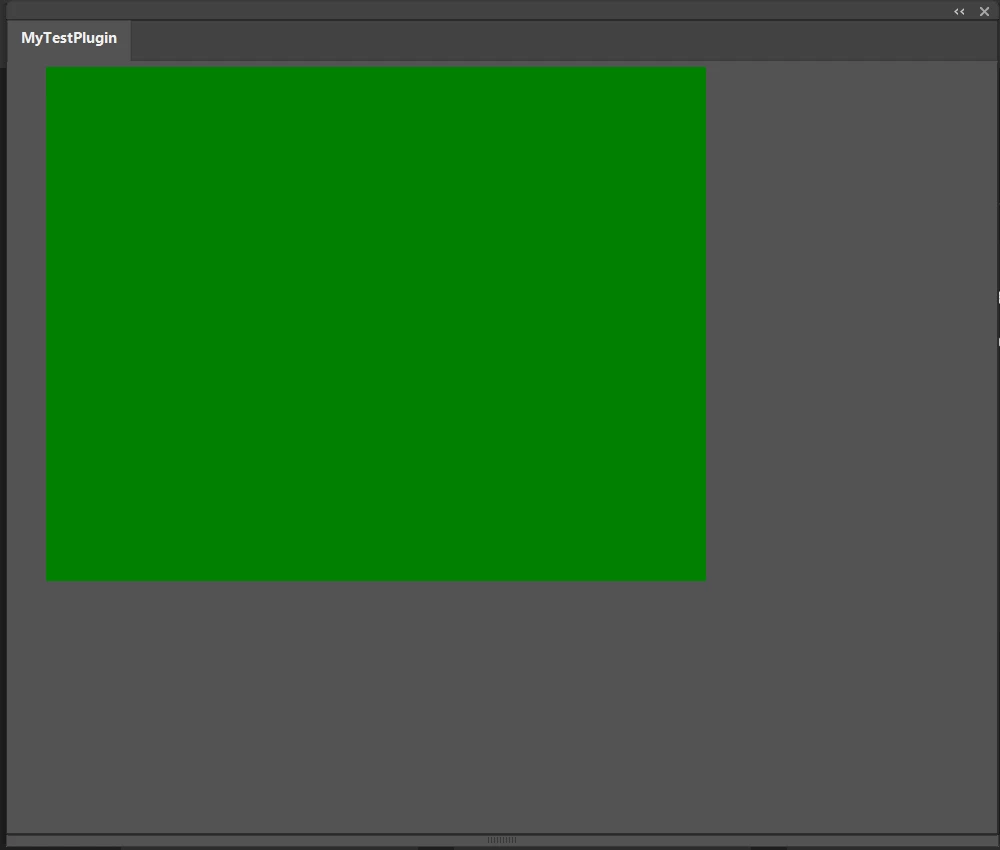 Could someone shed some light on what I might be missing or doing wrong?
Thanks in advance!
ASErr EasyVariantsPlugin::StartupPlugin(SPInterfaceMessage* message)
{
//Initialization code

    AISize pnSize = { 2000, 2000 };
    AIErr error = sAIPanel->Create(fPluginRef, ai::UnicodeString("MyTestPlugin"), ai::UnicodeString("MyTestPlugin"), 1, pnSize, true, NULL, this, fPanel);

    AISize minSize = { 200, 200 };
    AISize maxSize = { 2000, 2000 };
    AISize prefConstSize = { 500, 500 };
    AISize prefUnconstSize = { 500, 500 };

    error = sAIPanel->SetSizes(fPanel, minSize, prefUnconstSize, prefConstSize, maxSize);
    CHECK_ERROR
    error = sAIPanel->Show(fPanel, true);
    CHECK_ERROR
    error = sAIPanel->SetVisibilityChangedNotifyProc(fPanel, PanelVisibilityChangedNotifyProc);
    CHECK_ERROR
        error = sAIPanel->SetSizeChangedNotifyProc(fPanel, PanelSizeChangedNotifyProc);
    CHECK_ERROR
        error = sAIPanel->SetClosedNotifyProc(fPanel, PanelClosedNotifyProc);
    CHECK_ERROR

	AddQtWidgets();
}

AIErr EasyVariantsPlugin::AddQtWidgets()
{
    AIErr error = kNoErr;
    _hDlg = nullptr;
    error = sAIPanel->GetPlatformWindow(fPanel, _hDlg);
    if (error != kNoErr || !_hDlg)
        return error;

    _containerWidget = new QWidget();
    _containerWidget->setStyleSheet("background-color: green;");

    SetParent((HWND)_containerWidget->winId(), _hDlg);
    SetWindowLong((HWND)_containerWidget->winId(), GWL_STYLE, WS_CHILD | WS_VISIBLE);

    AISize panelSize = { 0, 0 };
    error = sAIPanel->GetSize(fPanel, panelSize);
    _containerWidget->setGeometry(0, 0, panelSize.width, panelSize.height);
    _containerWidget->show();
    return error;
}

Calling below function from "void PanelSizeChangedNotifyProc(AIPanelRef inPanel)" callback

void UpdateUIOnPanelResize(AISize& outSize)
{
    if (_containerWidget != nullptr)
    {
        _containerWidget->setGeometry(0, 0, outSize.width, outSize.height);
    }
}
 AdChoices