Participant
August 20, 2020
Question

Help removing the bar at the top of the screen

  • August 20, 2020
  • 3 replies
  • 1283 views

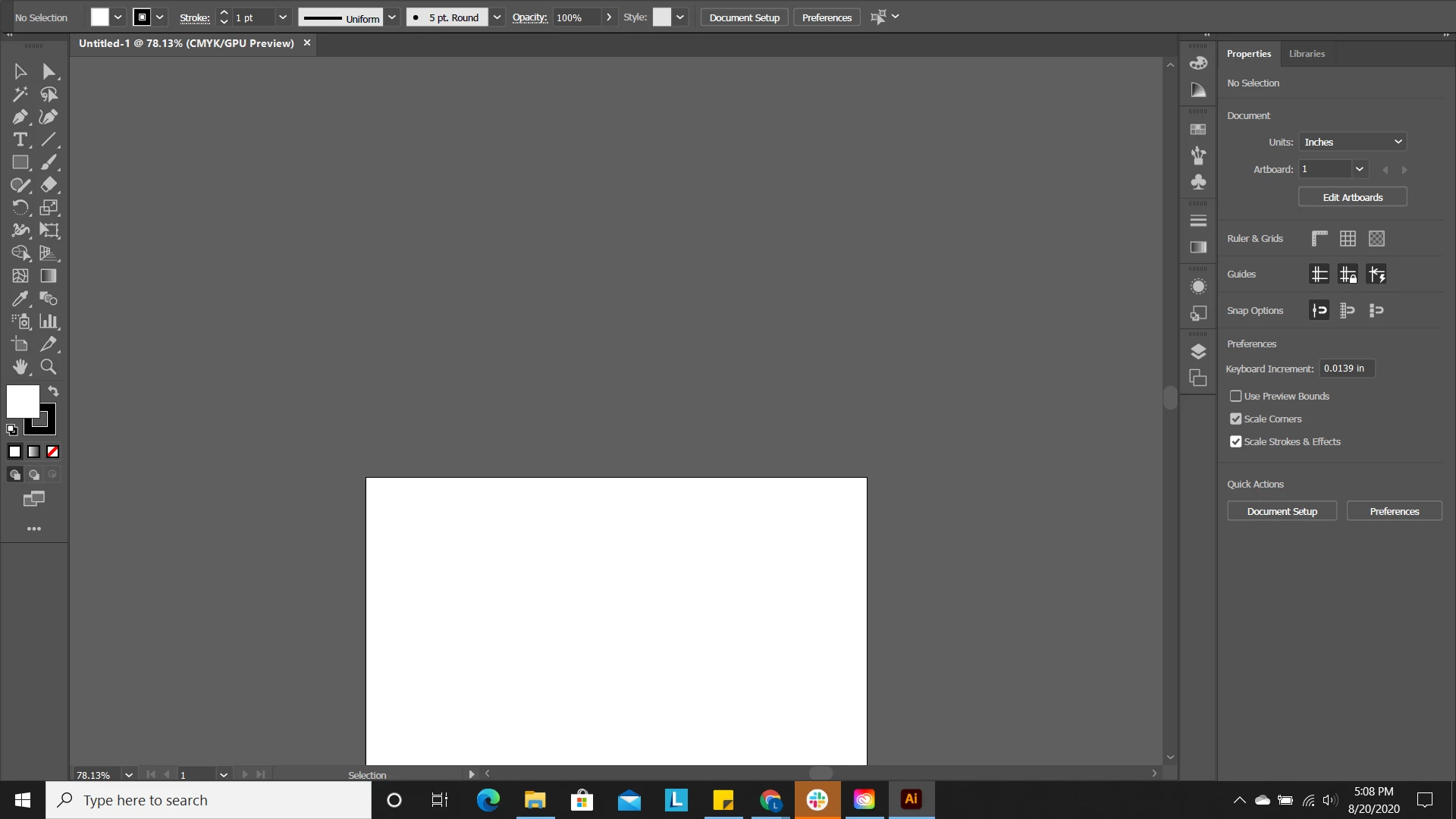
How do I get rid of this tab at the top which is covering the bar for file, option, transform, etc.?

This topic has been closed for replies.

3 replies

Ashutosh_Mishra
Inspiring
August 21, 2020

Hi Laura,


Thanks for reaching out. In addition to correct responses above, I'd request following this help article to know how to manage your workspace.

If you wish to reset preferences of Adobe Illustrator as suggested by Ali earlier, please follow this help article to do that.

**Please note that resetting preferences will remove all the custom settings and Illustrator will launch with default settings. You can also take a backup of the folders in case you want to. Location is mentioned in the article.

Hope it helps.


Regards,

Ashutosh

barbara_a7746676
Community Expert
Community Expert
August 21, 2020

Under the Window menu, take the checkmark off of Control.

Alternatively, you can hold down on the far left edge of the panel where there is a little embossed area, and drag it to a new position.

lambiloon
Community Expert
Community Expert
August 21, 2020

Hi try to reset your workspace then all will be good from window or reset illustrator preferences...regards

Ali Sajjad / Graphic Design Trainer / Freelancer / Adobe Certified Professional