
Ensabahone
Participant
December 17, 2022
Question

Help selecting vector graphics within a vector graphic

  • December 17, 2022
  • 2 replies
  • 327 views

Hello,


I am trying to select the individual vector graphics within this vector file I downloaded from freepik. Link and screenshot of it attached. When I use the selection tool it selects the entire board (rectangular selection). It won't let me ungroup and when I expand it, it still doesn't allow me to select the individual vector graphics within. I've googled and tried to find a youtube video to help me figure out this problem but to no success. I am hoping someone in this community can help me.
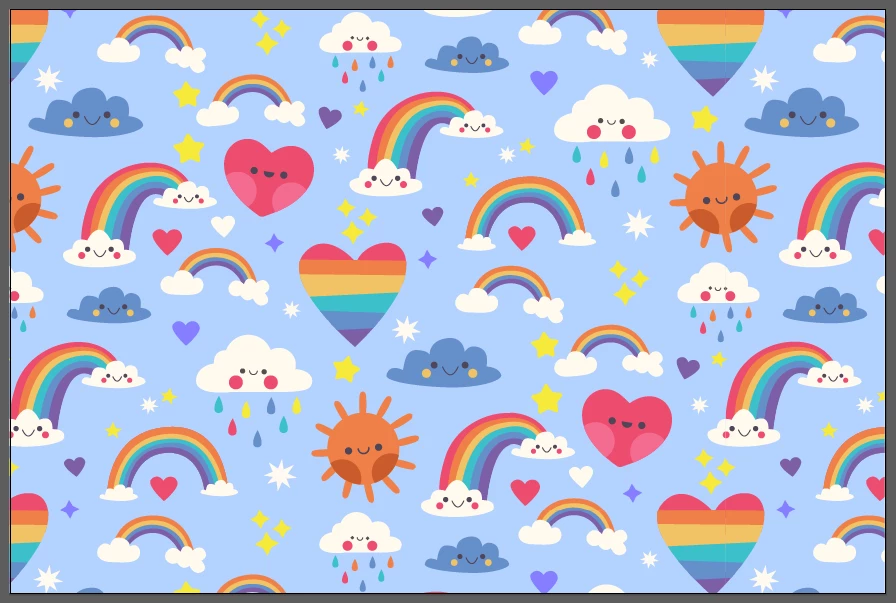
 

Media found here and attached.

https://www.freepik.com/free-vector/hand-drawn-rainbow-pattern-design_15592441.htm#page=2&query=rainbow&position=0&from_view=search&track=sph#position=0&page=2&query=rainbow


This topic has been closed for replies.

2 replies

Monika Gause
Community Expert
Community Expert
December 17, 2022

You could double click the pattern in the swatches panel to go into pattern editing mode. In there you can select and copy parts. Or you can edit them and it be reflected in the pattern.

CarlosCanto
Community Expert
Community Expert
December 17, 2022

there are two rectangles in the eps file attached. One is filled with a blue color, the other is filled with a "Pattern" color.


to get the individual vector art, open the Swatches panel and click and drag the Pattern Swatch (it's the 3rd and last swatch) into the Artboard


another way would be to select the rectangle filled with the pattern then go to Object->Expand.., then click Ok to expand the Fill.

This will give you a Clipping Group containing the vector Art. To get to each piece, select it and go to Object->Clipping Mask->Release. Now you'll get a group of various "tiles", you can ungroup and delete them all except one. Then select that one copy and Release the Clipping Mask again.