
Participant
March 27, 2021
Question

help with envelope distort

  • March 27, 2021
  • 1 reply
  • 311 views

i'm new at this illustrator thing (i'm learning) and i tried to use the envelope distort tool. I've followed way too many tutorials and the this happened:
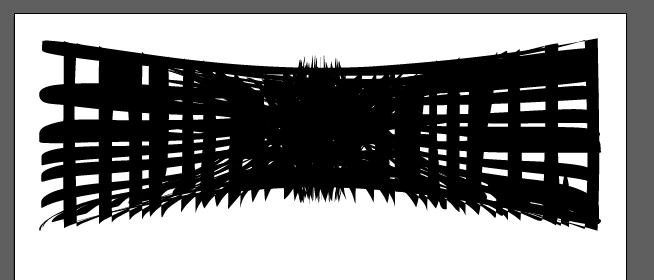
can someone help me? i've searched a lot of info online and i can't find what's the problem 😞

This topic has been closed for replies.

1 reply

tromboniator
Community Expert
Community Expert
March 27, 2021

Could you please show what you started with, and exactly what you did to get where you got? And maybe an explanation of what you're expecting, what you want to achieve? I can't tell that stuff from the image you posted. By the way, thank you for embedding (inserting) it rather than attaching it. Much appreciated.


Peter

soieangeAuthor
Participant
March 30, 2021

So I'll start with two layers, layer one (red) and layer two (blue). Then, I'll select them so it looks like this:

Once I have those layers looking like that, I'll go to object > envelope distort > make with top object.

My illustrator is in spanish but that's the way the envelope distort worked before.

And it looks... like... that.

Basically this is what I am expecting (something like this, not exactly bc i googled this): 

 That's pretty much everything!

tromboniator
Community Expert
Community Expert
March 30, 2021

It looks to me as though you should try View menu > View using CPU, or cmd/ctrl + E.


Peter