
scooterb69
Participant
November 2, 2021
Answered

Help with text offset path and unite

  • November 2, 2021
  • 1 reply
  • 523 views

I am designing SVG cut files for a craft cutter which produces a display box.

I have the front of the box shape but I wish to add a section for vinyl cut text to be placed on.


As per the screen shot I would like to have the text item with the offset path as a shape so I can then unit it with the yellow box front so it is one item so it will then cut as one.

Any help would be appreciated as it is driving me mad.
This topic has been closed for replies.
Correct answer Doug A Roberts

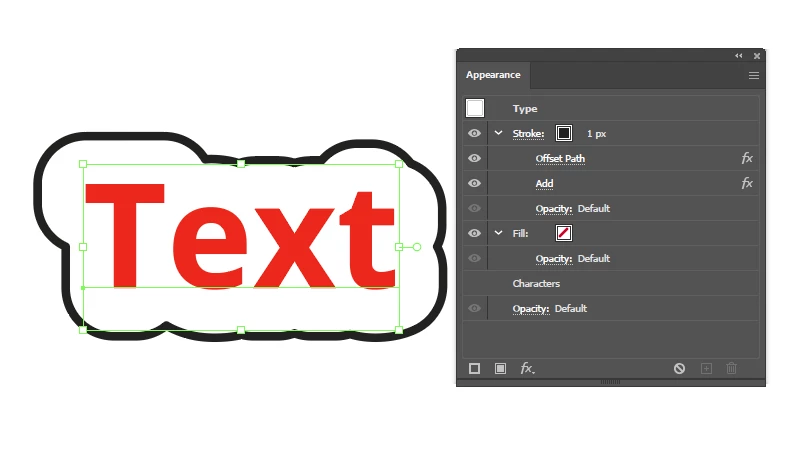
Add a stroke to your text and apply these effects:

Once you have it as you like, expand appearance and then ungroup. You will have an offset outline path to do whatever you need with.

1 reply

Doug A Roberts
Community Expert
Doug A RobertsCommunity ExpertCorrect answer
Community Expert
November 2, 2021

Add a stroke to your text and apply these effects:

Once you have it as you like, expand appearance and then ungroup. You will have an offset outline path to do whatever you need with.

scooterb69
Participant
November 2, 2021

Hey Doug, simply amazing, thank you for the quick reply and for the solution. Cheers