Answered

This topic has been closed for replies.
Hello femke blanco, I don’t know how to write scripts. Will the code of group projects and compound path projects be complicated? Thank you
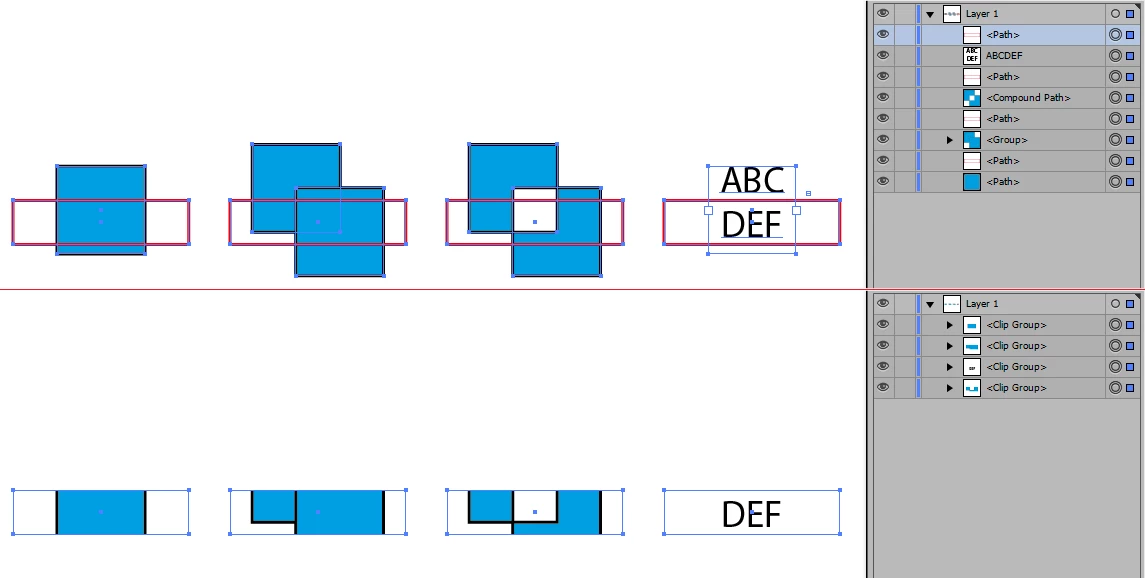
I think I overthought things. The following should make a clipping mask of each two overlapping selected items, whatever the masked artwork is (group, compound path, et cetera). See if it works for you.
var selectedItems = app.activeDocument.selection;
var a = [];
var test = function(path1, path2) {
    var b1 = path1.geometricBounds;
    var b2 = path2.geometricBounds;
    return (b1[2] > b2[0] && b1[0] < b2[2]) && (b1[3] < b2[1] && b1[1] > b2[3]);
}
for (var i = 0; i < selectedItems.length ; i++) {
    if (!selectedItems[i].done) {
        for (var j = 0; j < selectedItems.length ; j++) {
            if (j != i && test(selectedItems[i], selectedItems[j])) {
                var x = [];
                x.push(selectedItems[i]);
                x.push(selectedItems[j]);
                a.push(x);
                selectedItems[j].done = true;
            }
        }
    }
}
for (var i = 0; i < a.length; i ++) {
    var group = app.activeDocument.groupItems.add();
    a[i][0].moveToEnd(group);
    a[i][1].moveToEnd(group);
    group.clipped = true;
}
Sign up
Already have an account? Login
To post, reply, or follow discussions, please sign in with your Adobe ID.
Sign inSign in to Adobe Community
To post, reply, or follow discussions, please sign in with your Adobe ID.
Sign inEnter your E-mail address. We'll send you an e-mail with instructions to reset your password.
 AdChoices