
Inspiring
September 6, 2024
Question

Hiding and then showing objects turns on layers that were previously off

  • September 6, 2024
  • 2 replies
  • 298 views

<omitted statement expressing how deeply disappointed I am in Adobe Illustrator now, an application I've been using since 1990>


When working on files with dieline layers, we sometimes turn off portions of those layers that include unnecessary information. Lately, I've discovered that if I decide to hide an object on a layer to perform a change, and then show that object again, all the sublayers that were previously turned off are spontaneously revealed again. 
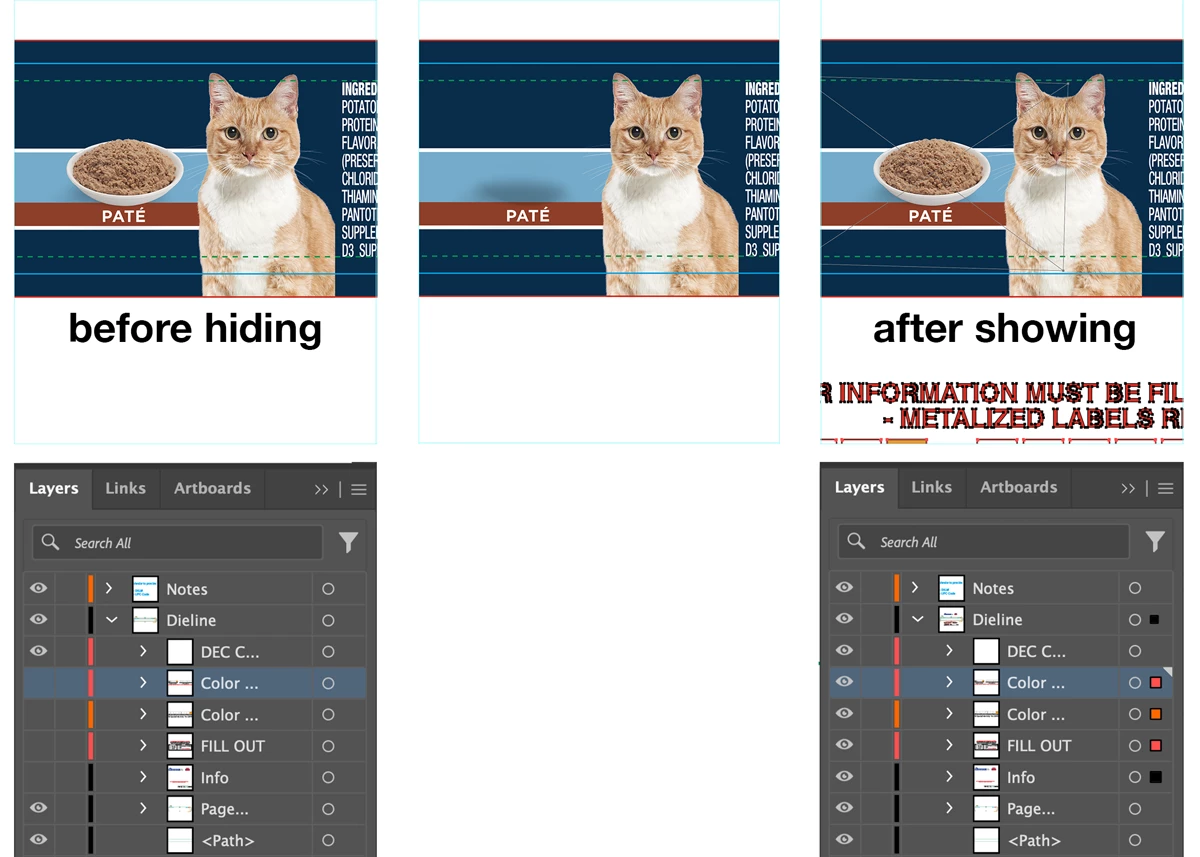
 

This topic has been closed for replies.

2 replies

Monika Gause
Community Expert
Community Expert
September 6, 2024

Exactly how are you showing the object? Via Object > Show All? In that case it would be expeted that all objects are shown. If you use the Layers panel to unhide the object, then: do you just click in the visibility column?


If you indeed use the Layers panel, then the behaviour would not be expected. You could maybe reset the preferences? Rebooth  the computer?

Anubhav M
Community Manager
Community Manager
September 6, 2024

Hello @1671312 Radzik,

We understand that encountering technical issues can be frustrating. Would you mind sharing some more details, like the exact version of the OS/Illustrator, a public link to a sample file after uploading it to Dropbox/Google Drive/etc., and a screen recording of your workflow and the problem (https://adobe.ly/4eaMp2o), so we can investigate this further?


Looking forward to hearing from you.


Thanks,

Anubhav

Inspiring
September 6, 2024

Hi Anubhav.

The only way you're going to get me to do all that is to put me on the Adobe payroll. 🙄

Best,

Jody