Quitter
  • Communauté internationale
    • Langue:
      • Deutsch
      • English
      • Español
      • Français
      • Português
  • 日本語コミュニティ
  • 한국 커뮤니티

How can I copy a layer with its complete appearance settings from one doc to another?

Explorateur ,
Oct 10, 2024 Oct 10, 2024

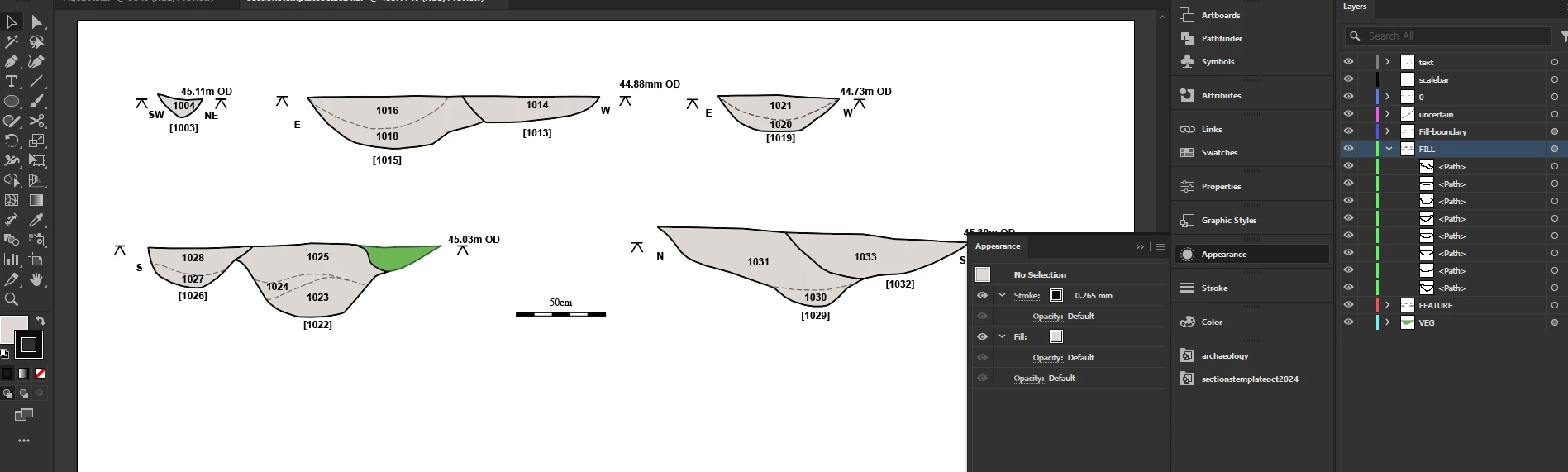
I have it set to remember layers when I copy/paste between documents, but no matter what I do, it does not copy across the layers' settings for fill and stroke.
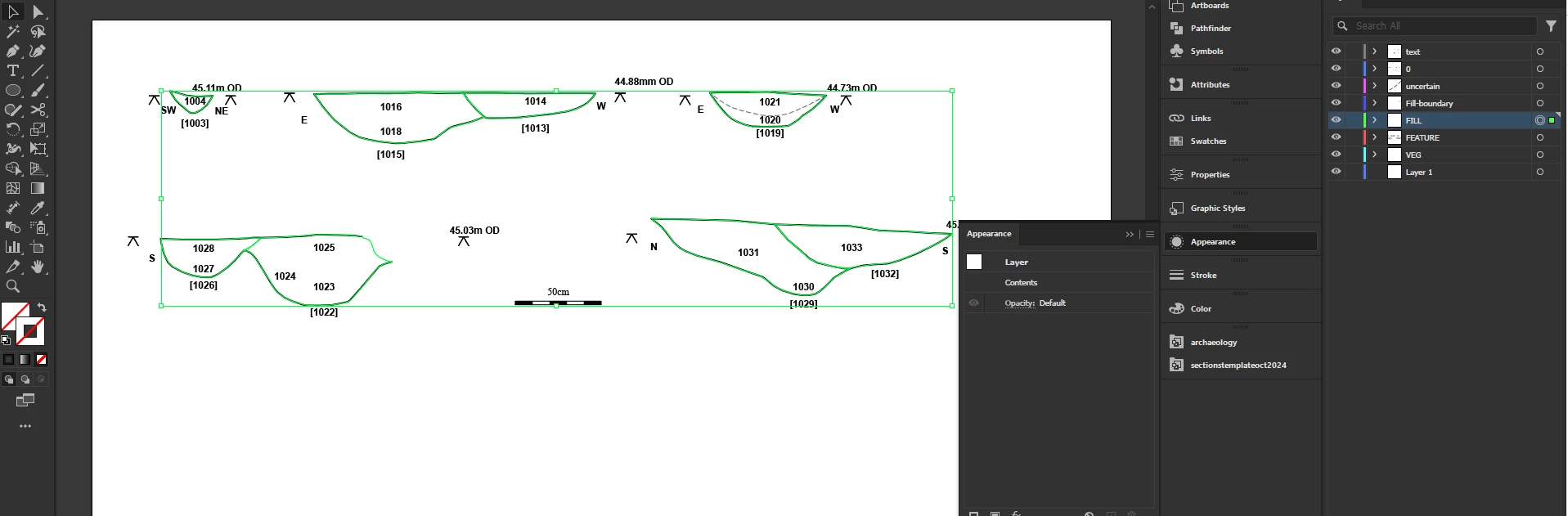
I set up  a template for my sections, where each layer  has a fill and stroke set, but the objects themselves are set to blank so that they get their appearance from the layer. But when I copy those objects into a new document, the colors that I set the layer to do not also copy across.
I tried saving graphic styles, but they save blank for these objects.
Template document:
Joan29111648tlsz_0-1728569812798.png

Pasted into a second doc:

Joan29111648tlsz_1-1728569903628.png

Almost all colours have vanished.

SUJETS
Dessin et conception , Guide pratique
892
Traduire
Signaler
Directives de la communauté
Restez bienveillant et courtois, ne vous attribuez pas la paternité des créations d’autrui et assurez-vous de l’absence de doublons avant de poster du contenu. En savoir plus
community guidelines

correct answers 1 bonne réponse

Explorateur , Oct 10, 2024 Oct 10, 2024

Many thanks to Monika Gause who just answered my comment in a zombie thread about this.
The answer is to drag the layers into a new layer as sublayers of it and then when you select the objects and copy/paste they bring the sublayers through with the settings intact.

Traduire
Adobe
Explorateur ,
Oct 10, 2024 Oct 10, 2024

Many thanks to Monika Gause who just answered my comment in a zombie thread about this.
The answer is to drag the layers into a new layer as sublayers of it and then when you select the objects and copy/paste they bring the sublayers through with the settings intact.

Traduire
Signaler
Directives de la communauté
Restez bienveillant et courtois, ne vous attribuez pas la paternité des créations d’autrui et assurez-vous de l’absence de doublons avant de poster du contenu. En savoir plus
community guidelines
Community Expert ,
Oct 10, 2024 Oct 10, 2024
LA PLUS RÉCENTE

Glad you could solve it!

Traduire
Signaler
Directives de la communauté
Restez bienveillant et courtois, ne vous attribuez pas la paternité des créations d’autrui et assurez-vous de l’absence de doublons avant de poster du contenu. En savoir plus
community guidelines