Participating Frequently
May 25, 2018
Answered

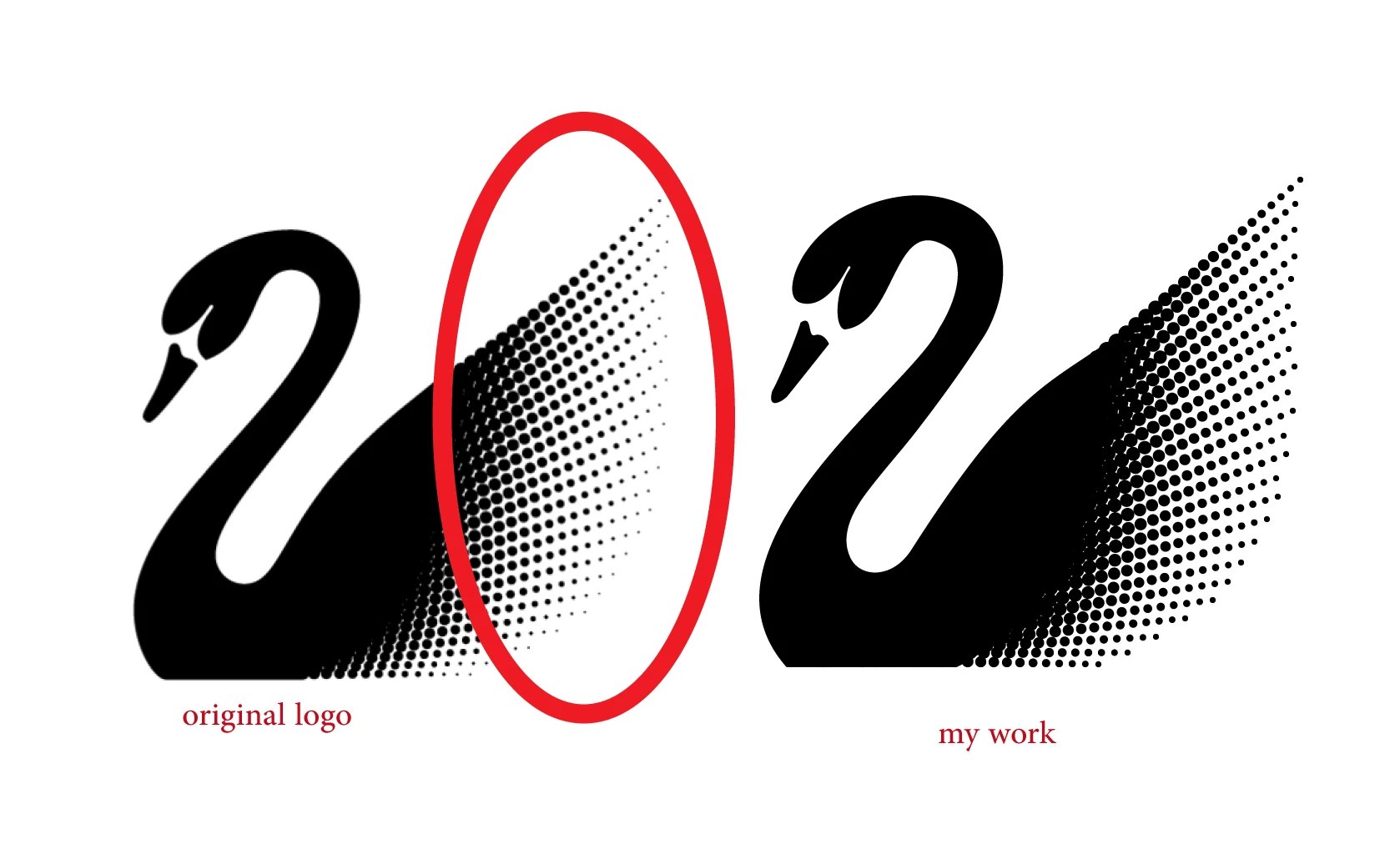
how can I do this curve in Swarovski logo ?

  • May 25, 2018
  • 4 replies
  • 1383 views

how can I do this curve in Swarovski logo ? I used blend tool to make logo
This topic has been closed for replies.
Correct answer Mario Arizmendi

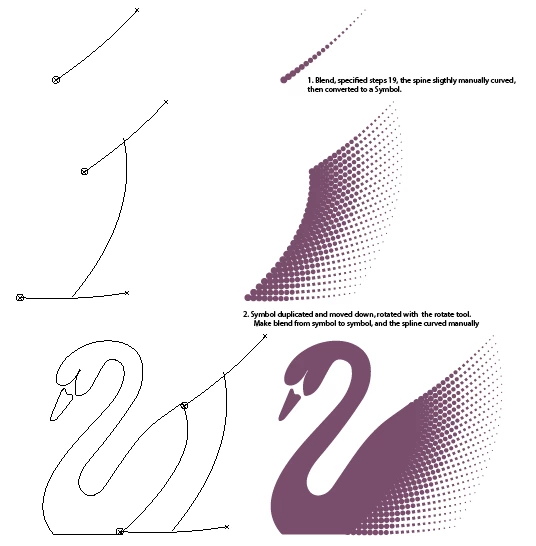
Did it with blend and symbols..

4 replies

Mario Arizmendi
Mario ArizmendiCorrect answer
Legend
May 25, 2018

Did it with blend and symbols..

Ray Yorkshire
Participating Frequently
May 25, 2018

Good try ghadaha, I had a quick go at it too, but those subtle curves and the fanning out spacing beat me.

Guess I'd have to make a custom grid and place the dots by hand  or somerhing,

to get it looking smart enough for the pond.

Omar.Fathy
Community Expert
Community Expert
May 25, 2018

- Give your shape a Black to White Gradient (Black will convert later to small circles and Black will be large circles)

- Go to Effects> Pixlate> Color Halftone.
- Select Object again.
- Make an Image trace to convert the pixel effect to vector   Window>Image Trace.

Monika Gause
Community Expert
Community Expert
May 25, 2018

You need to edit the blend spine.

How to blend objects in Illustrator