I was just describing a similar solution as Monika just posted, here is my version:
You probably do not want a pattern, but random placed pictures in a grid.
You can automate parts of it by using scripts.
First create an Illustrator document with your pictures made into symbols (this will keep the final file size down).
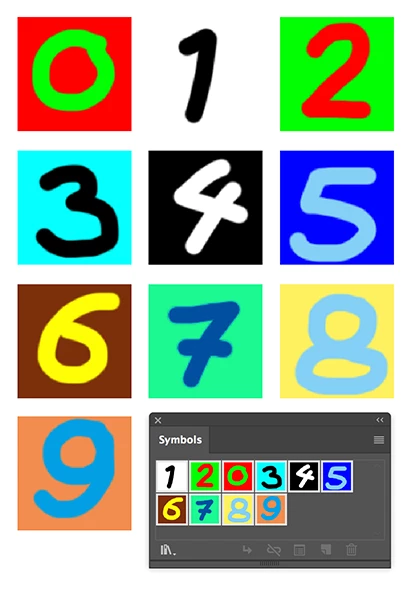
Second create a document at the size you want and fill it with the number of tiles you want.
You can do that by selecting a rectangle and choose Object > Path > Split Into Grid…
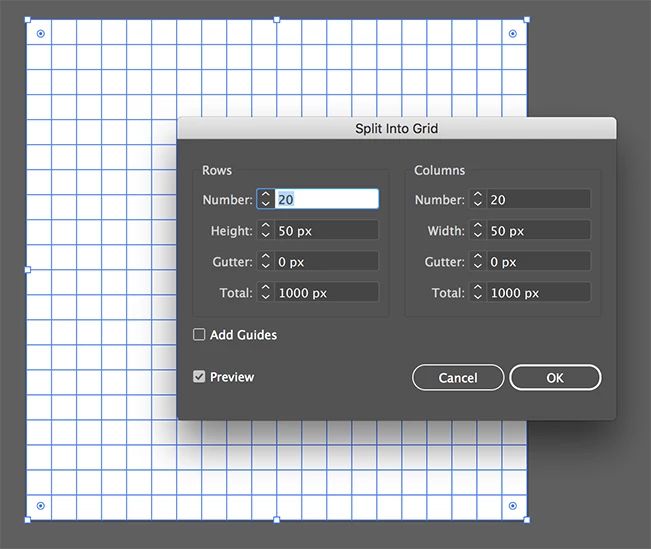
To create the randomness, fill the grid with random colors.
Select first the Grid and Shift click select the same number of color swatches as the number of images you have.
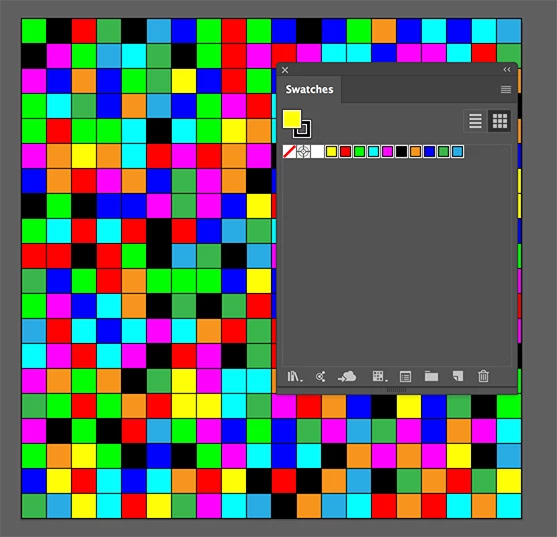
Use the RandomSwatchesFill script to fill the rectangles
You can find the script here:
Random Swatches Fill – Free Scripts for Adobe Illustrator - Freebies - Vectorboom
You can now replace the colored rectangles by the symbol images with the Zamena script (I used Zamena Size).
You can find the script here:
zamena_size [Illustrator Praxis]
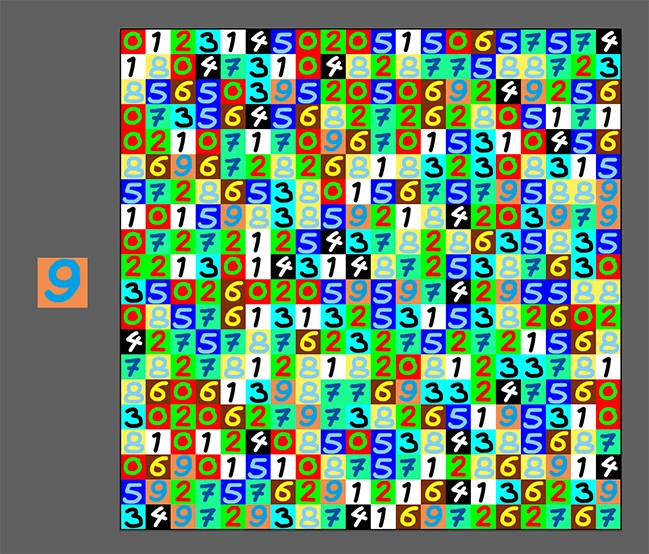
Copy the first image symbol and paste it into the colored grid document.
Select the first colored object and choose: Select > Same > Fill Color
Shift click to add the symbol image to the selection and use the Samena Size script.
Deselect and delete the image symbol.
Repeat untill all the colors are replaced by images.

 AdChoices