
Answered
How can I remove spot colors?
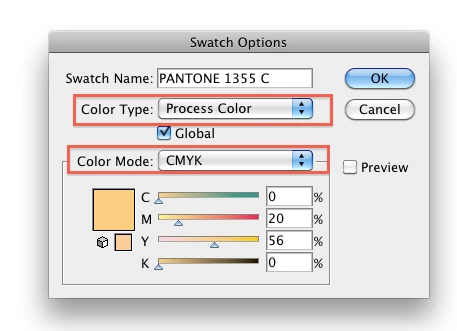
I'm still working on changing a document I didn't create. It needs to be CMYK, but I keep getting error messages when I save it that there is a spot color. I saw one spot color in the Swatches (at least I seem to remember that's what the little dot in the corner means) and I double clicked it and changed it to CMYK. And I selected the one item that seems to have that color and I changed it to the CMYK version. But the swatch still has the corner dot and I still get the error message when I save.
What am I missing?
 AdChoices