This topic has been closed for replies.
Correct answer Doug A Roberts

Hi, to reset Adobe Illustrator preferences, press and hold Alt+Control+Shift (Windows) or Option+Command+Shift (macOS) as you start Illustrator. The new preferences files are created the next time you start Illustrator.


Don't do this. This is not about resetting all preferences, just not using the video presets.


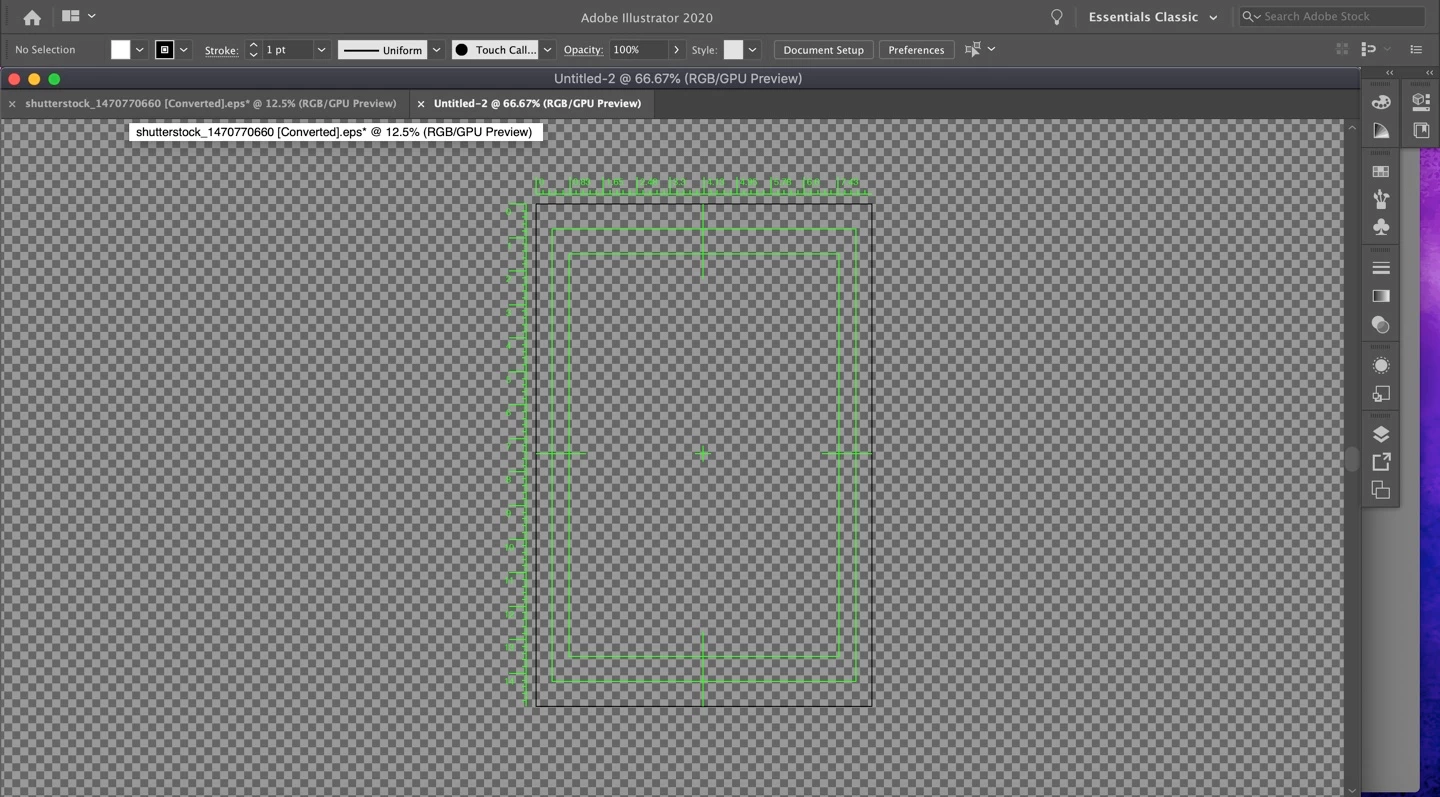
Ohood, the simplest way around this is to not use a Video preset when starting a new document.


If you absolutely need to use the document you already have:

1. Go to View > Rulers > Hide Video Rulers

2. Go to View > Hide Transparency Grid

2. Select the Artboard tool. Go to the artboard options and turn off Centre Mark, Crosshairs, and Video Safe Areas

3. Delete the 14400 pixel square second artboard that the video preset creates

1 reply

Monika Gause
Community Expert
Community Expert
September 7, 2020

Create a new file with the Print or Web preset (whatever color mode your need)

You could also just hide the transparency grid and the video rulers

Ohood5E09Author
Participant
September 7, 2020


Thank you but How can I hide the transparency grid and the video rulers ? i want 

Restore the settings as they were previously


Doug A Roberts
Community Expert
Doug A RobertsCommunity ExpertCorrect answer
Community Expert
September 7, 2020

Hi, to reset Adobe Illustrator preferences, press and hold Alt+Control+Shift (Windows) or Option+Command+Shift (macOS) as you start Illustrator. The new preferences files are created the next time you start Illustrator.


Don't do this. This is not about resetting all preferences, just not using the video presets.


Ohood, the simplest way around this is to not use a Video preset when starting a new document.


If you absolutely need to use the document you already have:

1. Go to View > Rulers > Hide Video Rulers

2. Go to View > Hide Transparency Grid

2. Select the Artboard tool. Go to the artboard options and turn off Centre Mark, Crosshairs, and Video Safe Areas

3. Delete the 14400 pixel square second artboard that the video preset creates