Inspiring
June 24, 2018
Answered

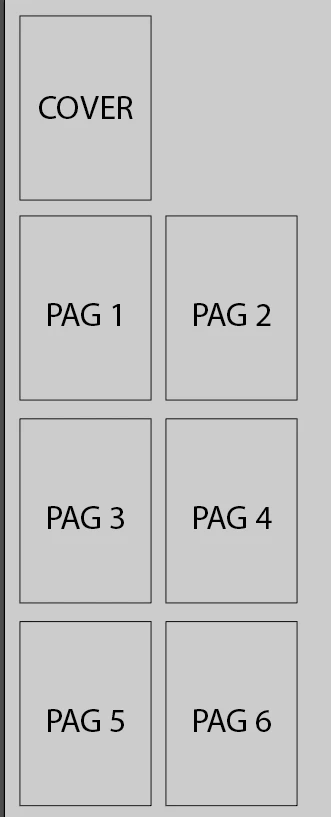
How can I set up a very short book in order to print it in this way ?

  • June 24, 2018
  • 4 replies
  • 1051 views

Hi, as the title says, I'd need to know how to prepare the A4 little book to print it as in the image. Do I just need to split every page on a different artboard or something  else?

I'm using CC 2017 on Win 7
    This topic has been closed for replies.
    Correct answer ceyhun_akgun

    First of all I do not recommend working with Illustrator Da. The best program is InDesign.

    In Adobe Illustrator, you can open the artboard in this way.

    I will share the screen photo.
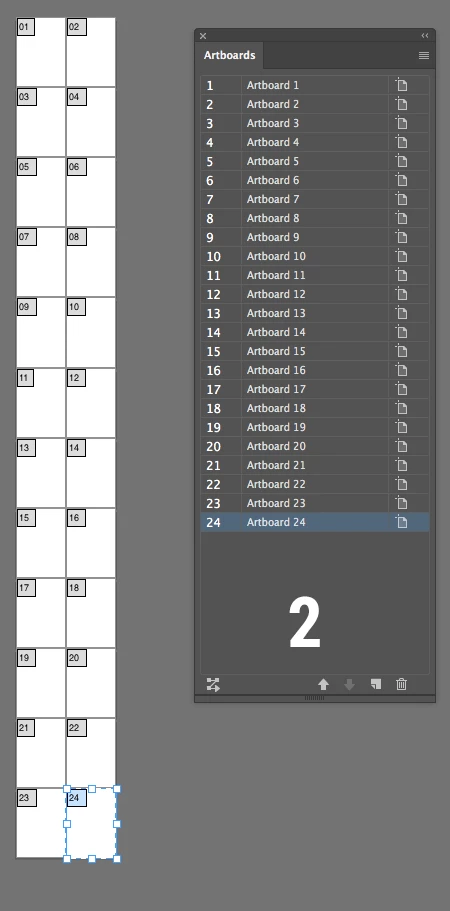
    1. In the New Document window. Enter page information on floors 4 and 4. Check other details.
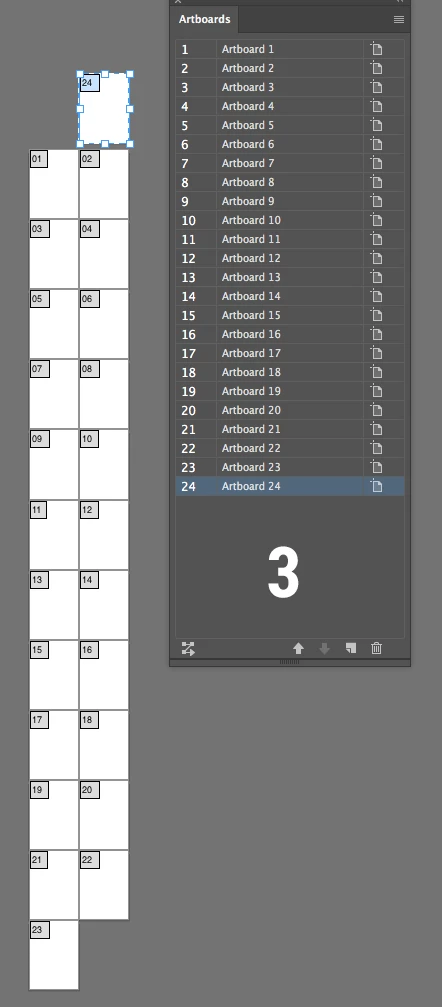
    Step 2: 24. Select the page and move it to the top.
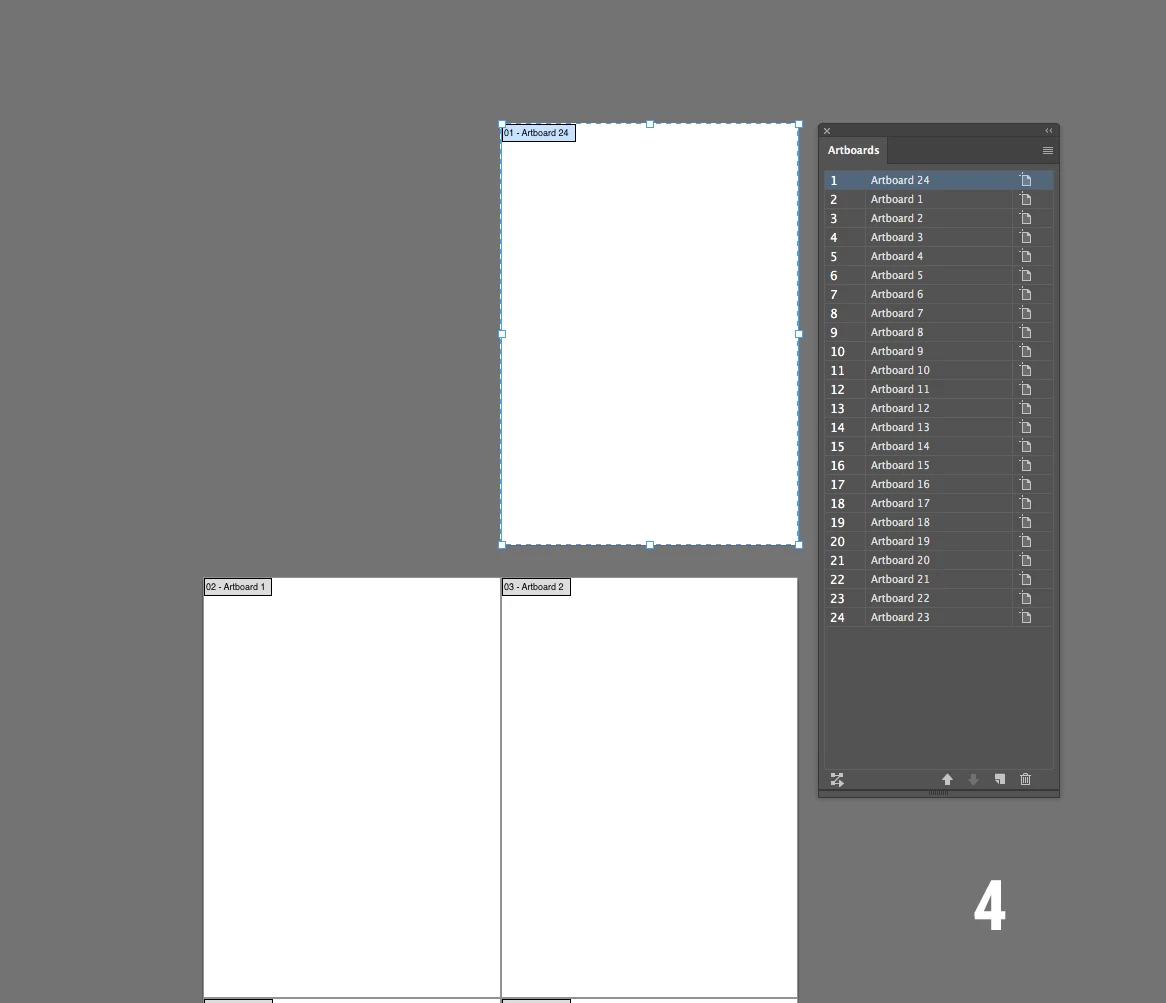
    Step 3: We moved page 24 to the top.
    Step 4: Drag the 24th page from the Artboard panel to the top.

    Step 5: You may need to set the Bleed value in the Document Setup panel.

    4 replies

    slam629Author
    Inspiring
    June 25, 2018

    Thank youa ll for the answers, yes I knew it's best InDesign indeed I wanted to use AI just because it only were 7 pages so I didn't need to go back and forth to insert graphics and edits from Ai to ID since I'd use AI for the graphic work being the best option for this kind of work.

    Jacob Bugge
    Community Expert
    Community Expert
    June 25, 2018

    For my part you are welcome, slam.

    I agree that AI may be the better choice depending on the case, especially the proportions of wording and graphics (and of course the number of pages); sometimes one may ask oneself: "Am I inserting graphics into a text document or fitting text into a graphics document?"

    slam629Author
    Inspiring
    June 26, 2018

    Exactly Jacob Brugge.

    Jeff Witchel, ACI
    Community Expert
    Community Expert
    June 24, 2018

    As ceyhun_akgun has already suggested, this should really be done in InDesign. Illustrator is a vector graphics design application. The features you are looking for to do this project most easily are in InDesign, which is a layout application. Designing a layout in Illustrator is kind of like hammering a nail with a screwdriver. You could probably do it, but it will take a lot more work and a lot more time.

    ceyhun_akgun
    ceyhun_akgunCorrect answer
    Legend
    June 24, 2018

    First of all I do not recommend working with Illustrator Da. The best program is InDesign.

    In Adobe Illustrator, you can open the artboard in this way.

    I will share the screen photo.
    1. In the New Document window. Enter page information on floors 4 and 4. Check other details.
    Step 2: 24. Select the page and move it to the top.
    Step 3: We moved page 24 to the top.
    Step 4: Drag the 24th page from the Artboard panel to the top.

    Step 5: You may need to set the Bleed value in the Document Setup panel.

    Graphic Designer Educator / PrePress Consultant
    Jacob Bugge
    Community Expert
    Community Expert
    June 24, 2018

    slam,

    As I (mis)understand it, you wish to print it yourself using double sided printing so the cover and pages 1/2 go on opposite sides of the first sheet, and 3/4 and 5/6 go on the second sheet wrapped within the first; and you wish to create it as an AI file, maybe save a copy as a PDF.

    In that case, you may create 4 Artboards, each corresponding to a spread, as shown.

    But as far as I can see, the (front) cover should be to the right, or it will be at the back when you fold the booklet.