Known Participant
December 10, 2022
Answered

How can you distort text without perspective effects?

  • December 10, 2022
  • 3 replies
  • 5069 views

When I apply free distort, it's always trying to simulate perspective, which I don't want. Sometimes we just want text to fit into a certain shape.
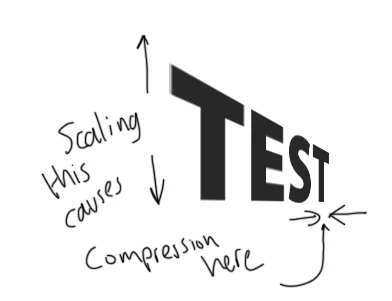
How can I avoid this?

This topic has been closed for replies.
Correct answer Mike_Gondek10189183

Try using Effects >> Disort & Trasfomr >> Free Distort. HWiel nto perfect as seems the right end is a little wider on the stem of teh "T", might be good enough for you.
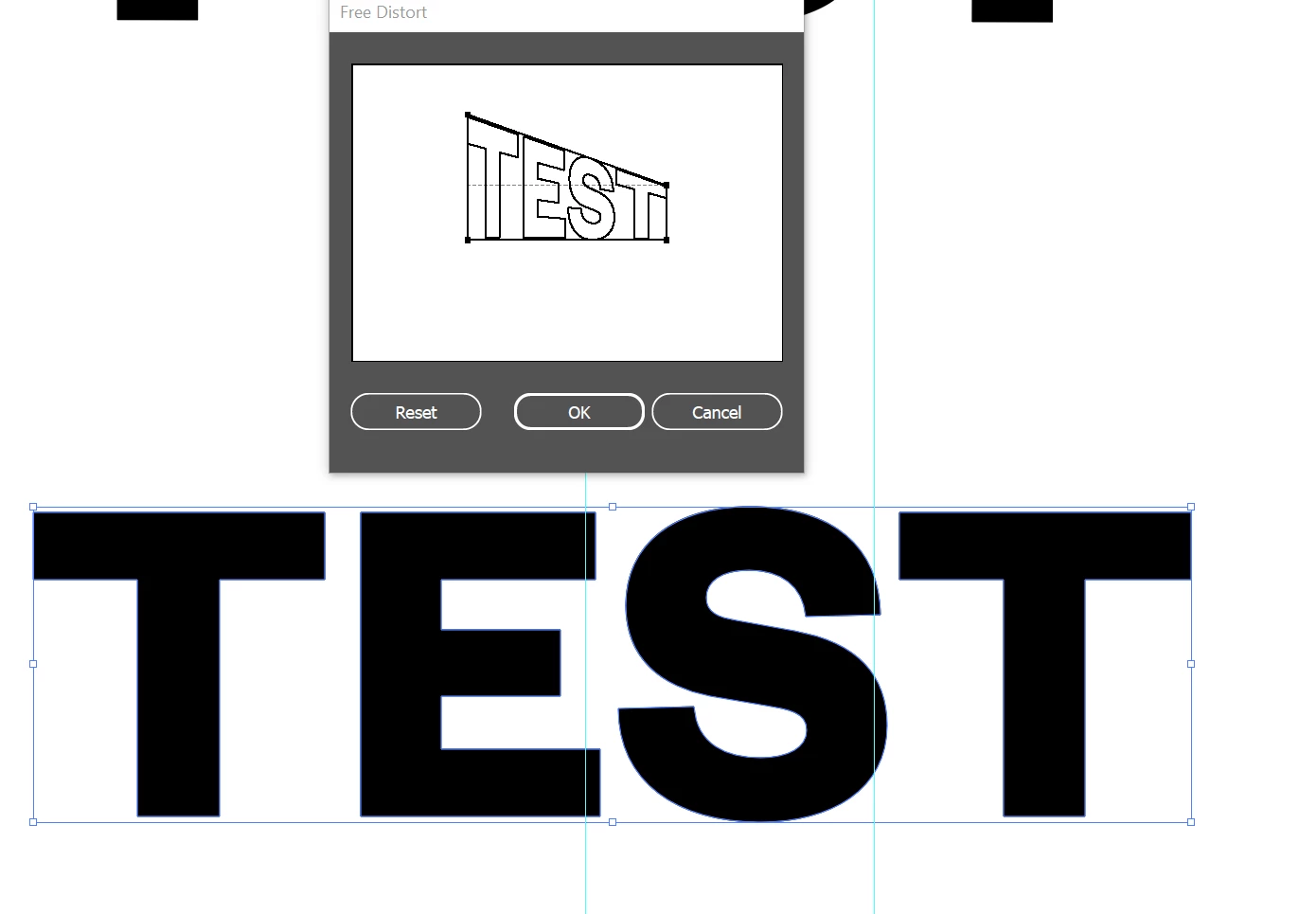
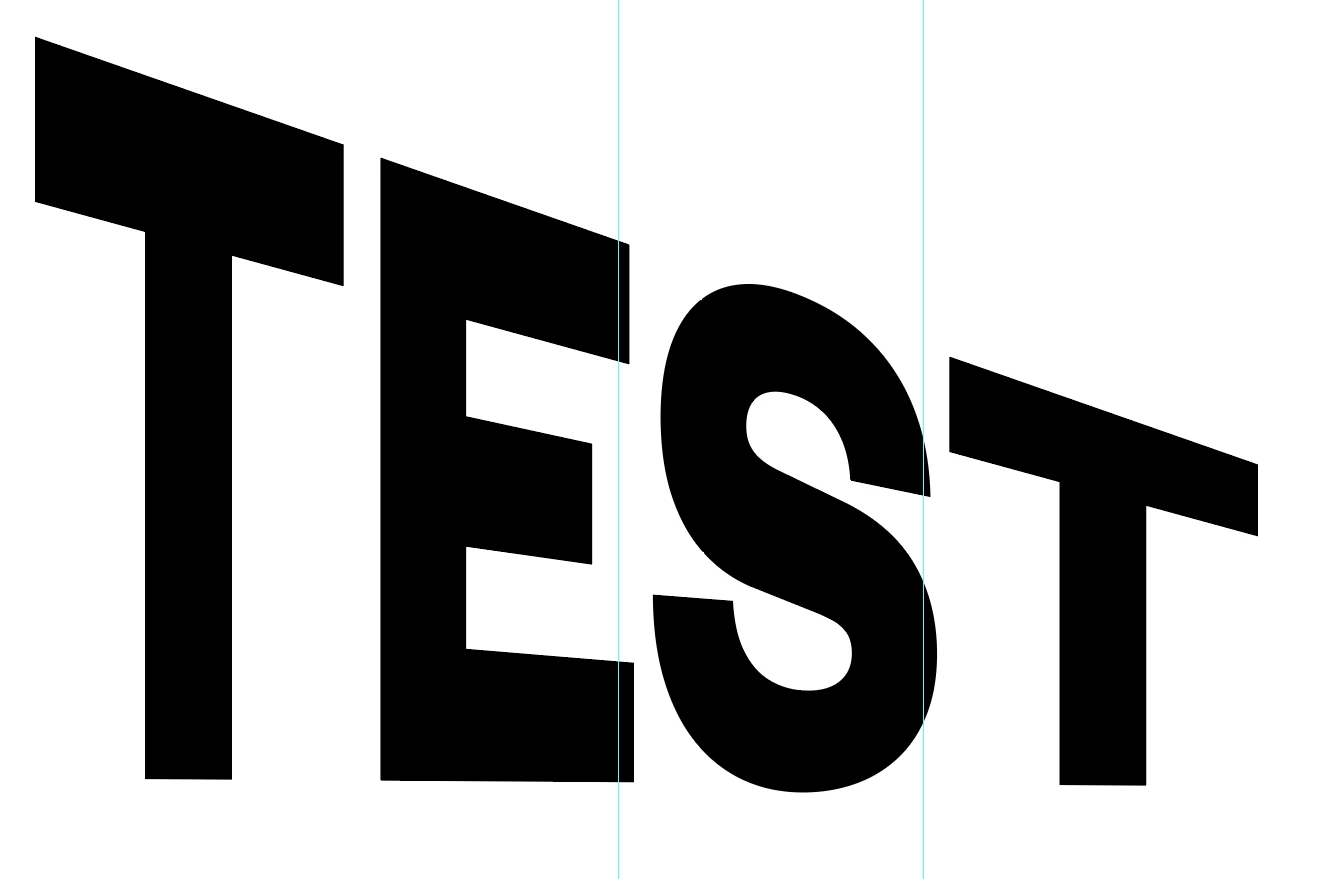


Sounds to me like you are using the transform tool and adding CTRL Alt while distorting. 

3 replies

Mike_Gondek10189183
Community Expert
Community Expert
December 13, 2022

Object >> envelope distort  >> make with top object could have been the ideal solution. But as you see from my result below is even much worse. Adobe made an effort to address this with Object >> Envelope Distort >> Make with Mesh, but this has been problematic for over a decade on type distortions or similar strong linear edges. Playing with the mesh handles is time consuming back and forth, but once in a blue moon and get you an acceptable result

After many years of using Illustrator, I find making near perfect type distortions to require much time in manual adjusting to get an acceptable result. So my estimates are high when I need to do this for final art.


There used to be a photographic method  up until late 80s using distortion wheels that could do this. While that also involved a dark room with a large wheel and film/chemicals andmultiple attempts, I felt I could get a better result.


Known Participant
December 13, 2022

"So my estimates are high when I need to do this for final art."

Mine too.

Mike_Gondek10189183
Community Expert
Mike_Gondek10189183Community ExpertCorrect answer
Community Expert
December 13, 2022

Try using Effects >> Disort & Trasfomr >> Free Distort. HWiel nto perfect as seems the right end is a little wider on the stem of teh "T", might be good enough for you.


Sounds to me like you are using the transform tool and adding CTRL Alt while distorting. 

Known Participant
December 13, 2022

That's exactly what I wanted. Thanks. It's for a ships telegraph dial.

Monika Gause
Community Expert
Community Expert
December 10, 2022

You can use the bottommost option in the free distort panel or with modifier keys: https://helpx.adobe.com/illustrator/using/scaling-shearing-distorting-objects.html 

Known Participant
December 13, 2022

Thanks, but have you tried this, or did you just look in the manual? The reason I'm asking here is because the manual is not helpful. I want to know from people who have experience of this tool.

Whatever I try, the scaling is causing a perspective effect.

Monika Gause
Community Expert
Community Expert
December 13, 2022

You cannot know that, but I am writing books about Illustrator. I have written a manual.

And I have actually tried this out for you as well.


What's important: When using the free transform tool on text, it can't be live text. It needs to be outlined first.