
Participant
September 7, 2023
Question

How do I add 2 different gradients to the same layer?

  • September 7, 2023
  • 1 reply
  • 416 views

Hey there! Im not too experienced with Adobe Illustrator! i have been trying to do this for about an hour now and its getting so frustrated lol. 🙂 - (if this was photoshop i would be able to do this with no issue)

So I learnt how to add a gradient to this layer, however i am stuck on how to add another gradient without it removing the previous one! 
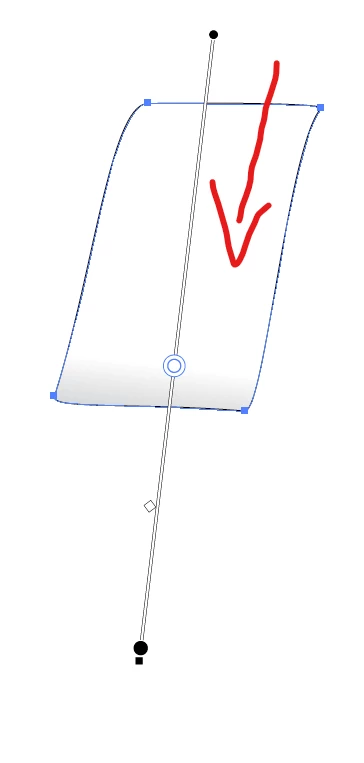
Is there any way to add 2 different gradients on the same object? or anything else i could do to give it a 3d effect like this paper is folding back? 😄


This topic has been closed for replies.

1 reply

Monika Gause
Community Expert
Community Expert
September 7, 2023

There sure is.

There are two ways.

You could try a freeform gradient. https://helpx.adobe.com/illustrator/how-to/freeform-gradients.html

Or you could open the appearance panel from the Window menu, add a new fill and then add a gradient in that new fill.

https://youtu.be/zXvRbN03MzQ 

Participant
September 7, 2023

ah thank you so much for the reply! i'm not in class rn but when i am ill give it a try!! i appreaciate it so much! :)))

Monika Gause
Community Expert
Community Expert
September 7, 2023

You're welcome!

I hope you have fun learning Illustrator!


In order to layer those gradients with the Appearance pnel, you will need to make the gradient either Multiply (all the fills have their own Opacity options) or make some gradient stops with reduced opacity. That's important to make it work. But maybe the freeform gradient gives you even more freedom.